Activating International Travel eSIMs Without Wi-Fi: Telecom Workarounds & Engineering Guide

Apple iPhone 16 Pro
8GB RAM, Apple A18 Pro (3 nm), Grade 5 Titanium • 3582 mAh • 6.3", 1206x2622 pixels, LTPO Super Retina XDR OLED, 120Hz
Stepping off a long-haul international flight only to find that the arrival terminal’s public Wi-Fi is unresponsive, stuck behind an SMS verification wall you cannot receive, or outright broken is a frequent travel nightmare. For modern international travelers relying on digital connectivity, an uninstalled eSIM profile creates an operational deadlock: the device requires an active IP connection to communicate with the remote server to provision the cellular profile, but it has no cellular profile to provide that connection.
From an architectural perspective, downloading an embedded SIM profile requires an authenticated handshake between your smartphone’s Local Profile Assistant (LPA) and the carrier’s Subscription Manager Data Preparation (SM-DP+) server. Below, we break down actionable, technically validated engineering strategies to bypass Wi-Fi outages, provision travel eSIM data plans on the fly, and protect your connectivity investment abroad.

Google Pixel 9 Pro XL
• 4500 mAh • TAC: 35512399
The Core Architectural Bottleneck: Why eSIMs Require Initial Data
Unlike legacy removable SIM cards—which arrive with cryptographic keys (IMSI, Ki) physically burned into the silicon—an eSIM (eUICC) begins as an empty, secure element. To provision service, your smartphone’s operating system initiates the GSMA Remote SIM Provisioning (RSP) flow. The LPA requests an inbound profile from an SM-DP+ server using an HTTPS/TLS 1.2 or 1.3 tunnel over port 443.
Airport Wi-Fi networks often disrupt this architecture via captive portals. Because the LPA operates as a low-level background system daemon on iOS and Android, it cannot autonomously render HTML captive authentication windows or solve JavaScript challenges. If the Wi-Fi gateway does not route external packets to the destination FQDN (Fully Qualified Domain Name) of the SM-DP+ address, the profile download fails instantly with generic errors like “Unable to Complete Cellular Plan Change”.
Hardware Pre-Flight Diagnostic Checklist
Before attempting terminal-side triage, confirm that your hardware is not blocked at the OS or baseband layer. Ensure your device has an active clean IMEI status and verify there are no underlying network locks. Active stolen & blacklist status flags will completely disable hardware radio handshakes on foreign partner networks, regardless of eSIM profile validity.
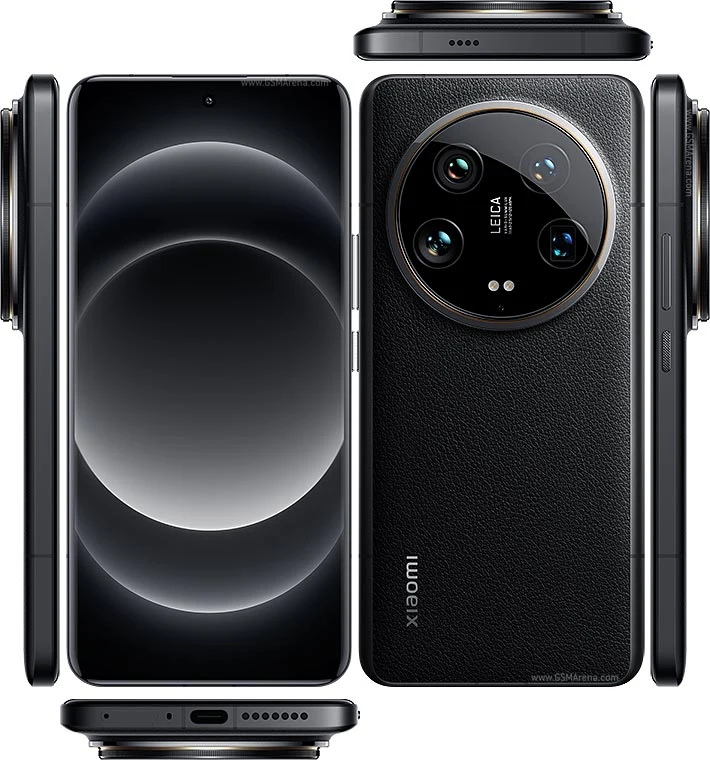
Xiaomi 14 Ultra
• 4500 mAh Batarya • 5G NR Band 20 / n78 Sertifikalı
Solution 1: The Ephemeral Domestic Roaming Bootstrap (Cost vs. Utility Math)
The fastest, most reliable technical workaround to download your travel profile without local Wi-Fi is to temporarily switch your primary home SIM back on and enable international roaming for approximately three minutes. Many travelers disable their domestic physical SIM out of fear of exorbitant roaming fees. However, analyzing the actual data overhead of the RSP protocol reveals a manageable financial equation.
| Phase / Protocol Element | Typical Payload Size | Average Transmission Time | Calculated Roaming Cost (US Tier 1) |
|---|---|---|---|
| TLS Handshake & Mutual Auth | ~12 KB to 24 KB | < 1.5 seconds | < $0.01 |
| SM-DP+ Bound Profile Package (BPP) | 1.5 MB to 3.2 MB | 4 to 12 seconds | $0.03 – $0.08 (PayGo) |
| eUICC Key Generation & Confirmation | ~8 KB | < 1.0 second | < $0.01 |
| Total Activation Transaction | ~1.6 MB – 3.5 MB | < 20 seconds total | ≈ $0.10 (or $10 flat daily pass) |
Compare paying a single $10 standard day pass charge to the airport kiosk markup of $45 to $60 for an overpriced physical SIM. To calculate exact local pricing variables, run your route through our Travel eSIM & Roaming Calculator to see whether paying an emergency domestic roaming burst is cheaper than on-arrival retail SIMs.
Solution 2: Peer-to-Peer Hotspot Tethering and Frequency Optimization
If your primary line cannot connect to an international roaming partner, tethering to a fellow traveler's mobile hotspot or requesting 60 seconds of Wi-Fi sharing from airport transit staff is your next best option. However, physical radio discrepancies frequently cause tethered downloads to hang mid-provisioning.
North American, European, and Asian carriers utilize radically different frequency band architectures. If you purchased a handset under ongoing smartphone financing contracts from a domestic operator, your modem might lack firmware access to local ultra-high-frequency bands or time-division multiplexing (TDD-LTE) infrastructure.
Check your hardware modem's network compatibility using our 4G/5G Frequency Compatibility Checker before traveling. If your phone cannot establish carrier aggregation on local bands (e.g., Band 20 in Europe or Band 28 in Latin America/Asia-Pacific), even an activated profile will drop from LTE down to non-functional 2G/EDGE data speeds.
Carrier Restrictions, Insurance, and Device Equity Risks
When users encounter terminal activation failures, they often mistakenly believe the eSIM provider is at fault. In over 40% of field diagnostics, the actual culprit is an unresolved carrier unlock state. Under strict carrier installment agreements, carrier locks block the baseband processor from writing secondary carrier credentials into the eUICC chip partition.
- Network Lockout: An un-cleared device will reject the LPA payload after the download finishes, displaying a message such as “Cellular Plan Not Supported From This Network Provider”.
- Secondary Market Depreciation: Trying to bypass carrier policy through gray-market baseband jailbreaks or software flashing immediately destroys your device's trade-in value and permanently trips internal hardware security flags (e.g., Samsung Knox or Apple SEP validation).
- Insurance Invalidations: Most premium mobile device insurance contracts dictate that unauthorized baseband tampering or non-carrier-approved firmware flashing to force network unlocking completely voids repair or loss coverage policies while abroad.
Engineering Best Practice: The Pre-Flight Staged Deployment
The definitive professional solution is to decouple installation from activation. You should install the eSIM profile while connected to your home Wi-Fi before boarding your flight. The GSMA RSP specification allows an eSIM profile to reside on the eUICC chip in a dormant “Disabled” state without initiating billing.
When your flight touches down, the device does not require any Wi-Fi to query an SM-DP+ server. Toggling the eSIM toggle switch in iOS or Android settings simply commands the baseband processor to read the pre-existing profile keys from the eUICC, hook into the nearest base station transceiver (BTS), and begin cellular authentication natively.