How Apple's Mandatory Security Delay Halts Store Trade-Ins and Device Wiping

Apple iPhone 16 Pro Max
8GB RAM, Apple A18 Pro • 4685 mAh • 6.9", 1320x2868 pixels
Introduced to neutralize opportunistic iPhone theft, Apple’s Stolen Device Protection represents a monumental upgrade in endpoint mobile security. By decoupling simple device passcodes from high-privilege account management, the protocol prevents thieves from taking over an Apple ID even if they observe the user entering their PIN. However, this architectural triumph has introduced a major operational roadblock at retail counters: the mandatory one-hour security delay. Across carrier outlets, big-box retailers, and peer-to-peer marketplaces, the security feature routinely freezes device intake, delays factory resets, and complicates consumer transactions involving clean IMEI validation and second-hand sales.
The Architectural Mechanics: Secure Enclave and Biometric Delays
To understand why retail trade-ins hit a brick wall, one must analyze the hardware and software architecture underpinning iOS Stolen Device Protection. When activated, the operating system enforces mandatory biometric authentication (Face ID or Touch ID) through the Secure Enclave processor for critical security workflows, outright barring passcode fallback.

Samsung Galaxy Z Fold6
12GB RAM, Snapdragon 8 Gen 3 • 4400 mAh • TAC: 35167824
When an iPhone detects that it is away from a "Familiar Location" (such as the owner's home or primary workplace, mapped via Significant Locations in Location Services), the operating system triggers a hardened security state. If a user attempts to execute high-impact actions—such as turning off Find My, signing out of an Apple ID, changing an Apple ID password, or initiating a complete factory reset (Erase All Content and Settings)—the device initiates an enforced 60-minute countdown timer.
Once this 60-minute interval lapses, the device requires a second mandatory biometric verification. If biometric sensors fail due to hardware degradation or if the customer cannot wait in the store, the system locks out the reset process entirely.
| Action Attempted | Inside Familiar Location | Away from Familiar Location |
|---|---|---|
| Turn Off Find My iPhone | Single Biometric Check (Immediate) | 1-Hour Delay + Second Biometric Check |
| Erase All Content & Settings | Passcode / Biometrics (Immediate) | 1-Hour Delay + Second Biometric Check |
| Carrier Network Reset | Passcode Prompt | Passcode Prompt (No Delay) |
| De-register Stored eSIM Profile | Passcode / Biometric | Immediate Biometric Prompt |
The Retail Bottleneck: Why In-Store Intake Grinds to a Halt
Retail trade-in protocols are strictly binary: a device is either completely detached from Activation Lock, or it cannot enter reverse logistics inventory. Under standard operating procedures at telecom carriers, Apple Retail Stores, and trade-in aggregators, sales representatives are barred from taking custody of a phone that has an active iCloud account or enabled Find My tracking.
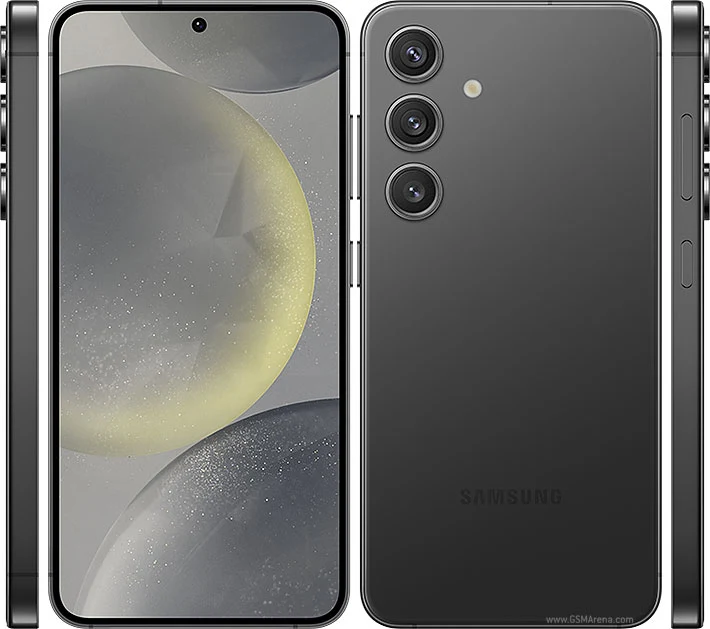
Samsung Galaxy S24
6.2", 1080x2340 pixels • 4000 mAh Batarya • 5G NR Band 20 / n78 Sertifikalı
When a consumer arrives at a retail venue to upgrade, the store is virtually never registered as a "Familiar Location." Consequently, the second the specialist attempts to guide the customer through wiping the phone, the 60-minute timer initiates. This creates severe logistical friction:
- Point-of-Sale (POS) Abandonment: Retail transaction windows are engineered for a 15- to 20-minute turnaround. A forced 60-minute idle period forces customers to abandon trade-ins or tie up retail staff.
- Quote Expiration Risks: Aggregator trade-in quotes often hinge on real-time commodity pricing. A transaction aborted due to security lockout can force a customer into an updated quote window with a diminished trade-in value.
- Verification Deadlocks: If a customer leaves the retail perimeter and returns after 60 minutes, any interruption in network connectivity or failure of the front-facing TrueDepth camera will restart the timer, preventing a full device wipe.
Financial Implications: Smartphone Financing and Resale Economics
The collision of device security with smartphone financing creates acute economic vulnerabilities for consumers. Most carrier promotional structures—such as $800 to $1,000 in monthly billing credits over a 36-month amortization period—require the clean return of the customer’s existing hardware within a strict post-activation window (typically 14 to 30 days).
Case Study: The Financial Penalty of Unprocessed Trade-Ins
Consider a consumer upgrading via a flagship promotion offering a $1,000 credit against a new purchase, contingent on surrendering an iPhone 13 Pro in working condition:
- Offered Carrier Trade-In Promo Credit: $1,000 distributed over 36 months ($27.77/mo).
- Fair Market Value (FMV) without Promo: $380 wholesale intake value.
- In-Store Failure Scenario: The consumer triggers the 1-hour delay, cannot wait, leaves the store with an un-wiped device, and mails it past the carrier grace period due to secondary activation lock errors.
- Direct Consumer Loss: $1,000 - $380 = $620 total loss in device equity, reverting the consumer to full undiscounted monthly device financing payments.
Furthermore, in private secondary market transactions, entering a sales agreement without clearing security profiles presents substantial fraud liability. Buyers must insist on verifying the device through a stolen and blacklist checker and executing an official second-hand bill of sale. If the seller cannot disable security locks on the spot due to the security delay, the buyer risks inheriting an untradeable device that cannot be reprovisioned.
Telecom Entanglements: Carrier Unlocks, Insurance Claims, and eSIM Swaps
The delay ripple effect crosses deep into core telecommunications workflows. Transitioning hardware between networks requires distinct procedural stages where Apple's security delay often proves disruptive:
1. Mobile Device Insurance Fulfillment
Underwriters managing mobile device insurance programs (e.g., AppleCare+ with Theft and Loss, Asurion, Assurant) require policyholders to wipe or unlink a damaged terminal before processing an exchange. If an insured consumer attempts to relinquish a partially functional handset at a walk-in repair center, an active security delay prevents immediate fulfillment, frequently forcing warranty administrators to reject the intake.
2. Official Carrier Unlock Protocols
A successful carrier unlock requires the baseband processor to poll Apple's Activation Servers to download an unlocked policy certificate. While the unlock itself can be provisioned remotely via the carrier, users looking to verify foreign or alternative network SIMs often trigger a complete network settings refresh or factory reset. If Stolen Device Protection is configured to "Always," moving outside known geofences disrupts swift configuration changes.
3. Migrating eSIM Data Plans
Modern smartphones rely on embedded Universal Integrated Circuit Cards (eUICC). Users transferring eSIM data plans to a newly acquired handset cannot fully release their existing terminal until old profiles are deleted. While profile deletion does not universally mandate the 1-hour countdown, attempting an overarching system reset to clear the eUICC chip pulls the user straight into the anti-theft throttle.
The Pre-Trade Action Plan: How to Avoid the 60-Minute Freeze
To safeguard maximum trade-in value and ensure a frictionless exchange at retail stores or carrier depots, consumers and fleet managers must follow an explicit staging procedure before departing for the transaction:
- Perform Actions Inside a Familiar Location: Disable Stolen Device Protection while physically located at your home or registered office where geofencing is established (Settings > Face ID & Passcode > Stolen Device Protection > Off). This bypasses the delay instantly via one biometric scan.
- Turn Off Find My iPhone First: Once Stolen Device Protection is inactive, disable Find My (Settings > [Your Name] > Find My > Find My iPhone > Off). This immediately clears the device from Apple's remote Activation Lock server.
- Create a Full Local or Cloud Backup: Perform an uncompressed iCloud or encrypted local backup to ensure security keys, eSIM metadata, and credentials transfer cleanly to the replacement unit.
- Initiate Factory Reset at Home: Tap Erase All Content and Settings. Once the device boots into the "Hello" setup screen, its status is guaranteed as a factory-cleared terminal ready for verification via an IMEI verification tool.
Balancing Anti-Theft Protection with Second-Hand Circularity
Apple’s Stolen Device Protection has fundamentally curbed the street-level utility of stolen iOS devices, dramatically altering the black-market equation. However, the telecommunications and refurbishing industries rely on the rapid processing of millions of devices annually to sustain secondary market circularity. Understanding how the hardware-enforced 1-hour delay operates allows consumers to bypass retail headaches, preserve their device equity, and ensure safe, verifiable hardware transactions.