AppleCare+ Theft and Loss: Eligibility Rules, Find My Mandates, and Claim Denial Prevention
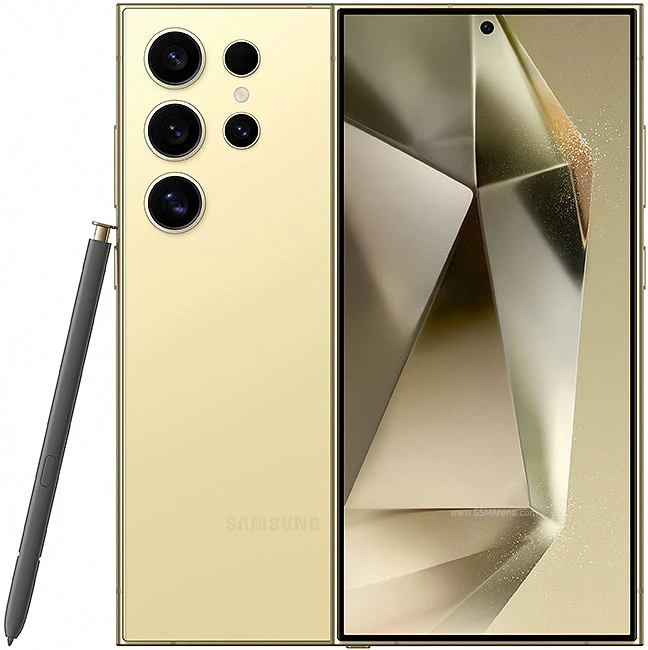
Samsung Galaxy S24 Ultra
12GB RAM, Snapdragon 8 Gen 3 (4 nm), Titanium frame • 5000 mAh • 6.8", 1440x3120 pixels, Dynamic LTPO AMOLED 2X, 120Hz
Enrolling in premium mobile device insurance is only half the battle when safeguarding high-end hardware. AppleCare+ with Theft and Loss represents one of the most comprehensive protection tiers in consumer tech, yet hundreds of claims are summarily denied each week. These rejections rarely stem from lack of coverage; they happen because consumers inadvertently violate cryptographic telemetry requirements, mishandle eSIM data plans, or disconnect their devices from the Apple ecosystem during the loss window.
1. The Find My Mandate: Apple's Non-Negotiable Telemetry Tether
Unlike standard carrier-backed insurance policies underwritten by companies like Asurion or Likewize, Apple’s theft and loss program—administered by AIG, Assurant, or local regional underwriters—is anchored to a strict firmware-and-cloud handshake: Find My must remain enabled throughout the entire lifecycle of the claim.

Apple iPhone 16 Pro Max
8GB RAM, Apple A18 Pro • 4685 mAh • TAC: 35987116
Under section 4.1 of the AppleCare+ Theft and Loss policy terms, the insured hardware must have Find My activated on the device at the exact moment of loss, and it must stay bound to the claimant's Apple Account until Apple or the underwriter explicitly authorizes its release. If an end-user logs into iCloud via a web browser and clicks "Remove from Account" in an attempt to wipe personal data, the hardware binding breaks immediately. This invalidates the telemetry verification, leading to an automatic and virtually irreversible claim denial.
- The Difference Between "Erase" and "Remove": You may remotely trigger an "Erase iPhone" command via iCloud.com. This scrubs the Secure Enclave and user partition without lifting Activation Lock. However, selecting "Remove Device" unbinds the hardware UUID/IMEI from Apple's server records.
- Bluetooth Low Energy (BLE) Mesh Requirements: Even if a stolen device is disconnected from cellular networks or powered off, Apple’s Find My network leverages offline BLE beacons broadcast to adjacent iOS nodes. Erasing the device improperly terminates this validation trail.
2. Financial Calculations: AppleCare+ vs. Out-of-Pocket Replacement
When financing high-tier devices via active smartphone financing agreements, a total loss event without insurance leaves the consumer liable for both the ongoing device repayment schedule and the acquisition of a new handset. Let us analyze the mathematical risk model using a flagship device (e.g., iPhone 16 Pro Max 256GB, MSRP $1,199 USD).
| Parameter | AppleCare+ with Theft/Loss | Out-of-Pocket Replacement |
|---|---|---|
| Coverage Cost (24 Mo. / Upfront) | $269.00 (or $13.49/mo) | $0.00 |
| Theft/Loss Claim Deductible | $149.00 | $0.00 |
| New Replacement Handset Cost | $0.00 (Tier-1 Unit Supplied) | $1,199.00 |
| Net Financial Outlay at Incident | $418.00 | $1,199.00 |
| Net Capital Preserved | +$781.00 | -$1,199.00 |
The financial exposure goes beyond hardware replacement. If a stolen device was intended to yield high trade-in value toward an upgrade at month 24, losing it without insurance results in an immediate loss of that capital buffer, effectively compounding the total cost of ownership by an additional $400 to $650.

Samsung Galaxy Z Fold6
7.6", 1856x2160 pixels • 4400 mAh Batarya • 5G NR Band 20 / n78 Sertifikalı
3. Primary Denial Vectors and Claim Engineering
Underwriters evaluate claims algorithmically. A discrepancy in baseband metrics, firmware logs, or IMEI registry data can pause or terminate the approval process. Ensure you mitigate the top three denial triggers:
Trigger A: Untrusted Second-Hand Origins and Blacklisted Identifiers
You cannot attach valid AppleCare+ coverage to a device that entered the secondary market with an existing lien or cloudy provenance. Before buying or insuring hardware from non-authorized resellers, always run the device identifier through an IMEI Validator to guarantee you are working with an authentic, un-cloned device. Furthermore, execute an audit using a Stolen & Blacklist Checker to verify that the equipment retains a strictly clean IMEI status across the global GSMA Central Equipment Identity Register (CEIR).
Trigger B: eSIM De-provisioning vs. Account Suspension
When your device is stolen, your initial reaction may be calling your carrier to cancel the line. Do not cancel your cellular profile immediately. Instruct your network operator to suspend the line against outgoing billing while maintaining network visibility, or coordinate replacement SIM/eSIM delivery carefully. If you immediately revoke the embedded SIM credentials, the stolen iPhone loses one of its key backhauls for Find My transmission before Activation Lock commands settle.
Trigger C: The 60-Day Enrollment Window and Proof of Purchase
AppleCare+ with Theft and Loss must be purchased within 60 days of the original hardware activation (requiring remote on-device hardware diagnostics). If you acquired the device via a private transaction, make sure to execute a formal, legally structured 2nd Hand Bill of Sale. Underwriters frequently request original bills of sale to settle claim disputes involving sudden ownership transfers or conflicting registration histories.
4. Carrier Lock Status, Basebands, and Global Travel Claims
Modern smartphones rely on localized baseband modems with specific band aggregations. If your device is stolen overseas while operating on local cellular towers, policy underwriters assess your international roaming activity. Operating on an unlocked phone with temporary roaming profiles is completely permissible, but verifying your carrier unlock state ensures seamless claim processing.
When traveling abroad, local police reports must explicitly state the device model, serial number, and primary IMEI. If you submit a translated report missing equipment identifiers, automated claims portals will flag the submission for human fraud evaluation. For deeper network technicalities, frequency mapping, and cellular diagnostics, reference our comprehensive library of Hardware & Telecom Guides.
5. Checklist: How to File a Theft Claim Correctly
- Verify Find My Status: Open a browser, navigate to
icloud.com/find, and mark the device as Lost. This enables Lost Mode, locks the screen with a custom message, and forces telemetry uplinks whenever the phone nears any Apple device. - Obtain a Valid Police Incident Report: File a formal report within 24 to 48 hours. Ensure the officer records the primary IMEI, serial number, and physical circumstances of the loss.
- Initiate the Claim via Apple: Visit
claim.applepack.apple.comor use the Apple Support app. Authenticate with the specific Apple Account linked to the lost hardware. - Do Not Remove the Unit from Apple Account: Keep the device in your account list until the replacement unit is received, activated, and the underwriter closes out the claim file.