Carrier BYOD Compatibility Checker Rejects Your IMEI? Engineering Fixes and Workarounds

Apple iPhone 16 Pro Max
8GB RAM, Apple A18 Pro • 4685 mAh • 6.9", 1320x2868 pixels
Bringing Your Own Device (BYOD) to a new mobile network is one of the most effective ways to break free from predatory multi-year carrier agreements. However, few technical hurdles are more frustrating than entering your device's 15-digit identifier into a web portal only to see the error: “IMEI not recognized” or “Device incompatible with our network.” This issue frequently occurs even when your phone is fully paid off, sports top-tier modem specifications, and possesses an official carrier unlock.
From an RF engineering and telecommunications provisioning perspective, an online compatibility checker failure rarely means your phone physically cannot connect to the carrier's towers. Instead, it typically points to outdated Type Allocation Code (TAC) databases, aggressive proprietary carrier whitelisting (such as AT&T's VoLTE whitelist or Verizon's Open Development database), or firmware-level CSC (Consumer Software Customization) mismatches. Below is a comprehensive engineering guide to diagnosing and resolving BYOD IMEI recognition failures.
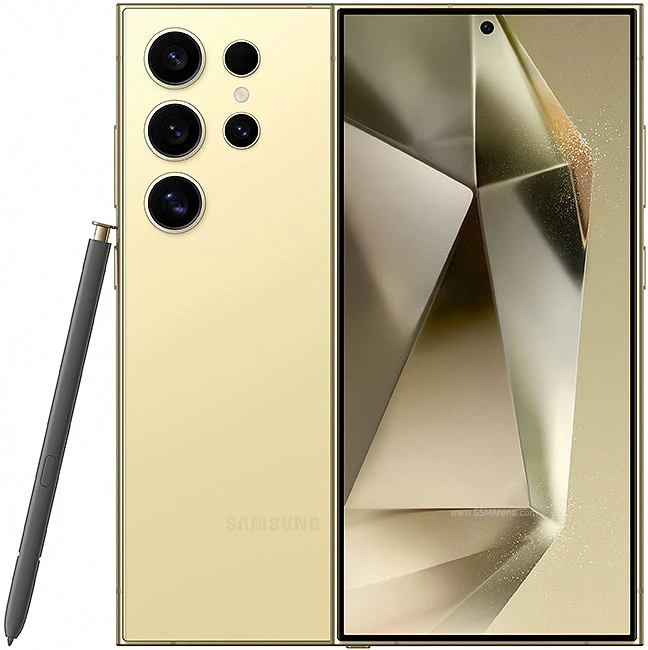
Samsung Galaxy S24 Ultra
12GB RAM, Snapdragon 8 Gen 3 (4 nm), Titanium frame • 5000 mAh • TAC: 35167624
1. Verify Device Integrity: Blacklists, Financing, and the Luhn Algorithm
Before attempting telecom-level bypasses, you must rule out administrative and cryptographic invalidity. An IMEI can return an unrecognized error simply because the online form utilizes a client-side Luhn checksum algorithm, and a single mistyped digit breaks the mathematical sequence. First, run your device identifier through a verified IMEI Validator to verify the check digit and decode the underlying TAC.
Next, confirm that the device possesses a verifiable clean IMEI. If a previous owner defaulted on smartphone financing or reported the unit missing, it may be flagged on the GSMA Central Equipment Identity Register (CEIR). Even if your local carrier does not explicitly flag it as “stolen,” Tier-1 automated BYOD engines reject blacklisted hardware silently. You can cross-reference international registry flags using our Stolen & Blacklist Checker before escalating the issue with network technicians.
2. Frequency Band Compatibility vs. Carrier Whitelisting
Telecommunications carriers in North America and Europe rely heavily on VoLTE (Voice over LTE) profile certification and specific 5G NR (New Radio) frequencies. An unlocked factory-direct device (e.g., an international dual-SIM Samsung Galaxy or Xiaomi flagship) may support the physical radio frequencies but lack the IMS (IP Multimedia Subsystem) configuration necessary for 911 emergency dialing compliance.

Apple iPhone 16 Pro
6.3", 1206x2622 pixels, LTPO Super Retina XDR OLED, 120Hz • 3582 mAh Batarya • 5G NR Band 20 / n78 Sertifikalı
| Carrier Type | Common Policy | Why Compatibility Checkers Fail | Workaround Feasibility |
|---|---|---|---|
| AT&T & MVNOs (Cricket, Straight Talk) | Strict PDF Whitelist based on exact model sub-variant (e.g., SM-G998U vs SM-G998B). | TAC not listed on the pre-approved VoLTE provisioning database. | Low. Network sweeps will kick unapproved TACs off towers. |
| Verizon & Visible | Open Development Whitelist. Requires explicit CDMA-less certification. | Unregistered factory-unlocked non-US models lack initial database entry. | High. Tier 2 Tech Support can file a “DMD Add Form”. |
| T-Mobile & Metro | Open standard. Primarily mandates LTE Bands 2/4/12/66/71 & VoLTE open profile. | BYOD web portal caches fail on newly minted or dual-SIM IMEI 2 ranges. | Very High. Physical SIM swapping bypasses web errors instantly. |
To verify whether your phone physically supports the local infrastructure regardless of the web checker, cross-reference your specific regional modem model with our 4G/5G Frequency Compatibility Checker.
3. Step-by-Step Engineering Workarounds
Method A: The Physical SIM Swap Bypass
Most online BYOD tools are merely sales-funnel safeguards designed to minimize customer support calls. On networks that do not perform periodic TAC policing (such as T-Mobile and many global GSM operators), you can simply bypass the checker by ordering an unactivated SIM card using the IMEI of an old, known-compatible phone (or an iPhone 11 or later, which almost universally pass validation). Once the physical SIM arrives and is activated online, insert it directly into your unlisted phone. The network will read the IMSI, authenticate the session, and provision standard data profiles automatically.
Method B: Digital Provisioning via Alternate eSIM Configurations
If your primary device features an embedded SIM, checking online portals often defaults to inspecting IMEI 1 (mapped to the physical slot) rather than IMEI 2 (assigned to the eSIM chip). If IMEI 1 returns an error, input IMEI 2 or generate an EID pairing request. In scenarios where domestic operators refuse to provision your hardware, pivoting to digital eSIM data plans through independent MVNOs can bypass core carrier gatekeeping altogether. Check regional rates and technical routing using our Travel eSIM & Roaming Calculator.
Method C: Tier-2 DMD / Equipment Database Submission
For networks like Verizon, an unrecognized unlocked device must be manually mapped in their Device Management Database (DMD). Call customer service, request Tier-2 Network Technical Support, and inform the technician: “My device is non-CDMA unlocked and band-compliant, but missing from your DMD. Please submit an engineering DMD Add Ticket.” This internal request typically resolves within 24 to 72 business hours.
4. Financial Analysis: Fixing BYOD Compatibility vs. Carrier Trade-Ins
When an IMEI cannot be provisioned due to carrier policy, consumers often face a decision: sell the device on the secondary market or accept a carrier switch-and-trade promotion. Carriers routinely leverage these compatibility roadblocks to steer consumers toward proprietary 36-month installment agreements.
Consider the real-world financial comparison between keeping an unlocked device versus succumbing to carrier lock-in:
Financial Case Study: 36-Month Cost Comparison
- Scenario A (Carrier Lock-In via Incentive): You surrender your existing device with an estimated $450 trade-in value to finance a $1,199 flagship. The carrier requires their premium unlimited plan ($85/mo) over 36 months to grant bill credits, alongside mandatory mobile device insurance ($18/mo). Total cost over 3 years:
(85 + 18) × 36 = $3,708. - Scenario B (BYOD MVNO Workaround): You retain your unlocked device, fix compatibility or switch to a BYOD-friendly MVNO ($30/mo for high-speed 5G), and secure private equipment protection ($8/mo). Total cost over 3 years:
(30 + 8) × 36 = $1,368. - Net Difference: Resolving BYOD compatibility issues nets a cash savings of $2,340 over 36 months.
If hardware incompatibility forces you to liquidate the phone, always preserve its resale equity by providing buyers with an official bill of transfer. You can quickly generate a verified bill of sale using our 2nd Hand Bill of Sale generator to prove ownership validity and maintain optimal secondary market pricing.
Frequently Asked Questions
Why does a carrier BYOD checker say my phone is incompatible even though it is fully unlocked? ▼
BYOD checkers query proprietary databases rather than live radio parameters. Carriers frequently block devices that lack specific firmware-level VoLTE emergency calling certifications, or devices whose Type Allocation Codes (TAC) belong to foreign or newly released models that haven't been manually imported into their Device Management Database (DMD).
Can I bypass a BYOD checker error by swapping an active SIM card from another phone? ▼
Yes, on networks like T-Mobile and many global GSM operators, active SIM swapping works instantly because the carrier network provisions service based on an active IMSI rather than barring unlisted TACs. However, networks with strict whitelists (like AT&T) may automatically suspend the line within hours if the IMEI does not match their approved device list.
What is the difference between an unlisted IMEI and a blacklisted IMEI? ▼
An unlisted IMEI is simply absent from a specific carrier's internal sales and compatibility database, but the phone itself remains legal, valid, and fully functional. A blacklisted IMEI has been registered on the global GSMA Central Equipment Identity Register (CEIR) as lost, stolen, or tied to unfulfilled financing, preventing it from registering on any participating cellular network.
How do dual-SIM and eSIM phones cause BYOD checker errors? ▼
Dual-SIM devices possess two distinct IMEIs: IMEI 1 (physical slot) and IMEI 2 (eSIM or secondary slot). Many carrier web checkers only validate IMEI 1 against their database. If you attempt an eSIM activation using IMEI 1, or enter IMEI 2 into a system expecting primary slot TAC ranges, the checker often returns a false incompatibility error.