Carrier 24-Hour eSIM Security Holds: How to Bypass Delays and Transfer Profiles Instantly

Apple iPhone 16 Plus
8GB RAM, Apple A18 • 4674 mAh • 6.7", 1290x2796 pixels, Super Retina XDR OLED
Transitioning to an embedded SIM (eSIM) should theoretically take seconds, yet thousands of consumers upgrading their hardware find themselves locked out of cellular connectivity by an opaque 24-hour carrier security hold. Implemented under anti-SIM-swapping mandates and NIST SP 800-63B digital identity guidelines, these holds are triggered when an Automated Fraud Detection Engine detects high-risk parameters during an Over-the-Air (OTA) Remote SIM Provisioning (RSP) request. Understanding the technical architecture of this delay—and how to communicate with Tier-2 telecom infrastructure teams—is essential to restoring your line immediately.
Why Carriers Enforce a 24-Hour Fraud Freeze on eSIM Transfers
When you initiate an eSIM transfer from an older phone to a new one, your device interacts with a GSMA-standardized Subscription Manager Data Preparation (SM-DP+) server. The carrier's billing system and risk-engine evaluate the transfer event across multiple vectors:
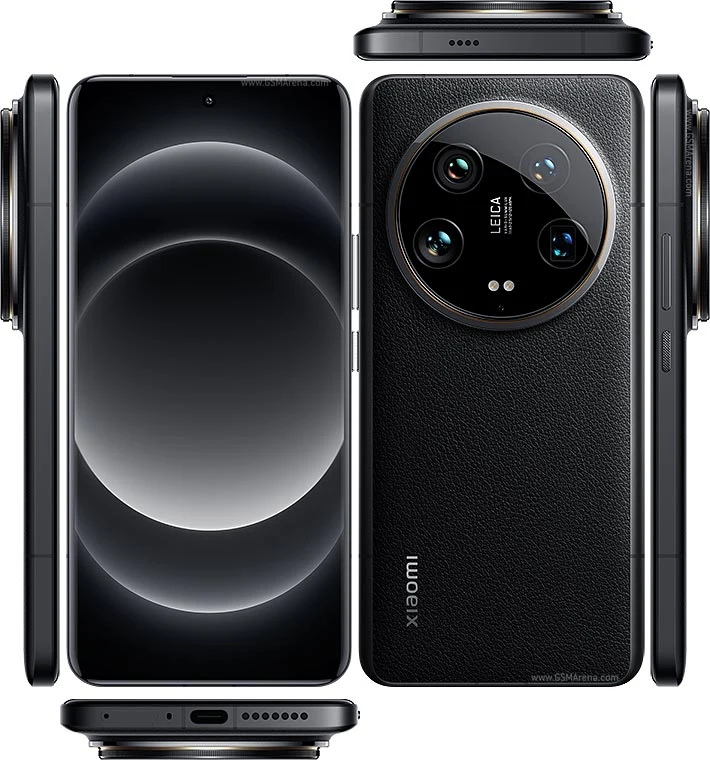
Xiaomi 14 Ultra
• 4500 mAh • TAC: 86942106
- Account Lifecycle Changes: Updating billing passwords, changing shipping addresses, or paying off early equipment balances right before a transfer immediately flags account volatility.
- Financed Hardware Collateral: Devices bound to active smartphone financing agreements are heavily monitored. Carriers restrict OTA profile downloads to prevent black-market re-provisioning of equipment before the initial retail installment contract clears.
- IMEI and EID Mismatches: If the destination phone does not demonstrate a verified, clean IMEI, the carrier's provisioning engine initiates a safety halt to avoid porting your MSISDN (phone number) to a compromised terminal.
The Financial Impact: Trade-Ins, Financing, and Billing Slippage
A 24-to-72 hour profile stall does not simply deprive you of voice and data; it can cascade into substantial financial penalties during an upgrade cycle. Consider the mathematics of modern device financing and promotional trade-ins:
| Scenario Parameter | Seamless Activation | Carrier Hold & Transfer Lockout |
|---|---|---|
| Trade-In Window Compliance | Within 14-day limit ($800 promotional credit) | Exceeded window ($350 baseline fair market value) |
| Financing Monthly Offset | $33.30 device charge - $22.22 credit = $11.08/mo | $33.30 device charge - $9.72 credit = $23.58/mo |
| Temporary Redundancy Data | $0.00 (Standard monthly line access) | $30.00 to $70.00 (Emergency secondary cellular passes) |
| Total Net Balance Difference | $0 Extra Cost | +$480.00 to +$520.00 over 36 months |
If an activation freeze causes you to miss your carrier's physical return window, your promotional trade-in value drops significantly. Furthermore, if you are actively covered under independent or network-backed mobile device insurance, an unverified device transfer may temporarily void coverage because the International Mobile Station Equipment Identity (IMEI) linked to the policy no longer corresponds with the active IMSI on the network core.
Step-by-Step Architecture: How to Bypass or Resolve the Hold
Standard first-line customer service representatives cannot override an algorithmic security lock; their management dashboards lack cryptographic token release privileges. To break through the queue and provision your eSIM profile, use the following engineering-backed protocol:
Apple iPhone 16 Pro
6.3", 1206x2622 pixels, LTPO Super Retina XDR OLED, 120Hz • 3582 mAh Batarya • 5G NR Band 20 / n78 Sertifikalı
1. Verify Device Integrity and Blacklist Status
Before requesting a manual override, ensure that the destination device has not been flagged for non-payment or marked as lost. Run the 15-digit identifier through our Stolen & Blacklist Checker to guarantee the database record is completely clear. Carriers will instantly reject manual RSP releases to any hardware registered with an open claim on Central Equipment Identity Registers (CEIR).
2. Confirm Factory Band Compatibility & Carrier Unlock Status
Hardware lock status frequently mimics an activation hold. A device locked to another network will refuse to install the SM-DP+ profile certificate, creating an error code that looks identical to a carrier fraud delay. Verify that your device has completed a full carrier unlock and inspect its RF modem capabilities with our 4G/5G Frequency Compatibility Checker to confirm support for your carrier's specific NR and LTE bands (e.g., n77, n41, Band 13, or Band 71).
3. Escalate to the Carrier Fraud Prevention Unit (FPU)
Call your provider's main support number and specifically demand the Fraud Prevention Unit or Tier-2 RSP Engineering Group. Instruct the engineer that you are experiencing an SM-DP+ Profile Delivery Error under GSMA SGP.22 protocols. State clearly:
"I am confirming an authorized device upgrade between two hardware units under my ownership. My destination EID is verified clean, and I am requesting an immediate Out-Of-Band (OOB) authentication code sent to my secondary verified identity channel to clear the 24-hour provisioning suspension."
4. Fall Back to Standalone Data Profiles During Prolonged Locks
If the network policy strictly mandates a non-negotiable cooling-off window (often triggered if a physical SIM card was reported lost in the prior 48 hours), deploy a temporary secondary data line. Compare affordable bridge options via our Travel eSIM & Roaming Calculator to maintain dual-SIM data connectivity without forfeiting ongoing promotional rates on your primary eSIM data plans.
Hardware Protocol Checklist: Ensuring Zero Delays Next Time
- Do Not Swap at Odd Hours: Automated risk models apply stricter thresholds between 10:00 PM and 6:00 AM local time when social-engineering attacks peak.
- Maintain Wi-Fi Stability: The SM-DP+ transaction requires uninterrupted TLS handshakes. An unstable public Wi-Fi connection causes packet drops during LPA (Local Profile Assistant) authentication, dropping the transaction into an auto-freeze status.
- Keep Old Hardware Live: Do not wipe the old phone until the new profile status changes to 'Operational' in the carrier backend. Removing the active profile before the network registers the new EID triggers an instant identity-loss failure state.