Comprehensive Guide: How to Convert a Physical SIM to an Active Digital eSIM
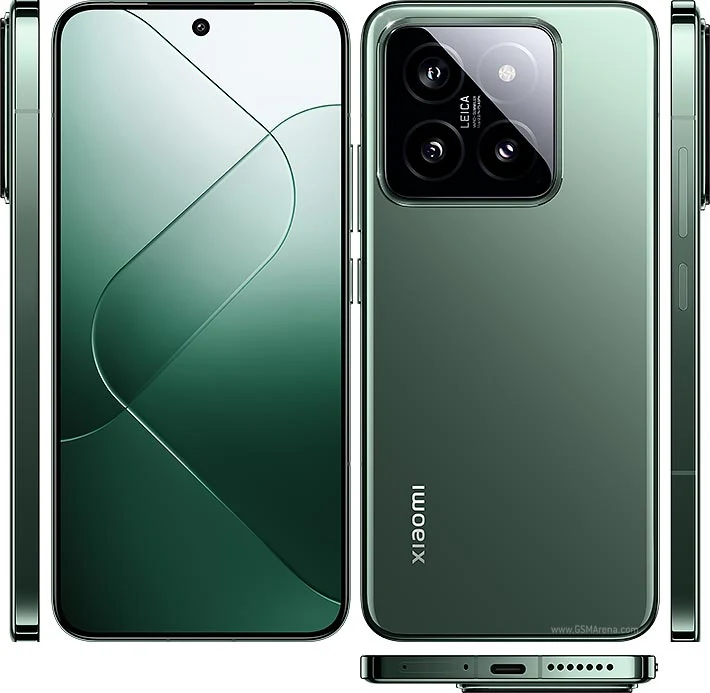
Xiaomi 14
8-16GB RAM, Snapdragon 8 Gen 3 • 4610 mAh • 6.36", 1200x2670 pixels
The migration from legacy plastic Subscriber Identity Module (SIM) cards to embedded UICC (eUICC) architecture represents the most significant shift in mobile telecommunications since the transition from 3G to LTE. Converting a physical 4FF nano-SIM into an active digital eSIM eliminates mechanical failure points, streamlines profile provisioning, and unlocks hybrid dual-SIM capabilities on modern flagships. However, orchestrating this transition requires a clear understanding of GSMA remote SIM provisioning protocols (SGP.22), baseband modem identifiers, and carrier policy constraints.
1. The Hardware & Architectural Shift: Nano-SIM vs. eUICC
A traditional physical nano-SIM (4FF) houses an isolated integrated circuit chip measuring 12.3 × 8.8 mm, containing your International Mobile Subscriber Identity (IMSI) and cryptographic Ki keys. In contrast, an eSIM is a surface-mounted vacuum-sealed chip (MFF2 package, roughly 6 × 5 mm) hardwired directly onto the smartphone's logic board.
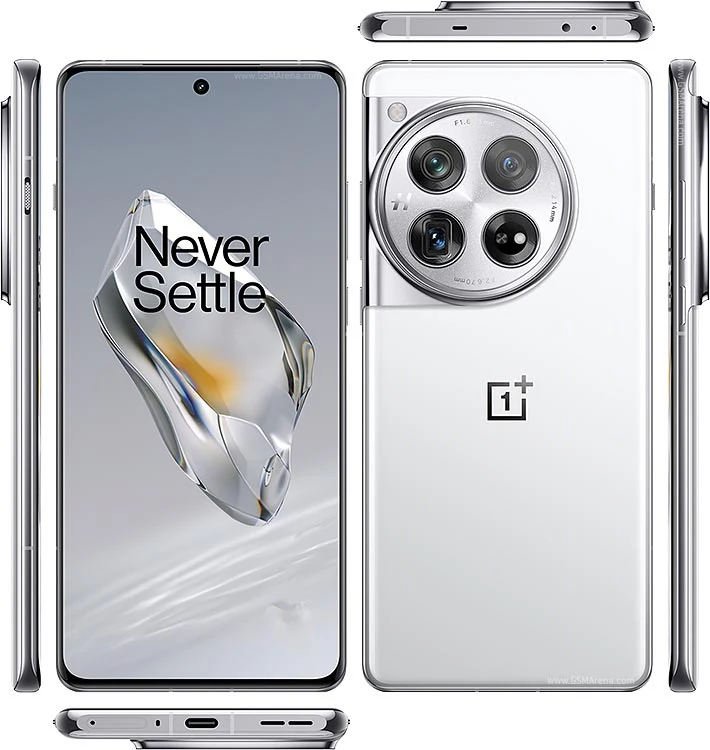
OnePlus 12
• 4500 mAh • TAC: 35167824
When migrating from a physical card to an eSIM, your network operator does not simply "copy" the physical card. Instead, the carrier's Over-The-Air (OTA) provisioning platform deprecates the active Integrated Circuit Card Identifier (ICCID) of your plastic card and generates a new software profile. This profile is downloaded via the Local Profile Assistant (LPA) directly onto the device's eUICC chip using an encrypted session with the Subscription Manager Data Preparation (SM-DP+) server.
| Parameter | Physical Nano-SIM (4FF) | Embedded eUICC (eSIM) |
|---|---|---|
| Form Factor | Removable PVC/Plastic Card | Non-removable MFF2 SMD Component |
| Provisioning Protocol | Factory Pre-flashed UICC | Remote SIM Provisioning (GSMA SGP.22) |
| Security Resistance | Vulnerable to physical theft & cloning | Hardware EAL5+ / Tamper-resistant |
| Profile Capacity | 1 Active Operator Profile | 5 to 10 Profiles (1 or 2 concurrently active) |
2. Mandatory Pre-Conversion Audit: Locks, IMEI, and Bands
Before initiating the conversion from physical SIM to digital eSIM, you must perform three technical verification checks. Skipping these steps can leave your device stuck in an emergency-call-only loop.
A. Device Carrier Lock Status
If your handset is currently governed by active smartphone financing agreements or carrier subsidies, the modem firmware is likely SIM-locked. An eSIM conversion initiated with another network will fail outright unless you secure an official carrier unlock. On iOS, verify this under Settings > General > About > Carrier Lock (it should state “No SIM restrictions”).

Samsung Galaxy Z Fold6
7.6", 1856x2160 pixels • 4400 mAh Batarya • 5G NR Band 20 / n78 Sertifikalı
B. Hardware Integrity & Blacklist Verification
eSIM activation requires a legitimate, unencumbered device identity. Carriers validate the equipment identifier against the global GSMA Central Equipment Identity Register (CEIR). You must verify that your primary and secondary identifiers represent a clean IMEI free from active theft, unpaid bill flags, or insurance claims. Use the official IMEI Validator to inspect your baseband status prior to conversion.
C. RF Band Compatibility
Ensure your terminal hardware supports the targeted frequency bands (e.g., n77/n78 C-band for 5G, Band 20/28 for extended long-range LTE). You can cross-reference your specific modem variant with our 4G/5G Frequency Compatibility Checker to confirm radio frequency interoperability.
3. Step-by-Step Conversion Protocols
Method 1: Native In-Device iOS Conversion (Apple Quick Transfer)
If your carrier supports native on-device profile swapping (popular among Tier-1 carriers across North America, Europe, and Asia), you do not need a customer service agent or a paper QR voucher:
- Navigate to Settings > Cellular (or Mobile Data).
- Tap Convert to eSIM (if this button does not appear, your carrier does not permit client-side automated conversion).
- Tap Convert Cellular Plan.
- Confirm the prompt: Convert to eSIM. Wait while your phone communicates with the carrier's SM-DP+ server.
- Once the digital profile completes provisioning, remove the physical plastic SIM card. Your baseband modem will re-register with the cellular tower using the eUICC profile within 30 to 90 seconds.
Method 2: Android Native LPA Conversion (Samsung One UI & Google Pixel)
On modern Android flagships (Galaxy S21/S22/S23/S24 series, Pixel 6/7/8 series):
- Ensure your device is connected to a reliable Wi-Fi network (required for TLS certificate handshakes).
- Go to Settings > Connections > SIM manager.
- Select your active physical SIM and tap Convert to eSIM.
- Follow the authentication prompts. If automated conversion is unsupported, log into your carrier's customer portal, initiate a SIM swap, and scan the provided SM-DP+ QR activation code.
4. Financial Benefits, Trade-In Value & Roaming Optimization
Converting your domestic line from a physical SIM to an eSIM frees up your physical SIM slot, giving you powerful dual-SIM capabilities. This delivers tangible financial and operational advantages:
- Maximized Smartphone Trade-In Value: Devices with unused or preserved physical SIM trays that suffer zero physical wear, contact pin corrosion, or water ingress consistently yield higher appraisals. When selling a device, completing a verified 2nd Hand Bill of Sale with verified clean IMEI numbers can yield an estimated 10% to 15% increase in private market value.
- Compliance with Mobile Device Insurance: Many comprehensive mobile device insurance policies require you to register both IMEI 1 (associated with the physical tray) and IMEI 2 / digital EID (associated with the eUICC). Activating your eSIM correctly ensures continuous insurance claim validity in the event of hardware loss or accidental screen destruction.
- Arbitrage via Flexible eSIM Data Plans: By migrating your primary home carrier line to eSIM, you keep the physical slot open for cheap local travel SIMs or vice versa. This protects you from expensive carrier roaming fees.
Financial Roaming Calculation: Domestic Operator vs. Travel eSIM
Consider a consumer taking a 14-day international trip needing approximately 10 GB of high-speed data. Compare the costs:
- Tier-1 Carrier Daily Roaming Pass: $12.00/day × 14 days = $168.00
- Secondary Travel eSIM Data Plan: Flat 10 GB (30-day validity) = $22.00
- Net Direct Consumer Savings: $168.00 - $22.00 = $146.00 (86.9% reduction)
You can project and customize your multi-country roaming costs using our interactive Travel eSIM & Roaming Calculator. For more hardware-level deep dives, browse our comprehensive Hardware & Telecom Guides.
5. Troubleshooting eUICC Provisioning Failures
If your SIM-to-eSIM migration encounters errors, check these common points of failure:
- “Unable to Complete Cellular Plan Change”: Indicates that your handset's EID (Embedded Identity Document, a 32-digit identifier) was not updated properly on the operator's Home Location Register (HLR/HSS). Contact support to manually bind your EID to the provisioning order.
- PDP Authentication Failure: Occurs when the Access Point Name (APN) settings do not automatically update for the new eUICC profile. Manually reset Network Settings to resolve it.
- QR Code Activation Code Expired: Carrier QR codes are single-use cryptographic tokens. If the LPA transaction fails midway, the carrier must reset and issue a fresh activation code.
Frequently Asked Questions
Does converting my physical SIM to an eSIM cancel my existing mobile number or cellular plan? ▼
No. The conversion process is strictly an equipment and ICCID identifier swap on your carrier's Home Location Register (HLR). Your existing telephone number, billing agreement, smartphone financing status, and plan allowances remain identical.
Can I convert my eSIM back to a physical nano-SIM if needed? ▼
Yes. If you decide to revert to a physical SIM card, your carrier will issue a new unassigned physical nano-SIM. Once they authenticate your identity, they will reprovision your mobile line from the eUICC chip back to the physical card's ICCID.
Will converting to an eSIM void my smartphone financing or mobile device insurance? ▼
No. Converting to an eSIM does not void financing or insurance. However, you should confirm with your mobile device insurance underwriter that both IMEI 1 and IMEI 2 / digital EID are documented on your policy so claims remain protected.
Why does my phone say 'SIM Locked' when trying to convert to an eSIM from another carrier? ▼
If your smartphone was purchased under a carrier subsidy or installment agreement, it may be software-locked to that specific provider. You must request a formal carrier unlock before the baseband firmware will permit downloading an eSIM profile from an alternate network operator.