Dual SIM (Physical SIM + eSIM) Travel Strategy: Keep Your Domestic Number & Avoid Roaming Fees

OnePlus 12
• 4500 mAh •
International roaming fees remain one of the most lucrative profit centers for domestic telecommunications carriers. A standard North American or European carrier typically bills between $10 and $15 per day for an international roaming pass, or exorbitant pay-as-you-go rates reaching $2.05 per megabyte. For a multi-week trip, this can easily add $150 to $300 to your billing cycle. However, modern smartphones equipped with Dual SIM Dual Standby (DSDS) technology allow you to bypass these fees entirely without forfeiting access to your primary phone number for critical incoming calls and two-factor authentication (2FA) SMS messages.
The RF Architecture: How Dual SIM Dual Standby (DSDS) Operates
To deploy an effective travel strategy, you must first understand the underlying hardware. Most flagship smartphones produced after 2018 (Apple iPhone XS and newer, Samsung Galaxy S20 and newer, Google Pixel 3a and newer) feature DSDS architecture. Unlike older Dual SIM Dual Active (DSDA) platforms that housed two discrete radio transceivers, a DSDS smartphone uses a single radio frequency (RF) transceiver paired with two baseband software instances.
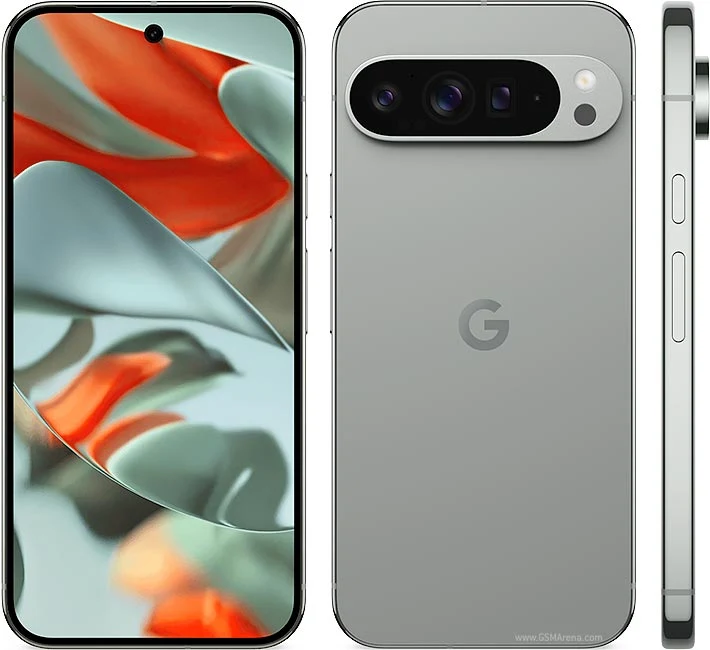
Google Pixel 9 Pro XL
• 4500 mAh • TAC: 35512399
Under DSDS, your smartphone can register to two distinct mobile networks simultaneously:
- Primary Slot (Physical nano-SIM or eSIM): Assigned to your domestic home carrier for cellular voice and SMS.
- Secondary Slot (eSIM profile): Assigned to high-speed local or regional eSIM data plans for packet-switched mobile data routing.
Both profiles remain in standby mode simultaneously, continuously monitoring the paging channels of their respective cell towers. When an incoming call or SMS strikes either line, the baseband prioritizes that channel.
Prerequisites: Smartphone Financing, Carrier Unlock, and Clean IMEI Status
Before boarding your flight, your device must satisfy two fundamental hardware and contractual requirements: hardware carrier unlocking and radio band support.

Apple iPhone 16 Plus
6.7", 1290x2796 pixels, Super Retina XDR OLED • 4674 mAh Batarya • 5G NR Band 20 / n78 Sertifikalı
1. Clearing Contractual Restrictions and Obtaining a Carrier Unlock
If your handset is bound to an active smartphone financing agreement or equipment installment plan (EIP), the baseband firmware is usually carrier-locked. Even if your phone has an empty eSIM slot, attempting to scan a local data profile will fail with an error stating "eSIM profile cannot be added: Network locked." Contact your network operator to request an official carrier unlock. Most tier-1 carriers require the financing balance to be settled in full, or the device to have been active for at least 40 to 60 days before releasing the SIM lock.
2. Verifying a Clean IMEI
If you purchased your smartphone second-hand, it is critical to confirm the device holds a clean IMEI. Devices reported lost, stolen, or flagged for fraudulent financing can be placed on global blacklist registries through the GSMA Centralized Database. Check your device's hardware status via our IMEI Validator & Checker and query the global GSMA database with the Stolen & Blacklist Checker before traveling.
Financial Analysis: Carrier Daily Pass vs. Dual SIM eSIM Strategy
Let us analyze the operational expenditure of a 21-day trip across the European Union or Southeast Asia. We compare a traditional carrier travel pass against a dual SIM setup powered by an international data profile.
| Metric / Expense Category | Traditional Daily Roaming Pass | DSDS Strategy (Domestic Voice + Travel eSIM) |
|---|---|---|
| Daily Rate / Subscription | $12.00 / day | $0.00 / day (Domestic roaming disabled) |
| Total 21-Day Roaming Cost | $252.00 | $0.00 |
| Data Allocation & Pricing | Drawn from domestic cap (often throttled after 2GB/day) | 20 GB High-Speed Regional eSIM: $24.00 flat fee |
| SMS 2FA Ingestion Cost | Included in the $12/day pass | $0.00 (Incoming SMS is globally free on most home networks) |
| Net Total Financial Outlay | $252.00 | $24.00 (Net Savings: $228.00 / 90.5%) |
The financial difference is substantial. Over a single extended trip, the dual SIM approach recoups enough capital to significantly offset annual mobile device insurance premiums or protect the long-term trade-in value of your flagship hardware by funding heavy-duty rugged protection.
Step-by-Step Configuration: Securing the Zero-Roaming Architecture
To successfully execute this setup without triggering accidental carrier pay-as-you-go micro-charges, your OS network settings must be configured correctly before departure.
1. Primary (Domestic) SIM Settings
- Data Roaming: Set strictly to OFF. This is the single most critical switch. With roaming off, the baseband prevents packet-switched data connections through foreign partner towers.
- Voice & SMS: Keep active. The SIM must stay registered to tower control channels to receive incoming verification SMS messages. Most carriers globally do not bill for incoming SMS, even when camping on foreign networks.
- Wi-Fi Calling (Voice over IP / VoWiFi): Enable this before leaving your home country.
2. Secondary (Travel eSIM) Settings
- Cellular Data: Set as the default active line for mobile data.
- Data Roaming: Set to ON (many MVNO eSIM providers operate through international routing hubs such as Play Poland, Orange France, or CSL Hong Kong, requiring data roaming enabled on their specific profile).
- Allow Cellular Data Switching: Set strictly to OFF. If left active, your phone may switch data back to your domestic line if the travel eSIM suffers momentary signal degradation, causing immediate roaming charges.
3. Advanced Engineering Trick: "Wi-Fi Calling Over Cellular Data" (Backup Calling)
On recent iOS and select Android releases, an innovative feature bridges both profiles. When your primary domestic line completely loses its native cellular service (or if you manually choose an incompatible carrier via manual network selection to prevent roaming registration), your OS treats the secondary eSIM data connection as a localized Wi-Fi hotspot. You will see your carrier banner change to: "Carrier Name using Cellular Data." This routes all standard domestic phone calls and SMS over the travel eSIM's high-speed IP channel at zero toll charges.
Hardware Band Compatibility Considerations
A travel eSIM is only as fast as the physical radio frequencies supported by your handset. Different continents rely on divergent cellular spectrum allocations:
- North America: Relies heavily on LTE Bands 2, 4, 12, 13, 66, 71, and 5G Bands n71 and n77.
- Europe & Asia: Dominated by LTE Band 1, 3, 7, 8, 20, and 28, with 5G mid-band centered almost exclusively on Band n78 (3.5 GHz).
If you are carrying a device built for North American regional operators, verify that its RF front-end modules support international bands. Use our 4G/5G Frequency Compatibility Checker and read our comprehensive Hardware & Telecom Guides to ensure high-throughput carrier aggregation overseas.
Summary Checklist Before Takeoff
- Verify the phone is completely unlocked from active smartphone financing contracts.
- Install the travel eSIM profile via QR code or carrier app while connected to domestic home Wi-Fi.
- Turn OFF "Data Roaming" on the primary physical SIM.
- Assign "Cellular Data" explicitly to the newly added travel eSIM.
- Turn OFF "Allow Cellular Data Switching" to eliminate accidental fallback leakage.
- Turn ON "Wi-Fi Calling" on your primary SIM line.