How to Bypass Carrier Firewall Geoblocks When Activating Domestic eSIM Profiles Abroad
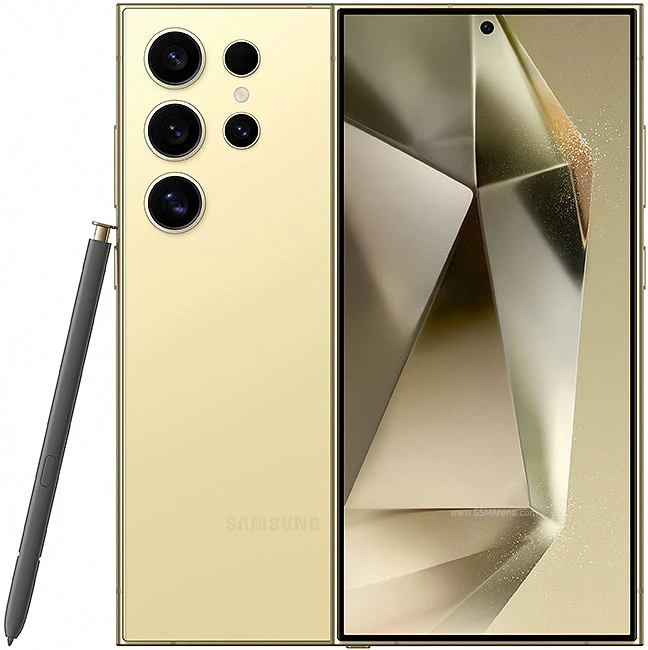
Samsung Galaxy S24 Ultra
12GB RAM, Snapdragon 8 Gen 3 (4 nm), Titanium frame • 5000 mAh • 6.8", 1440x3120 pixels, Dynamic LTPO AMOLED 2X, 120Hz
Activating a domestic embedded SIM (eSIM) profile while physically located outside your service provider's territorial borders frequently triggers cryptic errors like “eSIM Cannot Be Added” or “Profile Installation Failed.” Behind these errors lies a sophisticated interplay between GSMA Remote SIM Provisioning (RSP) specifications, carrier firewalls, and GeoIP perimeter access controls designed to minimize fraud and conform to regional telecom regulations. This architectural guide breaks down how to circumvent these geoblocks safely, verify your baseband compatibility, and avoid carrier-level traps.
1. The GSMA RSP Architecture: Why Carrier Firewalls Block You
To resolve provisioning failures, you must first understand the infrastructure handling the transaction. Consumer eSIM management relies on three critical entities defined under GSMA SGP.22:

Apple iPhone 16 Plus
8GB RAM, Apple A18 • 4674 mAh • TAC: 35987416
- SM-DP+ (Subscription Manager Data Preparation+): The remote server containing encrypted eSIM profiles, responsible for generating and downloading the Bound Profile Package (BPP).
- LPA (Local Profile Assistant): Software running inside your device OS (iOS CoreTelephony or Android Telephony Framework) that requests profiles via LPAd (device-based) or LPAe (eUICC-based).
- eUICC (Embedded Universal Integrated Circuit Card): The tamper-resistant, secure hardware microchip soldered directly onto your motherboard holding your cryptographic credentials.
When you scan an activation QR code, the LPA opens an outbound TLS session over port 443 to the carrier's SM-DP+ Fully Qualified Domain Name (FQDN) (e.g., cust-sub.prod.smdp-plus.com). Many Tier-1 and MVNO domestic operators implement strict access control lists (ACLs) and stateful packet inspection (SPI) firewalls at this perimeter. If the incoming IP originates from an autonomous system number (ASN) outside the carrier's domestic licensing footprint, or if the TLS handshake does not originate from a recognized domestic subsea transit node, the firewall issues an immediate TCP RST or returns a generic HTTP 403 Forbidden payload.
2. Hardware Prerequisites: Carrier Unlock and Baseband Verification
Before routing packets through secure domestic proxies, your hardware must meet stringent physical and administrative criteria. If your device is bound under an active payment lease via clean IMEI verification, the baseband modem firmware will reject any foreign profile provisioning request.
An official carrier unlock is non-negotiable. Even if you only wish to provision your home carrier's profile while abroad, attempting activation over a foreign roaming carrier's radio access network (RAN) can cause baseband policy conflicts if the modem is SIM-locked. Furthermore, your device must not be listed on Central Equipment Identity Registers (EIR). Use our Stolen & Blacklist Checker to confirm your hardware remains in good standing globally.

Samsung Galaxy Z Fold6
7.6", 1856x2160 pixels • 4400 mAh Batarya • 5G NR Band 20 / n78 Sertifikalı
| Deployment Region | Standard Domestic Bands | Common Roaming Overlap | Hardware Provisioning Friction |
|---|---|---|---|
| North America (US/CA) | B2, B4, B12, B13, B71, n77 | B2, B4, B7 (Americas) | High (Strict Carrier Entitlement Servers) |
| Europe (EU/UK) | B1, B3, B7, B20, B28, n78 | B1, B3, B7 (Asia/Africa) | Medium (Mandatory Dual-Factor SMS Handshakes) |
| Asia-Pacific (APAC) | B1, B3, B8, B40, B41, n79 | B1, B3, B8 (Global) | High (Strict Government Anti-Fraud Regulations) |
Always cross-reference your device model against our 4G/5G Frequency Compatibility Checker to verify that your transceivers can broadcast on regional bands once the profile boots.
3. Step-by-Step: Bypassing the SM-DP+ Geoblock via Tunneling
When an SM-DP+ server rejects handshakes from foreign networks, the solution is to emulate an uncompromised domestic connection. However, commercial application-layer proxies frequently fail because the LPA executes at an OS service level that bypasses standard VPN profiles on iOS and Android.
Step A: Establish a Router-Level Residential Full Tunnel
Do not rely on consumer VPN apps installed on the smartphone itself. The LPA often queries direct cellular interfaces or uses alternative system daemons that ignore local system VPN hooks. Instead, establish a secure tunnel at the physical access point layer:
- Deploy a portable Wi-Fi travel router (e.g., OpenWrt-based micro-router).
- Configure a WireGuard or IKEv2 full-tunnel protocol pointing back to a residential wireline IP in your home country (such as a private home server or a dedicated residential egress node).
- Enforce a strict kill-switch rule:
iptables -I FORWARD -o eth0 ! -d [TUNNEL_IP] -j DROP. This prevents DNS leakages from broadcasting the host country ISP nameservers. - Connect your smartphone exclusively to this travel router's Wi-Fi network while remaining in Airplane Mode.
Step B: Force DNS Resolution to Carrier Entitlement Servers
Even with an IP tunnel, devices cache roaming cellular country codes (MCC/MNC). Ensure the smartphone's Wi-Fi settings specify static, trusted domestic DNS resolvers (e.g., Cloudflare 1.1.1.1 or carrier-specific recursive resolvers) to ensure the SM-DP+ domain resolves to the home IP block rather than an edge CDN mirror.
Step C: Trigger the Activation Flow
Once inside the domestic residential encapsulation:
- Navigate to Settings > Cellular / Mobile Data > Add eSIM.
- Scan the activation QR code or manually paste the SM-DP+ address and matching activation code (e.g.,
LPA:1$smdp.carrier.com$ACT-CODE-12345). - The LPA executes the mutual TLS (mTLS) handshake with the SM-DP+ server. Because the TCP ingress matches your home territory, the firewall approves generation of the Bound Profile Package and allows the eUICC to download the credentials.
4. Financial Engineering: Roaming vs. Local eSIM Data Plans
Bypassing these firewalls is more than a technical victory; it yields measurable monthly savings. Traditional legacy roaming daily passes charged by Tier-1 operators are extraordinarily expensive compared to purchasing competitive eSIM data plans or maintaining domestic low-cost MVNO subscriptions while traveling.
Financial Model: 30-Day International Trip Comparison
Assume an enterprise traveler or remote professional spends 30 days abroad requiring roughly 15 GB of high-speed data.
- Carrier Daily Roaming Pass: $12.00/day × 30 days = $360.00
- Domestic Base Plan Overhead: $65.00/month
- Total Cost: $425.00
- Domestic Low-Cost Plan (Maintained via Firewall Bypass): $20.00/month
- Local / Regional Travel eSIM (15 GB Bandwidth): $28.00 one-time
- Optimized Architecture Cost: $48.00
- Net Capital Saved: $377.00 (88.7% Reduction)
5. Risk Mitigation: Device Financing, Insurance, and Device Integrity
When working with device networks and foreign connectivity, consider your hardware ecosystem's financial health. Devices under active smartphone financing agreements must adhere to carrier terms of service. Forcing baseband firmware alterations or flashing untrusted carrier CSC (Consumer Software Customization) configurations to bypass geo-restrictions can jeopardize the valid hardware status, dramatically decrease future trade-in value, or potentially invalidate your third-party mobile device insurance policy.
Relying exclusively on non-invasive network transport tunneling (such as hardware-level VPNs described above) guarantees zero modifications to your operating system's root partitions or cryptographic eUICC storage. By keeping the device within stock operating parameters, you prevent unauthorized tampering alerts that could cause an automated trade-in inspection to decline your phone's buyback quote later.
Frequently Asked Questions
Why do carriers block domestic eSIM activation from overseas? ▼
Carriers block foreign activations primarily for fraud prevention, identity verification compliance (KYC), and license limitations. By firewalling SM-DP+ servers to domestic IP addresses, carriers prevent unauthorized line provisioning and bypass of national telecom regulations.
Can I simply use a commercial VPN app on my phone to activate the eSIM? ▼
Usually, no. In most smartphone operating systems (iOS and Android), the Local Profile Assistant (LPA) operates as an isolated, privileged background service that intentionally bypasses OS-level VPN apps to communicate with the network. To route LPA traffic, you must tunnel the entire internet connection at the Wi-Fi router level.
Will bypassing the geoblock invalidate my mobile device insurance? ▼
As long as you use external network routing (such as an external VPN travel router) without rooting, jailbreaking, or flashing unofficial baseband firmware, your device warranty and mobile device insurance remain fully valid, as no operating system or hardware tampering occurs.
Does my device require a carrier unlock to activate an eSIM abroad? ▼
Yes. If your smartphone is locked to a specific carrier via smartphone financing, the eUICC firmware will reject profile downloads from non-whitelisted carrier SM-DP+ servers. You must obtain an official carrier unlock and verify a clean IMEI before provisioning alternate profiles.