Fix Carrier eSIM Setup Failures Caused by Entitlement Server Sync & Auth Errors
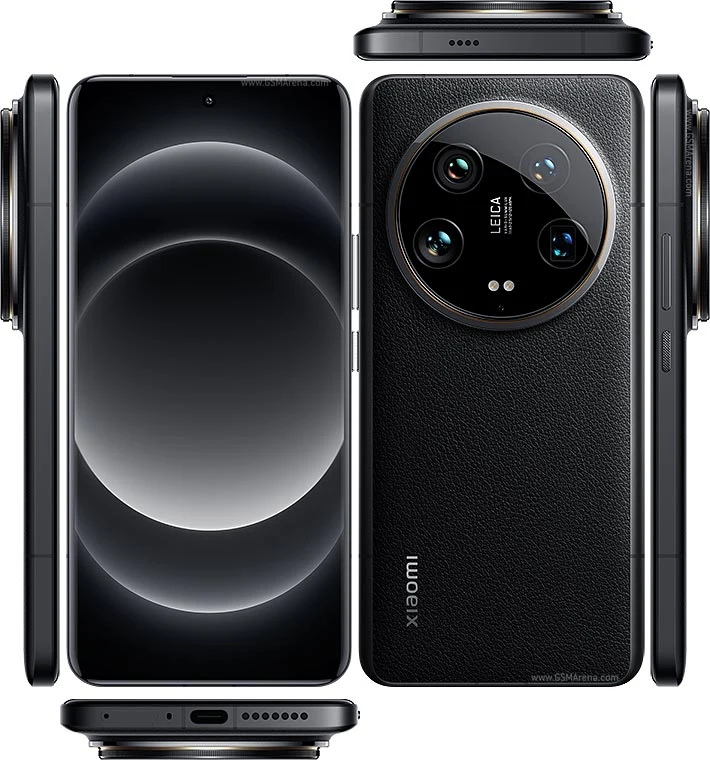
Xiaomi 14 Ultra
• 4500 mAh •
Transitioning to modern digital SIM architectures offers seamless profile provisioning, but network engineers and end users frequently encounter a common obstacle: carrier eSIM setup failures caused by device entitlement server sync and authentication errors. When a device displays vague messages like "Unable to Activate eSIM" or fails silently during profile download, the breakdown rarely stems from the hardware antenna or physical eUICC chip. Instead, it is almost always an orchestration breakdown within the GSMA-standardized entitlement framework and Subscription Manager Data Preparation (SM-DP+) routing pipeline.
The Core Architecture: What Is a Device Entitlement Server?
The Entitlement Server operates in accordance with GSMA TS.43 (Service Entitlement Configuration) standards. It acts as the stateful middleware between the mobile carrier’s Core Billing/Operational Support Systems (BSS/OSS) and the device’s operating system (iOS CoreTelephony or Android TelephonyManager). Before an eUICC (Embedded Universal Integrated Circuit Card) requests an eSIM profile package from an SM-DP+ server, the device must query the carrier’s entitlement server over an authenticated JSON-RPC or REST interface.

Samsung Galaxy Z Fold6
12GB RAM, Snapdragon 8 Gen 3 • 4400 mAh • TAC: 35167824
This handshake verifies three distinct criteria:
- Cryptographic Device Identity: The server evaluates whether the querying device hardware (identified by its EID—eUICC Identifier—and primary IMEI) holds a valid device-level X.509 manufacturer certificate.
- Account & Contract Eligibility: The billing engine confirms that the line is active, unbarred, and not subject to fraud holdbacks from unsettled clean IMEI verification protocols.
- Service Capabilities: The server determines if the target line is configured for advanced features such as NumberShare, Voice over LTE/Wi-Fi (VoLTE/VoWiFi), 5G Standalone (5G SA), or specific multi-SIM subscriptions.
Root Causes of Entitlement Server Authentication Failures
When the Local Profile Assistant (LPA) initiates an eSIM download, an authentication failure in the entitlement tier typically throws errors such as HTTP 401 Unauthorized, HTTP 403 Forbidden, or internal vendor codes like Apple’s PDP Authentication Failure. Below are the primary triggers:
| Failure Mode | Technical Root Cause | Resolution Vector |
|---|---|---|
| Carrier Bundle Desynchronization | The on-device Carrier Bundle contains an outdated Entitlement URL (FQDN) or expired mTLS roots. | Force OTA Carrier Settings update; reset network configurations. |
| BSS/Billing IMEI Mismatch | The entitlement system checks against an IMEI tied to unreleased hardware blacklist registries or active equipment financing. | Update IMEI1/IMEI2 records with Tier-2 carrier support; verify clean asset status. |
| LPA Token Timeout | The secure transaction token issued by the SM-DP+ expired before the LPA committed the profile download. | Generate a fresh activation QR/matching ID string; purge cached eSIM state. |
| Policy Control (SIM-Lock Active) | The device baseband enforces carrier lock policies, rejecting profiles signed by non-partner GSMA PKI roots. | Complete an official carrier unlock through the original financing provider. |
Step-by-Step Technical Troubleshooting Protocol
To resolve persistent entitlement server disconnects without unnecessary hardware returns, follow this deterministic recovery sequence:

Apple iPhone 16 Pro Max
6.9", 1320x2868 pixels • 4685 mAh Batarya • 5G NR Band 20 / n78 Sertifikalı
1. Isolate Hardware & Network Compatibility
Before modifying software states, check whether your hardware revision supports the carrier’s exact deployment bands. Many devices imported across regulatory jurisdictions lack proper 5G Sub-6 or mmWave band mappings required by carrier provisioning servers. Utilize our 4G/5G Frequency Compatibility Checker to confirm radio frequency parity with the carrier's core transmission network.
2. Flush TLS Caches and Carrier Configuration
Entitlement servers use mutual TLS (mTLS) with pinned certificates. If the time and date on the mobile device deviate by even 60 seconds from Network Time Protocol (NTP) servers, TLS negotiation aborts instantly. Verify that your device has automatic time synchronization enabled, then navigate to Settings > General > About (on iOS) to force a check for updated carrier bundles. On Android, navigate to Settings > System > Reset options > Reset Mobile Network Settings.
3. Address Account Holds and IMEI Entitlement Barring
If the device was purchased secondhand or through third-party platforms, open obligations tied to smartphone financing can cause the carrier's automated systems to reject profile issuance. If the previous owner stopped payment obligations, the entitlement server flags the device as non-compliant even if the cellular radio shows standard signal reception. Verifying a clean IMEI ensures that your hardware is free from unpaid balances, lease agreements, or blacklisting.
Financial Impact: Financing, Resale Value, and Insurance Constraints
Entitlement server failures frequently cascade into tangible financial losses for consumers and enterprise fleet managers. A device that cannot successfully sync with entitlement endpoints often suffers reduced functional utility, making it impossible to switch dynamically to competitive eSIM data plans during international travel.
Depreciation and Trade-in Calculations
A flagship smartphone tied to an unresolved entitlement profile error experiences an immediate drop in its secondary market trade-in value. Consider the following lifecycle financial projection for a $1,200 flagship smartphone over a 24-month horizon:
- Fully Unlocked & Clean Entitlement State: Retains approximately 48% of MSRP at 24 months = $576.
- Locked/Entitlement Defective State: Automated trade-in algorithms drop grading to "Network Locked/Non-Standard", deducting up to 45% = $316 residual value.
- Net Loss: $260 purely due to unresolved backend carrier binding and policy lockouts.
Moreover, many mobile device insurance policies require strict telemetry binding to validate active status. If your eSIM fails to register through the entitlement server, an insurance provider may reject claims for accidental damage, screen repairs, or loss because the IMEI is not actively tied to dynamic network sessions. For frequent cross-border travelers, using the Travel eSIM & Roaming Calculator allows you to evaluate standalone travel data costs versus resolving your domestic carrier's entitlement sync parameters.
Executing a Complete Carrier Unlock
When entitlement errors are tied to policy restrictions on carrier-financed units, a permanent carrier unlock is mandatory. Contact your carrier's customer escalations tier (Level 2 Technical Support) and request an LPA cache clear alongside an entitlement table reset. Request that the network engineer clear the temporary profile transaction from the SM-DP+ queue and issue an updated activation code string (LPA:1$smdp.carrier.com$MATCHING-ID-HERE) after validating that all finance terms have been fully settled.
For more technical breakdowns of baseband operations, SIM architecture, and network firmware, explore our comprehensive library of Hardware & Telecom Guides.
Frequently Asked Questions
What is the difference between an eSIM Entitlement Server and an SM-DP+ server? ▼
The Entitlement Server (GSMA TS.43) manages business logic, verifying whether your account, billing status, and device features (like VoLTE or NumberShare) are eligible for service. The SM-DP+ (Subscription Manager Data Preparation) server is responsible for securely creating, encrypting, and downloading the actual SIM profile onto the device's eUICC hardware.
Why does my eSIM say 'Unable to Complete Cellular Plan Change'? ▼
This error occurs when the on-device Local Profile Assistant (LPA) receives a timeout or an HTTP 403 Forbidden status during the initial TLS handshake with the carrier's entitlement server. It is typically caused by outdated carrier bundle settings, temporary BSS provisioning maintenance, or an active carrier lock preventing foreign profile generation.
Can smartphone financing prevent an eSIM from activating? ▼
Yes. If a device has an active financing balance that is flagged for delinquent payments, the carrier's entitlement server can restrict eSIM profile provisioning. Checking that your device maintains a clean IMEI status confirms that backend billing blocks are not interfering with network provisioning.
How do I force my device to refresh its entitlement connection? ▼
To force a refresh, connect to a stable Wi-Fi network, update your operating system to the latest release, navigate to Settings > General > About to trigger any pending Carrier Settings Updates, and reset your network settings. If the failure persists, contact carrier support to clear your pending LPA transaction token.