Troubleshooting Carrier eSIM Provisioning Failures: The Dual IMEI Conflict Explained
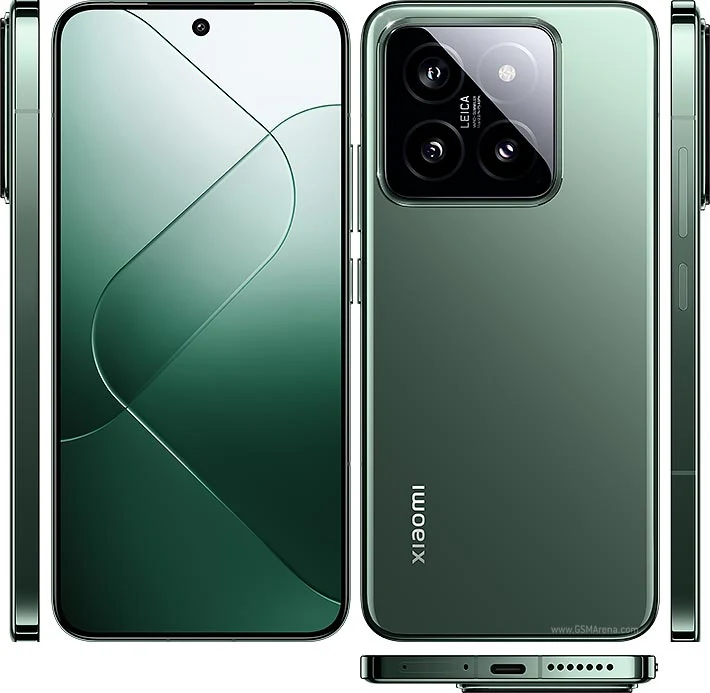
Xiaomi 14
8-16GB RAM, Snapdragon 8 Gen 3 • 4610 mAh • 6.36", 1200x2670 pixels
The transition from physical nano-SIM cards to embedded universal integrated circuit cards (eUICC) has revolutionized mobile telecommunications, offering frictionless profile switching and streamlined multi-line capability. However, modern Dual SIM Dual Standby (DSDS) smartphones introduce an architectural layer that frequently disrupts automated provisioning: dual International Mobile Equipment Identity (IMEI) allocation. When a subscriber or customer care representative binds a carrier profile to the wrong radio hardware identifier during activation, the remote Subscription Manager Data Preparation (SM-DP+) server experiences an identity handshake breakdown, halting network registration.
The Core Telecom Architecture: Primary IMEI vs. Secondary eSIM IMEI
To comprehend why an IMEI mismatch triggers an activation fault, one must understand baseband transceiver channel mapping. In a modern DSDS device—such as an Apple iPhone 15, Samsung Galaxy S24, or Google Pixel 8—the cellular modem allocates discrete 15-digit identifiers to manage independent baseband state machines:

Apple iPhone 16 Pro
8GB RAM, Apple A18 Pro (3 nm), Grade 5 Titanium • 3582 mAh • TAC: 35987216
- IMEI 1 (Primary Baseband Path): Hardcoded to the physical SIM tray (or primary eUICC instance in eSIM-only US hardware models). It handles default CS/PS (Circuit Switched / Packet Switched) attach requests.
- IMEI 2 (Secondary Baseband Path): Reserved specifically for the secondary logical slot, typically routed directly to the eUICC chip.
- EID (eUICC-ID): A unique 32-digit serial number identifying the secure hardware microcontroller where multiple subscriber profiles reside.
When a carrier provisions an eSIM profile over-the-air (OTA), its Business Support Systems (BSS) and Operations Support Systems (OSS) execute an explicit correlation: IMEI 2 ↔ EID ↔ ICCID ↔ IMSI. If a consumer inputs IMEI 1 instead of IMEI 2 on a web portal for new eSIM data plans, the carrier’s network authentication center registers the profile to the primary physical slot baseband interface. When the local eUICC queries the local LPA (Local Profile Assistant) to download and activate the MNO profile, the SM-DP+ server flags an equipment authentication mismatch (Error Code: Subject Code 8.1.1, Reason Code 3.8), generating a persistent “Unable to Complete Cellular Plan Change” or “No Service” notification.
Financial Implications: Smartphone Financing and Insurance Audits
IMEI selection errors do not merely trigger connection headaches; they carry severe downstream financial consequences under corporate equipment agreements and retail financing structures. Understanding this is essential for telecom asset managers and everyday consumers alike.
The Collateral Fallout on Device Agreements
When a user purchases hardware via active smartphone financing, the Tier-1 network operator locks the financial contract to IMEI 1. If an eSIM activation misassigns internal accounting tokens across IMEI 2, carrier automated billing engines may misinterpret the device as missing from the subscriber’s line, triggering unexpected equipment installment balance accelerations or nullifying contractual promotional trade-in credits.
Apple iPhone 16 Plus
6.7", 1290x2796 pixels, Super Retina XDR OLED • 4674 mAh Batarya • 5G NR Band 20 / n78 Sertifikalı
Consider the math behind a mishandled activation during international transit:
- Standard Carrier Roaming Pass: $12.00 per day × 14 days = $168.00
- Direct Local eSIM Data Plan: Flat-rate profile = $18.00
- Provisioning Lockout Penalty: Due to submitting IMEI 1 instead of IMEI 2, the user defaults to emergency roaming passes while troubleshooting abroad, suffering an avoidable $150.00 net loss.
Furthermore, underwriting guidelines for third-party mobile device insurance require proof of an active, verifiable connection linked to the registered serial. Submitting an insurance claim for a phone operating on an unauthorized or improperly mapped secondary slot can lead adjusters to reject loss or damage coverage. Before modifying lines, verifying your handset status using a verified IMEI Validator ensures that both transceiver paths maintain a verified, unencumbered status.
Hardware Matrix: Baseband Channel Routing Across Tier-1 Flagships
Different hardware manufacturers map their internal baseband architecture differently. The table below outlines how modern flagship devices assign internal radio interfaces, alerting users to which identifier must be supplied to network carriers.
| Device Family | IMEI 1 Assignment | IMEI 2 Assignment | eSIM Activation Requirement |
|---|---|---|---|
| Apple iPhone 14/15/16 (US Model) | eUICC Primary Slot | eUICC Secondary Slot | Accepts either; default eSIM profile goes to IMEI 1 |
| Apple iPhone 14/15/16 (Global Model) | Physical Nano-SIM Slot | eUICC Engine | Mandatory: Provide IMEI 2 for all eSIM plans |
| Samsung Galaxy S23/S24 Series | Physical SIM 1 | eSIM Hardware Node | Mandatory: Provide IMEI 2 unless running purely digital DSDS |
| Google Pixel 7/8/9 Series | Physical SIM Module | eUICC Storage Slot | Mandatory: Select IMEI 2 (eSIM) in network settings |
Step-by-Step Diagnostic Protocol for eSIM Failures
If an eSIM profile is trapped in a non-responsive provisioning loop or presents an activation timeout error, systematically apply this diagnostic sequence:
1. Verify Spectrum Compatibility and Lock Status
Before attempting profile reprovisioning, ensure the host modem has completed a formal carrier unlock. If the physical baseband was locked by an originating network provider, the eUICC firmware routinely blocks third-party profiles from establishing RRC (Radio Resource Control) connections. Validate your regional LTE and 5G band support using our 4G/5G Frequency Compatibility Checker to confirm your secondary slot can physically lock onto the carrier’s local transmission bands.
2. Execute a Clean Purge of Corrupt Profiles
Attempting to re-download a carrier profile over an existing, partially-written entry results in local LPA conflicts. Follow these steps:
- Navigate to Settings > Cellular / Mobile Data.
- Select the failed plan and tap Remove eSIM / Delete Mobile Plan.
- Perform a hard hardware reboot (power cycle) to flush baseband volatile memory buffers.
3. Force Carrier Re-Binding to IMEI 2 and EID
Contact your MNO tier-2 technical escalation team. Inform the representative that the profile was misrouted to the primary physical IMEI. Request the following explicit actions:
- Cancel the pending ICCID transaction bound to IMEI 1.
- Register a fresh transaction utilizing the device’s 32-digit EID and secondary IMEI 2.
- Regenerate an updated activation voucher QR code or dispatch a direct GSMA push notification.
Secondary Market & Trade-In Considerations
When preparing a smartphone for liquidation, preserving a certified clean IMEI across both physical and digital channels directly protects the asset’s resale and trade-in value. Unresolved eSIM mismatches frequently trigger secondary carrier locks or fraud alerts if a profile remains phantom-provisioned to a previously discarded line. Ensure all residual eUICC credentials are comprehensively wiped via system factory reset before transferring custody.