Decoding GSMA LPA Error Codes: Complete Engineering Guide to Fixing Failed Travel eSIM Activations

Apple iPhone 16 Plus
8GB RAM, Apple A18 • 4674 mAh • 6.7", 1290x2796 pixels, Super Retina XDR OLED
For international travelers and mobile professionals, few modern conveniences rival digital SIM provisioning. However, when an installation fails at an airport departure gate with an ambiguous prompt like “Unable to Complete Cellular Plan Change” or an esoteric alphanumeric string such as Subject Code: 8.2.6, Reason Code: 3.8, standard consumer advice falls short. Understanding the cryptographic and architectural root causes behind GSMA SGP.22 Remote SIM Provisioning (RSP) failures is essential to diagnosing whether an issue stems from carrier locking, provisioning node latency, or certificate mismatch.
The Anatomy of GSMA SGP.22 LPA Architecture and Error Sequences
Remote SIM Provisioning for consumer devices is governed by the GSMA SGP.22 standard. At the heart of this process lies the Local Profile Assistant (LPA), a software architecture hosted either within the device OS (LPAd) or the embedded secure element (LPAe). The LPA consists of three functional blocks:
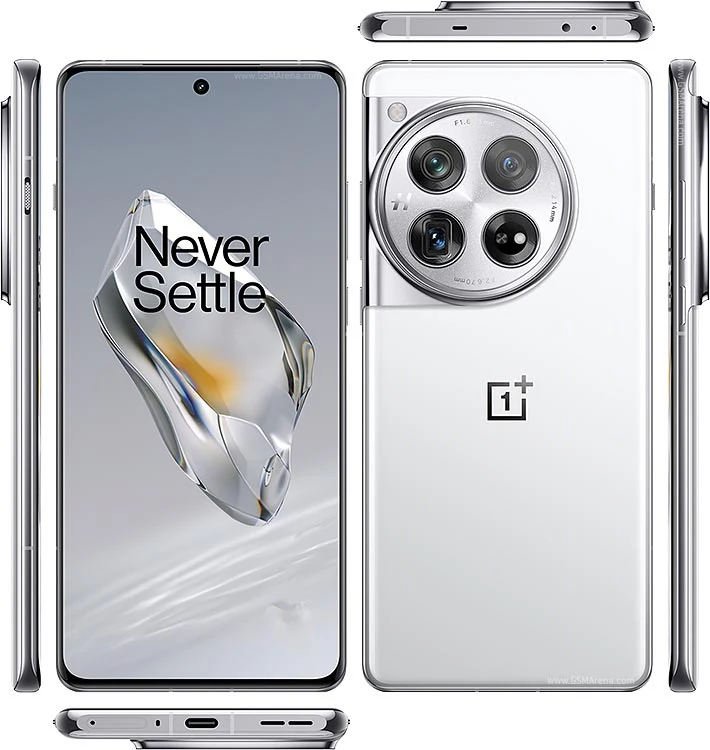
OnePlus 12
• 4500 mAh • TAC: 35167824
- LUI (Local User Interface): Renders prompts, accepts activation codes, and handles user consent.
- LPD (Local Profile Download): Establishes a secure TLS channel with the Subscription Manager Data Preparation (SM-DP+) server.
- LDS (Local Discovery Service): Queries the SM-DS root discovery servers for pending profile deliveries.
When you scan an activation QR code, the LPA receives an activation string formatted as LPA:1$smdp.address.com$MATCHING-ID. The LPA and SM-DP+ then conduct an elliptic-curve mutual authentication handshake (ECKA / ECDSA NIST P-256). If any link in the cryptographic chain fails, the LPA aborts the session and logs a standardized response comprising a Subject Code (identifying the failing node/subsystem) and a Reason Code (identifying the condition).
Decoding Common LPA Subject & Reason Codes
LPA error codes follow a hierarchical decimal notation defined under GSMA SGP.22 Section 5.3. By cross-referencing the primary Subject Code with its associated Reason Code, engineers and travelers can pinpoint the failure vector.
| Code String | Entity (Subject) | Root Failure (Reason) | Resolution Protocol |
|---|---|---|---|
| 8.1.1 / 3.8 | eUICC Subsystem | Profile Matching ID Invalid or Expired | Voucher has expired or was already consumed by another device. Request a new matching token. |
| 8.2.6 / 1.2 | Device Baseband / OS | eUICC Memory Exhaustion | Internal flash storage in the eUICC is full. Delete inactive profiles to release non-volatile sectors. |
| 8.3.3 / 4.8 | SM-DP+ Node | PPR (Profile Policy Rule) Rejection | Firmware policy restricts profile installation. Hardware requires an official carrier unlock. |
| 8.8.2 / 1.1 | TLS / Network Stack | Mutual Auth Certificate Failure | Device root certificates outdated or traffic intercepted by captive portal/VPN. Disable proxy. |
Hardware Locks, Smartphone Financing, and Baseband Rejections
One of the most pervasive real-world triggers for LPA Subject Code 8.3.3 is an enforced Profile Policy Rule (PPR1 or PPR2). When a handset is purchased through consumer smartphone financing, network providers flash custom configuration bundles into the baseband firmware. These restrict the eUICC to specific Mobile Country Codes (MCC) and Mobile Network Codes (MNC).
Apple iPhone 16 Pro
6.3", 1206x2622 pixels, LTPO Super Retina XDR OLED, 120Hz • 3582 mAh Batarya • 5G NR Band 20 / n78 Sertifikalı
Attempting to add competitive third-party eSIM data plans onto a subsidized device while under an active lease triggers a cryptographic policy challenge failure. Until the consumer secures an official, IMEI-level carrier unlock, the baseband modem blocks profile instantiation.
Before committing funds to travel packages, verify that your device maintains an authentic status and a clean IMEI. A blacklisted or non-cleared device identifier will fail security compliance checks on destination networks, rendering secondary profile slots completely inoperative.
Financial Analysis: Roaming Overages vs. Travel eSIM Economics
When an LPA code stalls activation abroad, travelers often default to legacy cellular roaming out of urgency. The financial disparity between direct cellular roaming and localized eSIM provision models highlights the cost of unresolved LPA issues:
Empirical Cost Breakdown: 14-Day Intercontinental Deployment (10GB Data Cap)
- Domestic Carrier Roaming Pass: $12.00/day × 14 days = $168.00 USD (subject to speed throttling past 2GB/day).
- Unthrottled Travel eSIM Solution: $18.50 USD flat cost (provisioned via SM-DP+).
- Immediate Net Variance: $149.50 USD savings per subscriber.
- Enterprise Impact (15-person business delegation): $2,242.50 in recurring travel budget overhead when LPA failures remain unaddressed.
Hardware Band Checks and Radio Frequency Compatibility
A successful LPA profile installation does not guarantee signal acquisition if RF frontend compatibility is overlooked. Mid-tier and carrier-specific smartphone variants often omit regional frequency bands to lower bill-of-materials costs.
For instance, a North American smartphone lacking LTE Band 20 (800 MHz) or Band 28 (700 MHz) will suffer severe blind spots in Western Europe, even with a verified profile. Always run your model number through a 4G/5G Frequency Compatibility Checker before purchase to confirm that local baseband channels align with your destination.
Hardware Integrity, Insurance, and Device Resale
When confronted with deep eUICC errors, some users attempt unauthorized baseband modifications or force non-OEM firmware flashes. These actions carry significant financial downsides:
- Voiding Underwriting Protections: Tampering with secure element trust roots immediately voids mobile device insurance policies, leading to claim denials for subsequent hardware failures.
- Compromising Market Valuation: Tampered cryptographic integrity or permanent hardware flags directly undermine your smartphone's secondary trade-in value. Certified inspection systems test eUICC read/write access during condition triage, discounting damaged units.
Systematic Troubleshooting: Resolving Failed Profile Installations
- Bypass Intermediate Network Captive Portals: Airport and public Wi-Fi networks frequently perform TLS interception or operate under restrictive MTU limits, truncating eUICC certificate exchanges. Switch to a secure tethered hotspot or open a direct cellular link.
- Audit eUICC Storage Blocks: Most contemporary secure elements allocate room for 5 to 10 stored profiles. If you have accrued stale profiles from previous travels, purge decommissioned plans to clear sector locks.
- Force NTP Synchronization: ECDSA verification checks require strict time-stamp parity. If your phone's internal clock drifts by more than a few seconds from the SM-DP+ server time, the LPA aborts the TLS handshake. Toggle “Set Automatically” off and on while connected to a stable network.
- Manual SM-DP+ Routing: If the QR code's parsing fails via the camera engine, input the raw SM-DP+ hostname and matching token manually through your device's advanced cellular configurations to circumvent camera-side URI rendering bugs.