Troubleshooting Expired or Single-Use eSIM QR Codes: An Engineering & Activation Guide
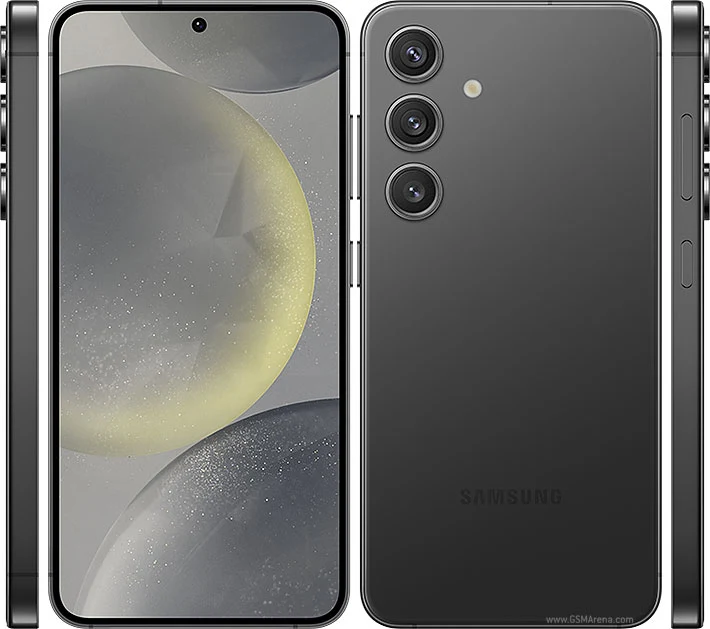
Samsung Galaxy S24
8/12GB RAM, Snapdragon 8 Gen 3 • 4000 mAh • 6.2", 1080x2340 pixels
Few technical hiccups during international travel or device onboarding are as frustrating as scanning an eSIM voucher only to be met with: "This code is no longer valid," "QR code expired," or "Profile already downloaded." Understanding the underlying GSMA Remote SIM Provisioning (RSP) architecture allows telecom engineers and consumers alike to systematically diagnose, clear, and resolve failed eSIM profile installations without unnecessarily purchasing duplicate packages.
The Anatomy of an eSIM QR Code: Why Do They "Expire"?
To resolve an activation error, you must first understand what an eSIM QR code actually is. An eSIM activation code is not an image containing network credentials; it is a standardized alphanumeric string formatted according to GSMA RSP specifications (SGP.22). It typically follows this syntax:

Apple iPhone 16 Plus
8GB RAM, Apple A18 • 4674 mAh • TAC: 35987416
This payload tells your device's Local Profile Assistant (LPA)—an OS-level subsystem—which Subscription Manager Data Preparation (SM-DP+) server to query and passes a unique Matching ID (the profile activation voucher). The moment your smartphone initiates a TLS handshake with the carrier's SM-DP+ server and transitions the state machine from Released to Downloaded, the cryptographic token is consumed. If your Wi-Fi disconnects midway, the server considers the profile claimed, turning your voucher into a dead single-use relic.
Core Hardware & Software Prerequisites Before Troubleshooting
Before modifying software settings or engaging tier-1 carrier support, verify that your physical hardware meets core provisioning criteria:
- Carrier Unlock Status: If your handset was purchased through carrier-subsidized retail programs or active smartphone financing, the baseband modem might reject non-origin profiles. You must obtain a full carrier unlock before secondary eSIM slots can register with third-party networks.
- Device Integrity & Status: A blacklisted baseband halts remote SIM provisioning. Run a diagnostic through our IMEI Validator & Check Tool to guarantee a clean IMEI and confirm that your device hasn't suffered security blocks from an unverified resale or missing mobile device insurance documentation.
- Frequency Band Architecture: Even if the profile downloads, poor signal can mimic an activation failure. Verify your modem's baseband compatibility via the 4G/5G Frequency Compatibility Checker to confirm support for local roaming frequencies.
Step-by-Step Framework to Fix an Expired or Single-Use eSIM Error
Step 1: Check for Ghost Profiles in the eUICC
If an installation aborts halfway through, the LPA may store an orphaned cryptographic placeholder on the embedded chip (eUICC). This placeholder prevents identical Matching IDs from installing.

Samsung Galaxy Z Fold6
7.6", 1856x2160 pixels • 4400 mAh Batarya • 5G NR Band 20 / n78 Sertifikalı
- Navigate to Settings > Cellular / Mobile Data (iOS) or Settings > Network & Internet > SIMs (Android).
- Look for an unnamed, grayed-out, or "Inactive" SIM labeled simply Secondary or Cellular Data.
- If present, manually remove or delete this orphan profile. Note: Deleting an active profile permanently destroys its security credentials; only delete unprovisioned, broken ghosts.
- Reboot the device to clear the baseband processor's volatile cache.
Step 2: Bypass Optical QR Scanning via Manual LPA Entry
Damaged screen pixels, low camera focal lengths, or malformed matrix codes can trigger false "Invalid QR" exceptions. Extract the raw string data and enter it manually:
- SM-DP+ Address: For example,
cust-cust.prod.ondemandconnectivity.com - Activation Code (Matching ID): An alphanumeric string (e.g.,
12345-ABCDE-67890-FGHIJ). - Confirmation Code: If issued by the vendor, enter this 4 to 6-digit pin.
On iPhone: Select Add eSIM > Use QR Code > Enter Details Manually. On Android: Select Add Mobile Plan > Scan Carrier QR > Enter Manually.
Step 3: Resolve Network TLS Inspection Conflicts
The RSP standard requires mutual authentication over TLS 1.2 or 1.3 between the device LPA and the carrier SM-DP+ node. Captive portals (found in airports, hotels, and cafes) or active VPNs intercept and modify this SSL handshake, causing the server to terminate the session and flag the token as invalid. Disconnect from public Wi-Fi, shut off corporate VPNs, and tether temporarily to an external stable hotspot before re-attempting activation.
Step 4: Request an SM-DP+ Profile Re-issuance
If an activation code is single-use and marked "consumed" by the server, consumer-side software cannot force the handshake. You must instruct carrier support using correct telecom engineering terms:
"The remote session timed out during the LPA-to-SM-DP+ handshake. The Matching ID is now locked in a 'Downloaded/Installed' state on your RSP platform. Please reset the profile release state or generate a new SM-DP+ release voucher for my EID."
Providing your 32-digit EID (Embedded Identity Document) number—found in Settings > About—enables enterprise network engineers to bind the profile explicitly to your silicon chip, bypassing broad QR activation requirements entirely.
Financial & Hardware Considerations: Roaming vs. Local eSIM Profiles
When troubleshooting fails during travel, consumers face immediate decisions regarding costs. Should you spend $10 to $15 daily on home network roaming passes, or buy replacement eSIM data plans? Understanding your daily usage models protects both short-term cash flow and the resale or trade-in value of your devices by avoiding risky aftermarket baseband modifications.
| Connection Method | Avg. 14-Day Cost | Downside / Technical Risk | Activation Protocol |
|---|---|---|---|
| Carrier Daily Pass | $140.00 – $168.00 | High bill shock; dependent on home telco | Native SIM Roaming |
| Travel eSIM Voucher | $20.00 – $35.00 | Single-use QR code dropouts on poor Wi-Fi | GSMA SGP.22 LPA |
| Local Physical SIM | $15.00 – $25.00 | Physical tray swap; passport check required | UICC Hardware Contact |
Before ordering backup connectivity, model expected costs using our Travel eSIM & Roaming Calculator to ensure you do not spend more on transient data than your device’s actual marginal monthly depreciation.
Summary Checklist for Immediate Recovery
- Disable corporate VPN tunnels and captive airport Wi-Fi setups before starting provisioning.
- Delete any orphaned, broken "ghost" profiles sitting dormant in your cellular settings.
- Verify the handset is carrier-unlocked and has a clean IMEI registered against security databases.
- Attempt manual input of the SM-DP+ host domain and Matching ID string.
- Contact provider support and present your 32-digit EID to trigger an explicit server-side profile reset.