Why Single-Use eSIM QR Codes Fail During Device Transfers (And How to Re-Download Safely)

Apple iPhone 16 Pro Max
8GB RAM, Apple A18 Pro • 4685 mAh • 6.9", 1320x2868 pixels
Transitioning between smartphones has never been faster, yet millions of users encounter a frustrating barrier when upgrading: scanning an existing eSIM activation card on a replacement phone triggers an immediate failure. Understanding the cryptographic safeguards behind GSMA Remote SIM Provisioning (RSP) explains why static QR codes cannot simply be passed between devices—and how navigating these protocols affects hardware ownership, cellular migrations, and device asset recovery.
The Architecture of eSIM Provisioning: Why QR Codes Are Single-Use
An eSIM activation voucher is not a raw cellular profile; it is an access token containing a cryptographic pointer known as an Activation Code (AC). Under the GSMA SGP.22 standard for consumer devices, an Activation Code follows a strict syntax structured as: 1$smdp.carrier.com$MATCHING-ID. This string directs the Local Profile Assistant (LPA) inside your phone’s operating system to communicate with the operator’s Subscription Manager Data Preparation+ (SM-DP+) server.
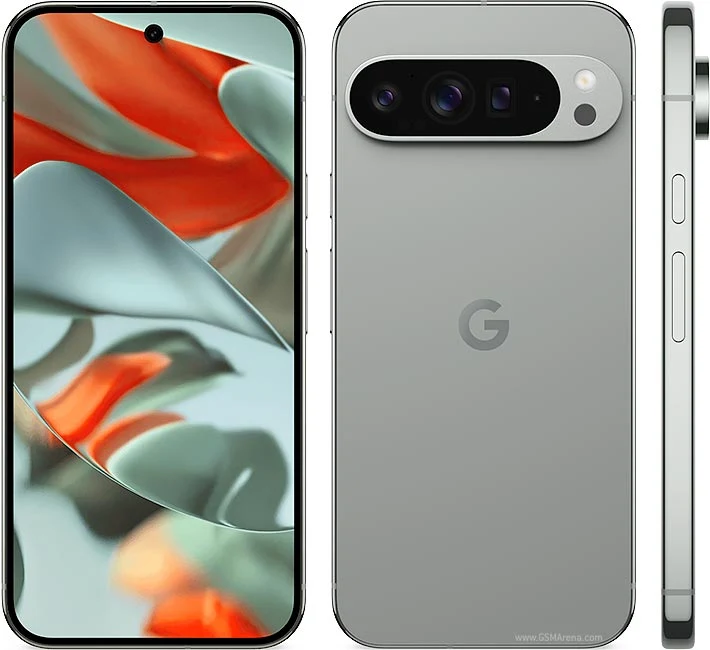
Google Pixel 9 Pro XL
• 4500 mAh • TAC: 35512399
When an activation QR code is generated, the SM-DP+ system marks that specific MATCHING-ID as Released. The moment your device scans the QR code, a mutual authentication handshake executes:
- The device’s embedded Universal Integrated Circuit Card (eUICC) transmits its cryptographic certificates and unique 32-digit eUICC Identifier (EID).
- The SM-DP+ validates that the device holds a certified GSMA root key and that the matching token has not expired.
- The profile payload is encrypted using ephemeral keys tied strictly to the target eUICC's hardware certificate.
- Upon successful profile binding and installation confirmation, the SM-DP+ transitions the matching record to Installed/Consumed.
If you attempt to scan that identical QR code on a second handset, the SM-DP+ rejects the session with standard response errors (such as Subject Code 8.8.2: Matching ID Not Found or Expired). Because the cryptographic bundle was assembled exclusively for the first eUICC’s public key, reusing the raw graphic fails by design to prevent identity hijacking and SIM cloning.
Financial Impacts: Trade-Ins, Device Insurance, and Financing Lock-Ins
Handling eSIM migrations improperly carries tangible financial consequences. When retiring hardware through a carrier upgrade program or trying to maximize secondary-market trade-in value, consumers frequently delete profiles locally without signaling carrier backend systems. A local deletion unbinds the profile from the local LPA, but the remote subscription status often remains flagged as deployed.

Apple iPhone 16 Pro
6.3", 1206x2622 pixels, LTPO Super Retina XDR OLED, 120Hz • 3582 mAh Batarya • 5G NR Band 20 / n78 Sertifikalı
Furthermore, if you submit an emergency replacement claim through mobile device insurance after damaging an active handset, your insurer issues a replacement device with a distinct EID. Attempting to scan your original provisioning slip will render the replacement offline, forcing costly downtime unless carrier-side profile regeneration is requested.
| Migration Scenario | QR Code Behavior | Resolution Mechanism | Financial / Hardware Consideration |
|---|---|---|---|
| Direct Re-scan on New Phone | Fails (Token Expired) | Operator Self-Service / Re-issuance | Requires authenticated portal access |
| OS Quick Transfer (iOS / Android) | Bypasses Static QR | Device-to-Device Entitlement API | Requires carrier backend support |
| Warranty Replacement | Fails (EID Mismatch) | New EID registration with carrier | Tied to mobile device insurance workflow |
| Travel / Roaming Data Passes | Fails (One-Time Lifecycle) | Repurchase or support re-assignment | Risk of high roaming rollover fees |
Pre-Flight Hardware Checks: Locks, Bands, and Blacklists
Before initiating a profile re-issuance from your cellular provider, your destination handset must be validated against hardware and network restrictions. Even an authorized profile download will abort if the receiving phone has active policy controls.
1. Network Subsidy Locks and Device Financing
Devices acquired via active smartphone financing plans typically feature carrier-restricted modem baselines. If you attempt to download an alternate carrier’s profile without an official carrier unlock, the modem’s policy engine blocks profile activation at the baseband layer, generating a generic network error despite a valid SM-DP+ transaction.
2. Equipment Registry Integrity
Second-hand devices must possess a verifiable, clean IMEI across regional EIR (Equipment Identity Register) databases. If the replacement device has been reported missing or flagged for non-payment, the carrier will refuse to complete the Over-The-Air (OTA) provisioning loop. Prior to transfer, checking the receiving device’s status on the IMEI Validator confirms that its baseband identifiers are legitimate and clear for registration.
3. RF Band Compatibility
Different global device SKUs feature distinct radio-frequency front-end (RFFE) components. A re-downloaded profile cannot provide high-throughput performance if the destination phone lacks native support for your carrier's deployed spectrum (e.g., Band n77, n78, or mmWave). Utilize the 4G/5G Frequency Compatibility Checker to confirm modem compatibility with regional cellular infrastructure.
Financial Case Study: Roaming eSIM Misconfiguration vs. Carrier Pass
When traveling internationally, a failed eSIM transfer can disrupt service and trigger steep financial penalties. Consider a scenario where an executive upgrades to a new device while abroad:
The Breakdown:
- Pre-purchased Travel eSIM: $30 for 15 GB (cost per GB: $2.00).
- Failure Mode: User switches devices, scans the original travel QR, and receives an authentication failure.
- Fallback Option: Primary carrier roaming passes bill at $12.00/day over an 11-day trip = $132.00.
- Unintentional Pay-As-You-Go Roaming: At $2.05 per MB, downloading a routine 250 MB OS update costs $512.50 before reaching domestic spend caps.
Using the Travel eSIM & Roaming Calculator allows travelers to model secondary profile deployments ahead of time, preventing costly international billing errors when selecting prepaid eSIM data plans.
How to Safely Re-Download and Migrate an eSIM Profile
To migrate cellular connectivity to a new device securely without risking profile corruption, follow standard industry protocol:
- Do Not Manually Delete the Active Profile Early: Deleting a profile from the old phone while disconnected from Wi-Fi breaks the LPA-to-SM-DP+ deregistration signal. Leave the profile intact until the replacement handshake begins.
- Authenticate via Carrier App or Portal: Log in to your carrier's customer account on the target phone. Initiate a "Swap Device" or "Replace SIM" action. This registers the replacement phone’s EID and generates an unconsumed activation voucher.
- Leverage GSMA TS.43 Entitlement Servers: When moving between iPhones (iOS 16+) or modern Android handsets, utilize OS-level Quick Transfer. This mechanism interfaces with the carrier's Entitlement Server, orchestrating a direct transfer from the source eUICC to the target eUICC and revoking the old cryptographic profile in a single pass.
- Scan the Freshly Issued Activation Code: If an entitlement transfer is not supported by your network, scan the freshly minted QR code issued via your authenticated carrier portal. Ensure the phone maintains an active, low-latency Wi-Fi connection throughout the download sequence.
By understanding that an eSIM QR code represents an ephemeral security voucher rather than static data, users can manage hardware upgrades, protect their smartphone investments, and avoid costly activation deadlocks.
Frequently Asked Questions
Can I scan the same eSIM QR code on multiple devices? ▼
No. Under GSMA SGP.22 specifications, an eSIM QR code represents a one-time cryptographic voucher (Activation Code). Once scanned and provisioned onto a specific hardware eUICC chip, the SM-DP+ server marks that Matching ID as consumed, rendering the QR code permanently unusable.
Does deleting an eSIM from my old phone make the QR code reusable? ▼
No. Removing an eSIM profile from your device's settings only deletes the local cryptographic container. It does not reset the remote SM-DP+ server state or reactivate the spent activation voucher. A new activation code or digital transfer sequence must be requested from your carrier.
What is the difference between OS Quick Transfer and a QR code scan? ▼
OS Quick Transfer (such as Apple eSIM Quick Transfer or Android eSIM Transfer) uses GSMA TS.43 carrier entitlement servers to de-provision the profile from your old phone's eUICC and simultaneously mint a new profile for the target phone's EID. A static QR code scan relies on pre-allocated matching parameters that expire immediately upon first use.
Will a carrier-locked phone accept an eSIM from another network? ▼
No. If a smartphone has an active network subsidy lock due to carrier financing or contract agreements, the device baseband firmware will reject profiles from other operators, even if the eSIM QR code is completely valid and unconsumed.