How to Install and Activate a Travel eSIM on iPhone and Samsung: QR Codes, Roaming Toggle, and APN

Apple iPhone 16 Pro Max
8GB RAM, Apple A18 Pro • 4685 mAh • 6.9", 1320x2868 pixels
Transitioning to digital SIM architecture represents one of the most significant leaps in modern telecommunications engineering. An embedded Universal Integrated Circuit Card (eUICC) replaces the legacy physical plastic nano-SIM with an electrically rewritable microchip soldered directly onto your smartphone’s motherboard. While the underlying GSMA SGP.22 standards ensure universal interoperability, provisioning a travel profile across iOS and Android requires precise configuration of Local Profile Assistants (LPA), data roaming flags, and Access Point Names (APN).
Pre-Flight Audit: Carrier Unlock, Device Financing, and Baseband Integrity
Before purchasing international eSIM data plans, verify your hardware’s architectural readiness. The most frequent installation failure—indicated by the error “Cellular Plan Cannot Be Added”—occurs when a device remains tethered to an active carrier subsidy or outstanding smartphone financing agreement.

Apple iPhone 16 Pro
8GB RAM, Apple A18 Pro (3 nm), Grade 5 Titanium • 3582 mAh • TAC: 35987216
Network providers lock the internal baseband modem to reject any subscriber identity not issued by their Mobile Virtual Network Enabler (MVNE). To successfully provision a travel eSIM, you must request a full carrier unlock from your primary provider. Furthermore, if you acquired your handset on the secondary market, confirm that it maintains a clean IMEI without active loss, theft, or non-payment flags. An unencumbered, fully unlocked phone not only guarantees seamless profile provisioning but also protects your hardware’s secondary market trade-in value and ensures uninterrupted eligibility for third-party mobile device insurance policies.
Installing a Travel eSIM on Apple iPhone (iOS 16, 17, and 18)
Apple devices process eSIM profiles through the iOS CoreTelephony framework. You can provision profiles via an automated QR code exchange (which initiates an LPAd communication session with the Remote SIM Provisioning server) or via manual string entry.
Method A: Rapid QR Code Provisioning
- Connect the iPhone to a stable Wi-Fi network. Active Internet connectivity is mandatory to pull cryptographic keys from the operator’s Subscription Manager Data Preparation (SM-DP+) server.
- Navigate to Settings → Cellular (or Mobile Data) → Add eSIM.
- Tap Use QR Code and center the camera over the carrier-supplied QR image.
- When prompted, select Continue to download and install the cellular profile to the eUICC chip.
Method B: Manual LPA String Entry
If you cannot scan the code with your primary camera, select Enter Details Manually at the bottom of the scanner UI. You will enter the GSMA LPA activation string format:
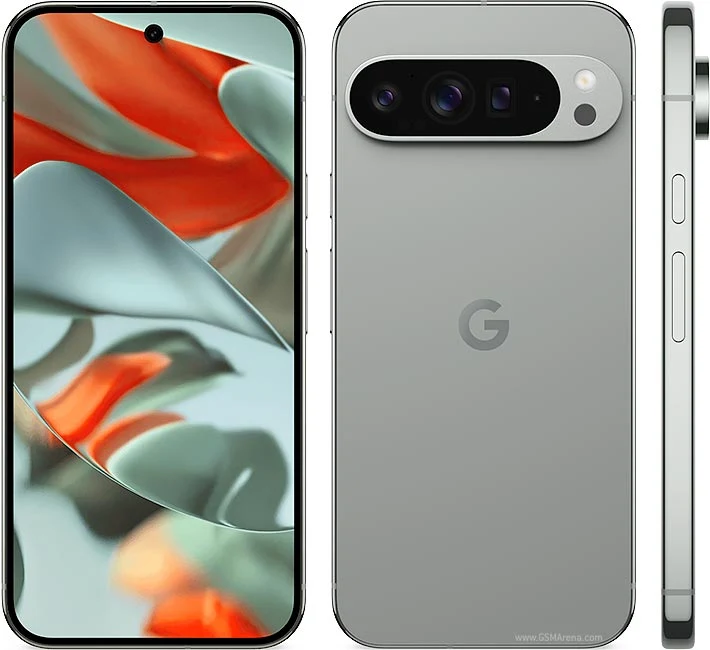
Google Pixel 9 Pro XL
• 4500 mAh Batarya • 5G NR Band 20 / n78 Sertifikalı
Separate the SM-DP+ Address (e.g., cust-rsp.example.com) and the Activation Code as labeled in your plan documentation. Leave the Confirmation Code blank unless explicitly provided by the provider.
Configuring iOS SIM Labels and Roaming Flags
- Label Your Lines: Assign your domestic line as “Primary” and the new travel profile as “Travel” or “Secondary”.
- Default Line for Voice/SMS: Keep this set to Primary if you intend to receive multi-factor banking codes (ensure international pay-per-use SMS rates are verified).
- Cellular Data Line: Switch this explicitly to Travel.
- Allow Cellular Data Switching: Toggle this OFF. Leaving it enabled allows the iPhone to opportunistically switch to your home line in weak signal zones, resulting in unexpected carrier roaming fees.
- Data Roaming: Navigate to Settings → Cellular → Travel SIM and toggle Data Roaming ON. Most travel profiles operate as international roaming MVNOs and will not pass packets without this enabled.
Installing a Travel eSIM on Samsung Galaxy (One UI 5 & 6)
Samsung manages eUICC provisioning through its proprietary SIM Manager framework running on top of Android RIL (Radio Interface Layer).
- Connect your Galaxy handset to Wi-Fi.
- Navigate to Settings → Connections → SIM Manager.
- Under the eSIM category, tap Add eSIM.
- Select Scan QR code from service provider and capture the matrix barcode.
- Once the profile metadata resolves, tap Add and wait 60 to 120 seconds while the baseband modem establishes its initial security handshake.
Once installed, configure network traffic:
- Under Preferred SIMs, designate your travel eSIM as the primary interface for Mobile Data.
- Go to Settings → Connections → Mobile Networks.
- Enable the Data Roaming toggle switch.
Manual APN Configuration: Resolving PDP Context Failures
Even with data roaming active, your phone may show full signal bars while data fails to route. This occurs when the travel carrier’s Packet Data Protocol (PDP) fails to auto-negotiate an Access Point Name (APN). An APN defines the network gateway pathway between your cellular provider and the public Internet.
| Configuration Field | iPhone (iOS Path) | Samsung (One UI Path) | Standard Travel Entry |
|---|---|---|---|
| Access Path | Cellular → Travel Line → Cellular Data Network | Connections → Mobile Networks → Access Point Names | N/A |
| APN Name | “APN” field under Cellular Data | “APN” field (after tapping “Add”) | Supplied by carrier (e.g., globaldata) |
| Username / Password | Leave blank unless specified | Leave blank unless specified | Usually empty |
| APN Protocol | Automatic / IPv4v6 fallback | APN protocol dropdown | Select IPv4/IPv6 or IPv4 |
Radio Frequency Analysis: Global 4G/5G Compatibility
An activated eSIM cannot transfer data if your hardware lacks RF filter support for local deployment bands. For instance, North American flagship variants prioritize bands like LTE B2, B4, B12, and 5G n77, whereas European and Asian networks rely heavily on low-band LTE B20 (800 MHz), B28 (700 MHz), and mid-band 5G n78 (3500 MHz).
Before departing, pass your model designation through the 4G/5G Frequency Compatibility Checker. If you are operating a regional handset that lacks European LTE Band 20, you will experience sudden coverage drops and high battery drain indoors and in rural corridors as the power amplifier boosts output attempting to reach distant towers.
Financial Analysis: Travel eSIM vs. Domestic Carrier Day Passes
Evaluating mobile connectivity through a consumer finance lens demonstrates the financial advantage of unbundling cellular roaming from your domestic bill. Traditional carriers charge premium flat-rate daily international passes, while standalone travel eSIM providers bill on a metered gigabyte basis.
The 14-Day International Travel Model
A 14-day trip across Europe or Asia with an average consumption of 10 GB total data:
- Carrier Daily International Pass: 14 days × $10.00/day (plus 18% local utility and telecom surcharges) = $165.20
- Standalone Travel eSIM (10 GB bucket): Flat fee prepaid voucher = $18.50
- Net Savings: $146.70 (an 88.8% reduction in connectivity overhead)
Reinvesting these connectivity savings into comprehensive mobile device insurance protects your investment against accidental drops or international theft without adding recurring overhead.
Engineering Diagnostics: Troubleshooting Common eUICC Provisioning Errors
“Unable to Complete Cellular Plan Change”
This error indicates a transport timeout or an invalid handshake with the remote SM-DP+ server. Toggle Airplane Mode on for 10 seconds, disconnect from captive hotel Wi-Fi networks (which frequently block port 443 TLS handshakes for cellular provisioning), and retry the profile download over a stable, unthrottled connection.
“PDP Authentication Failure”
The modem cannot authenticate against the local network gateway. Verify that Data Roaming is active on the travel line. If the issue persists, access your APN settings and verify whether your operator requires a specific authentication type (PAP vs. CHAP) or an explicit APN string such as internet or fast.t-mobile.com.
Full Signal Bars with “No Internet Connection”
Confirm that your device is not routing traffic to a deactivated physical SIM. In iOS, check Cellular → Cellular Data to ensure your travel eSIM is selected. On Samsung devices, verify the Primary SIM for data in SIM Manager. Performing a Reset Network Settings command will clear stale PDP routes without affecting personal files.
Frequently Asked Questions
Can I install my travel eSIM before departing on my trip? ▼
Yes. You can install the eSIM profile via QR code at home while connected to a stable Wi-Fi network. Keep the line turned off or leave Data Roaming disabled until you touch down at your destination to prevent early activation of validity windows on specific networks.
Why does my travel eSIM say 'No Service' immediately after scanning the QR code? ▼
A 'No Service' state is standard if you install the profile while still within your home country, as the underlying roaming partner network cannot be reached. Service will establish once your device pings compatible cell towers abroad.
Will installing a travel eSIM delete my primary phone number or WhatsApp account? ▼
No. The eUICC operates dual-SIM dual-standby (DSDS) functionality. Your physical SIM or primary domestic eSIM profile remains fully intact, along with your WhatsApp registration, SMS access, and iMessage configuration.
What happens if my phone is locked under an active carrier financing agreement? ▼
If your device is under carrier financing and has not received an official carrier unlock, the baseband software will reject third-party eSIM profiles, returning an error such as 'Cellular Plan Cannot Be Added'. You must clear your financing balance or obtain an international roaming unlock from your domestic carrier.