Carrier eSIM Stuck on 'SOS Only': Step-by-Step Engineering Diagnostic & Fix Guide
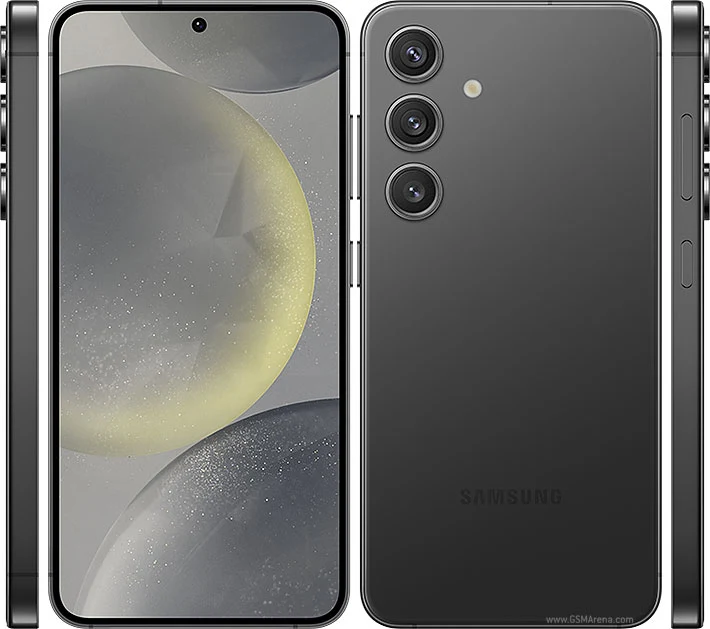
Samsung Galaxy S24
8/12GB RAM, Snapdragon 8 Gen 3 • 4000 mAh • 6.2", 1080x2340 pixels
Seeing an "SOS Only" indicator on your iPhone or Android status bar after activating a digital SIM is one of the most frustrating modern mobile errors. From a cellular architecture standpoint, "SOS Only" indicates that your smartphone's baseband processor is operational and capable of scanning local Public Land Mobile Networks (PLMNs) for emergency voice channels (pursuant to 3GPP TS 23.167 standards), but the device cannot complete the Non-Access Stratum (NAS) registration or IMS authorization required for standard voice, SMS, and data traffic.
Whether dealing with enterprise lines, competitive consumer eSIM data plans, or newly financed flagship devices, discovering why the eUICC chip refuses to register requires a systematic, hardware-to-cloud diagnostic workflow.

Samsung Galaxy Z Fold6
12GB RAM, Snapdragon 8 Gen 3 • 4400 mAh • TAC: 35167824
1. The Underlying Engineering Causes of the 'SOS Only' State
When an eSIM transitions to an operational state, your device communicates with the carrier's Subscription Manager Data Preparation (SM-DP+) server to download and install the operational profile onto the eUICC (Embedded Universal Integrated Circuit Card). If your handset successfully downloads the profile but hangs on SOS, the root cause generally falls into one of four vectors:
- HLR/HSS Provisioning Desynchronization: The SM-DP+ server deployed the profile, but the carrier's Home Location Register (HLR) or Unified Data Management (UDM) core has not linked the ICCID (SIM serial) to the International Mobile Subscriber Identity (IMSI).
- Carrier Policy Restrictions: The device lacks a verified carrier unlock, preventing foreign profiles from negotiating authentication keys (Ki) with unauthorized cell towers.
- IMEI Status & Financial Blacklisting: If acquired second-hand or on a lease, an unpaid balance under past smartphone financing may have triggered a carrier-wide blacklisting, denying network access.
- RF Front-End/Band Mismatch: The device model lacks hardware support for the local network's primary low-band coverage frequencies (e.g., LTE Band 71 or Band 28).
Step-by-Step Technical Troubleshooting Matrix
Step 1: Verify Baseband Health and EID Integrity
First, rule out catastrophic RF front-end failure. Open your dialer and enter *#06#. If the baseband processor and eUICC are functioning normally, your screen will display your primary IMEI, secondary IMEI (for dual SIM), and an EID (Embedded Identity Document) barcode. If the EID or IMEI fields appear blank or cause the dialer app to crash, your device has suffered a baseband power management IC (PMIC) failure, which typically requires a board-level micro-soldering repair or a claim under your mobile device insurance policy.
Step 2: Perform an IMEI Legitimacy & Blacklist Audit
If the device was purchased through an online marketplace, an eSIM will frequently activate via Wi-Fi and download its profile, only to instantly drop to "SOS Only" the moment the handset attaches to a local tower. This happens when the network's Equipment Identity Register (EIR) identifies the hardware as blocked. Verify that your device possesses a verified clean IMEI using an authoritative diagnostic tool, or query the national databases through a direct Stolen & Blacklist Checker to confirm the hardware has not been reported lost, stolen, or delinquent.

OnePlus 12
• 4500 mAh Batarya • 5G NR Band 20 / n78 Sertifikalı
Step 3: Analyze Carrier Lock and Multi-SIM Mapping
Navigate to Settings > General > About > Carrier Lock (iOS) or Settings > About Phone > SIM Status (Android). If it indicates "SIM Locked" and your new eSIM is from a third-party or MVNO provider, the baseband will immediately block network registration. Even if the device is factory unlocked, verify that the active eSIM is explicitly mapped to Cellular Data and Voice. If you migrated from a physical SIM, confirm the old physical card is removed; otherwise, the device may prioritize an inactive physical IMSI over the new eUICC partition.
Step 4: Check Frequency Compatibility
In fringe coverage zones, devices lacking specific Long-Term Evolution (LTE) or New Radio (NR) bands cannot maintain minimum Reference Signal Received Power (RSRP). Check your specific hardware sub-model against regional network deployment using a 4G/5G Frequency Compatibility Checker to confirm whether your phone physically supports the local uplink/downlink bands.
| Scenario / Symptom | Engineering Cause | Remediation Protocol |
|---|---|---|
| Full signal bars drop immediately to "SOS Only" | HLR Reject Cause 15 (No Suitable Cell In Tracking Area) or EIR Blacklist. | Audit IMEI against blacklist database; call tier-2 network ops to force HLR reprovision. |
| eSIM shows "Activating..." permanently | SM-DP+ TLS handshake dropped before confirmation packet sent. | Delete eSIM profile, reset network settings, and scan a newly regenerated carrier QR code. |
| Data works, but Voice displays "SOS" | VoLTE / IMS profile mismatch; carrier entitlement server communication failure. | Update Carrier Settings (Settings > General > About); toggle Wi-Fi Calling off and on. |
| SOS persists indoors, resolves outdoors | RSRP drops below -122 dBm; device lacks Band 12/13/14/71 low-band access. | Hardware limitation; enable Wi-Fi calling as primary local offload mechanism. |
Financial Calculations: Repair vs. Unlocking vs. Trade-In Value
When troubleshooting an SOS-locked phone that stems from hardware or policy lock issues, you must quantify the economic impact of fixing the unit versus liquidating it. Consider the financial breakdown of a modern flagship device (e.g., secondary market value of $800):
Case Analysis: Defaulted Financing Block vs. Out-of-Warranty Repair
- Full Fair Market Value (Clean / Unlocked): $800.00
- Carrier Blacklisted / Financed Default Delta: Liquidated trade-in value plummets to roughly 20-25% of market value (~$160.00 to $200.00) because the motherboard must be exported or stripped for display/chassis parts.
- Baseband Logic Board Micro-soldering Cost: $180.00 – $250.00 (with only a 70% long-term recovery rate on water-damaged boards).
- Mobile Device Insurance Deductible: $99.00 – $149.00 for tier-4 flagship replacements.
Net Recovery Valuation = Market Value ($800) - Repair / Release Cost ($150) = $650 Net Equity preserved vs. ~$600 loss if abandoned to salvage trade-in value.
Step 5: The Carrier Provisioning Reset (The Final Field Fix)
If the diagnostic metrics confirm the hardware is clean and supported, resolve the cloud sync error via a forced re-registration:
- Connect to a reliable Wi-Fi network with unrestricted UDP traffic (avoid public captive portals).
- Delete the offending eSIM profile: Settings > Cellular > Select Plan > Delete eSIM.
- Reset Network Settings (this flushes cached APN configurations and baseband route tables).
- Contact your carrier's technical support and request a manual cancel-and-replace of the eSIM, which generates a fresh ICCID on their core network.
- Scan the new profile QR code. Keep the device active on Wi-Fi for at least 180 seconds without switching applications to ensure the cryptographic key exchange with the SM-DP+ completes without packet loss.
By systematically isolating hardware baseband integrity, carrier profile provisioning, frequency band support, and device blacklisting status, you can eliminate the "SOS Only" condition and restore high-bandwidth voice and data capability to your smartphone.
Frequently Asked Questions
Why does my eSIM say 'SOS Only' even after the carrier says it is activated? ▼
This usually indicates an authentication mismatch between your device's eUICC profile and the carrier's Home Location Register (HLR/UDM). While the carrier's billing system shows the line as active, the local network tower has not authorized the specific ICCID/IMSI pair, or the phone's APN settings have failed to apply automatically.
Can an unpaid smartphone balance cause my eSIM to get stuck on SOS Only? ▼
Yes. If a device has an unresolved balance under an active smartphone financing contract, the original carrier can place the handset's IMEI on an internal or universal blacklist. When blacklisted, the baseband modem is restricted to emergency services only across all compatible carrier towers.
Will deleting and reinstalling the eSIM profile fix the SOS Only error? ▼
Deleting and re-adding an eSIM can resolve corrupted local profile states and bad APN caching. However, check with your carrier before deleting it, as many carriers use single-use QR codes. Deleting the profile may require a customer service representative to issue a brand-new activation code.
Does 'SOS Only' mean the phone's internal antenna or hardware is broken? ▼
Not necessarily. In fact, displaying 'SOS Only' proves that your cellular antenna, RF transceivers, and baseband modem are physically working well enough to detect emergency channels from adjacent network towers. A complete hardware failure typically manifests as 'No SIM', 'Searching...', or a missing modem firmware entry in device settings.