Resolving Google Factory Reset Protection (FRP) on Used Android Phones

Apple iPhone 16 Plus
8GB RAM, Apple A18 • 4674 mAh • 6.7", 1290x2796 pixels, Super Retina XDR OLED
Factory Reset Protection (FRP) is an integrated security feature engineered by Google, native to Android 5.1 Lollipop and later. Designed to render a stolen or lost device unusable to unauthorized users, FRP automatically binds an Android smartphone to the primary Google Account registered on the hardware. However, in the secondary smartphone marketplace, FRP represents one of the most common causes of buyer transaction disputes, severe financial write-offs, and unexpected hardware bricking.
When purchasing a pre-owned device, failing to inspect the activation state can instantly destroy the unit's utility and market value. Before finalizing any transaction, securing a clean IMEI check is your first line of defense, ensuring the device is not bound by unresolved telecom liens, enterprise enrollment, or active security locks.
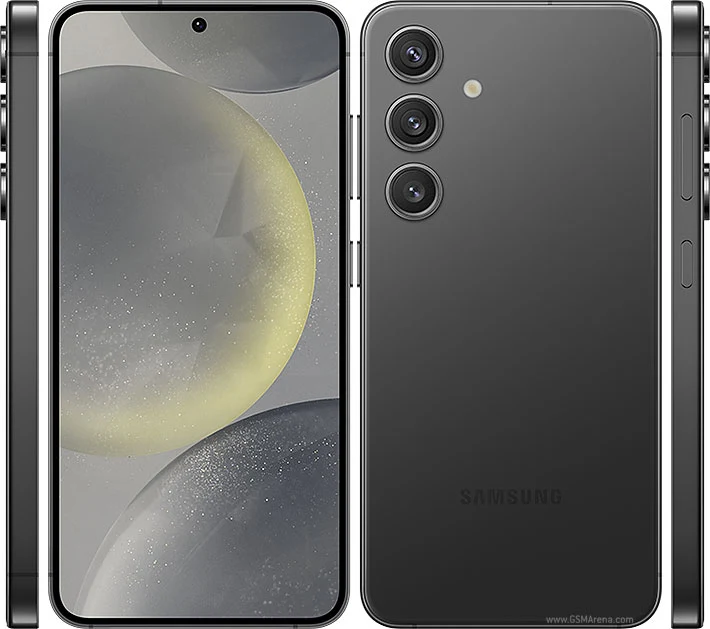
Samsung Galaxy S24
8/12GB RAM, Snapdragon 8 Gen 3 • 4000 mAh • TAC: 35167824
The Cryptographic Engine: How Google FRP Operates at the Hardware Level
FRP does not simply live in user-space software; it interfaces directly with the device's storage controllers and hardware-backed keystore. When a Google Account is configured on an Android device, a cryptographic token is written to an isolated, protected hardware sector—typically the persistent partition (/dev/block/bootdevice/by-name/persistent or frp partition).
Modern smartphones powered by Qualcomm Snapdragon or MediaTek Dimensity chipsets store these security parameters within the Replay Protected Memory Block (RPMB) of the UFS (Universal Flash Storage) or eMMC module. This hardware partition communicates solely with the ARM TrustZone Trusted Execution Environment (TEE). If an untrusted wipe occurs via Android Recovery Mode (hard button combination) or fastboot, the RPMB flag frp_state remains asserted. Upon first reboot, the Setup Wizard (OOBE) checks this flag, discovers an unauthorized wipe signature, and halts initialization until the original Google credentials decrypt the hardware token.
Financial Risk Breakdown: Locked Hardware vs. Clean Resale
Purchasing an FRP-locked device results in immediate capital destruction. A phone trapped on the "Verify your account" screen cannot be registered, cannot configure modern eSIM data plans, and fails validation across major carrier networks. The financial impact directly affects residual trade-in value and exposes buyers to hidden secondary liens.
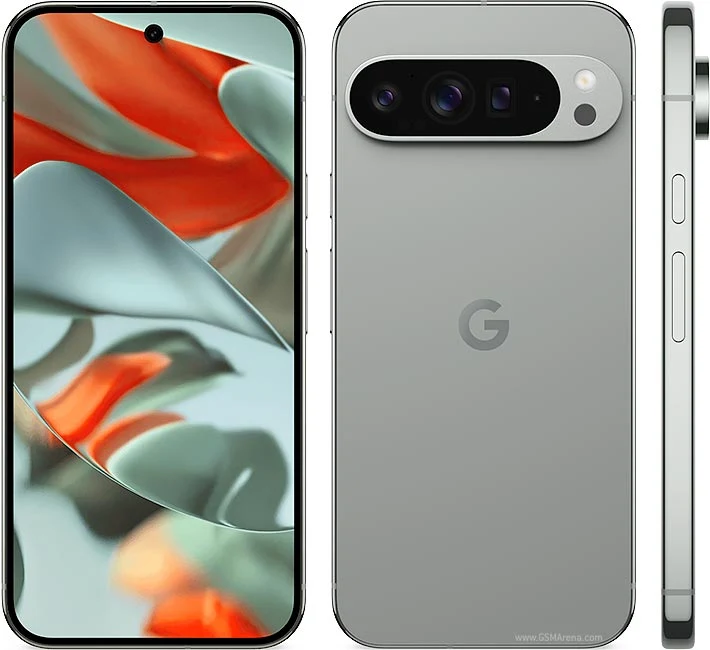
Google Pixel 9 Pro XL
• 4500 mAh Batarya • 5G NR Band 20 / n78 Sertifikalı
| Device State | Secondary Market Value (Avg) | Trade-In Valuation | Salvage / Parts Realization | Net Financial Yield |
|---|---|---|---|---|
| Galaxy S23 256GB (Fully Unlocked & Clean) | $480.00 | $420.00 | N/A (Functional) | 100% Value Retained |
| Galaxy S23 256GB (FRP Locked / Unresolvable) | $110.00 (Parts Only) | $0.00 (Rejected) | $90.00 - $120.00 (OLED/Frame) | -77.1% Loss |
| Pixel 7 Pro (Clean vs. FRP Trapped) | $340.00 vs. $75.00 | $280.00 vs. $0.00 | $75.00 (Display salvage) | -77.9% Loss |
Beyond salvage devaluation, locked units often correlate with fraudulent transactions. Unscrupulous sellers may offload phones tied to active smartphone financing obligations or initiate fraudulent claims through their mobile device insurance provider after the sale. If the original owner reports the device lost or stolen to collect an insurance payout, the device will be added to the global CEIR database. You can proactively verify that the serial number is free of criminal flags using the Stolen & Blacklist Checker.
Detecting FRP Locks Before Exchanging Payment
When meeting a private seller, physical inspection is mandatory. Follow this standard diagnostic protocol:
- Boot into the Out-Of-Box Experience (OOBE): Never accept a phone handed to you in a "turned off" state. Power it on and ensure it lands on the initial Language Selection screen.
- Force Network Association: Connect the smartphone to a Wi-Fi hotspot or insert an active physical SIM card. Android skips the Google FRP verification phase if no network connection is established, delaying the lock detection until you arrive home.
- Proceed Past Network Handshake: Watch the screen carefully. If the phone displays "Verify your account: This device was reset. To continue, sign in with a Google Account that was previously synced on this device," the phone is locked. Request the seller input their credentials immediately.
- Formalize the Sale: Always execute a binding document such as the 2nd Hand Bill of Sale. Having the seller's legal identity linked to the device protects you if the hardware later triggers financial blacklists.
Legitimate Resolution Paths: Unlocking an FRP-Bound Smartphone
If you acquire a smartphone that inadvertently retains FRP, bypass utilities and cracked firmware tools online should be avoided. These packages often contain remote-access trojans, permanently trip hardware security fuses (such as Samsung Knox 0x1 status), or brick the device's baseband processor. Instead, utilize legitimate channels:
1. Remote Account Decoupling by the Original Owner
The previous owner does not need to be physically present or share their password. They can disconnect the device via any web browser:
- Sign in to myaccount.google.com/device-activity.
- Select the specific phone model from the active device list.
- Click Sign Out and confirm the revocation of access rights.
- Reboot the target smartphone while connected to Wi-Fi; the server sync will clear the FRP trigger within 10 to 15 minutes.
2. OEM Tier-3 Service Authorization
Official manufacturers (Google, Samsung, Motorola, Xiaomi) can flash authorized factory firmware and rewrite the persistent sector. However, manufacturer technicians strictly enforce anti-theft protocols. You must present an original commercial invoice displaying the retail store name, date of purchase, and the device's hardware identifier. Note that if the device is currently bound to carrier subsidies, you must first complete a carrier unlock through the original service provider before certain OEMs will process software overrides.
How to Safely Reset Android to Prevent Future Lockouts
If you are preparing to trade in, sell, or donate an Android phone, execute a clean wipe that clears the persistent partition without tripping FRP:
- Navigate to Settings > Accounts and Backup > Manage Accounts. Tap every active Google Account and select Remove Account.
- Remove all secondary cloud profiles (Samsung Account, Xiaomi Mi Account, etc.).
- Deactivate Lock Screen Security (change PIN, Pattern, or Password to "None").
- Enable Developer Options (tap "Build Number" 7 times), navigate inside, and toggle OEM Unlocking (
persist.sys.oem_unlock_allowed=1) to authorized. This instructs the bootloader to invalidate the FRP check flag. - Navigate to Settings > General Management > Reset > Factory Data Reset. Complete the wipe directly through the internal OS menu.
By following these standard technical procedures, buyers and sellers can preserve device integrity, safeguard second-hand capital, and ensure smooth post-purchase activation across all cellular infrastructure.
Frequently Asked Questions
Does performing a factory reset from the Android Settings menu trigger FRP? ▼
No. When you perform a Factory Data Reset directly from inside the authenticated Android Settings menu, the operating system verifies your credentials (PIN, pattern, or biometric) and cleanly deletes the persistent partition token before initiating the wipe. FRP is only triggered when the device is wiped using unauthenticated methods, such as Recovery Mode or Fastboot commands.
Can flashing stock firmware via Odin or Fastboot remove an active FRP lock? ▼
No. Modern Android devices protect the FRP storage block within the RPMB (Replay Protected Memory Block) of the UFS/eMMC chip. Flashing standard official firmware images overwrites system, boot, and vendor partitions, but leaves the persistent/FRP partition untouched. The phone will still demand the original Google credentials upon boot.
How does an FRP lock impact a phone's trade-in value? ▼
An FRP-locked phone cannot be processed by trade-in programs, wireless carriers, or refurbishers. It is categorized as non-functional activation-locked inventory, reducing its value to zero at retail trade-in or limiting it strictly to salvage part value (roughly 70% to 80% below working market price).
Will a carrier unlock remove Google Factory Reset Protection? ▼
No. A carrier unlock simply removes baseband SIM restrictions, permitting the device to use any compatible cellular network. FRP is an entirely separate Google OS-level security lock managed inside the device's Trusted Execution Environment (TEE) and persistent memory.