Remote Carrier Financing Locks: How Knox Guard and MDM Impact Second-Hand Smartphone Buyers

Apple iPhone 16 Pro
8GB RAM, Apple A18 Pro (3 nm), Grade 5 Titanium • 3582 mAh • 6.3", 1206x2622 pixels, LTPO Super Retina XDR OLED, 120Hz
The secondary smartphone marketplace has become a minefield for unsuspecting buyers. While consumers historically worried about physical defects or standard carrier SIM restrictions, modern telecommunications carriers and predatory subprime lenders deploy far more aggressive mechanisms: hardware-level remote financing locks. Led by systems like Samsung Knox Guard (KG) and enterprise Mobile Device Management (MDM) enrollment profiles, these protocols allow lenders to remotely freeze, monitor, and permanently disable devices over-the-air (OTA) when an account defaults.
The Engineering Architecture: How Knox Guard & Remote Locks Function
Unlike a traditional carrier unlock, which simply controls baseband modem acceptance of different international mobile subscriber identities (IMSIs), remote financing locks operate deep within the Android or iOS system architecture. Samsung Knox Guard leverages hardware-backed security rooted in the device’s Trusted Execution Environment (TEE) and the Replay Protected Memory Block (RPMB) partition of the UFS flash storage.
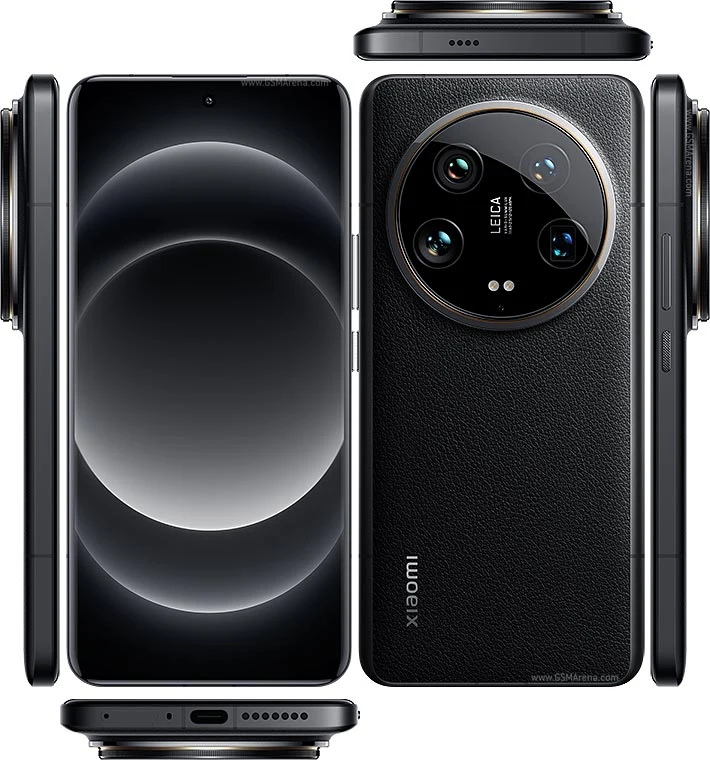
Xiaomi 14 Ultra
• 4500 mAh • TAC: 86942106
When a phone is acquired through modern smartphone financing, the lender or mobile network operator registers the unique hardware telemetry—including the device's International Mobile Equipment Identity (IMEI) and serial number—directly into Samsung’s Knox Cloud Services (KCS) or Apple’s Automated Device Enrollment (ADE). Even if an operating system is completely wiped via Android Recovery (Factory Data Reset) or flashed with standard OEM stock firmware using low-level tools like ODIN, the first network handshake triggers an unavoidable cryptographic check.
- The Pre-Boot Handshake: During the initial boot phase, the device’s bootloader queries the secure TrustZone/TEE. If Knox Guard state (
KG State) is flagged asLockedorActive, the kernel immediately restricts user-space execution. - Client-Side Telemetry: The background telemetry daemon (
com.samsung.android.kgclient) enforces persistent monitoring. It overrides Android Debug Bridge (ADB) commands, disables Developer Mode, and prevents custom firmware execution by locking the device down to secure boot protocols. - Network Persistence: Even if a buyer uses temporary local eSIM data plans or localized Wi-Fi networks, the KG client routes out a secure HTTPS heartbeat to verify payment installment status.
Network Lock vs. GSMA Blacklist vs. Knox Guard Financing Lock
To make an informed purchase, second-hand buyers must understand the critical technical distinctions between SIM restrictions, carrier blacklists, and financing client locks:
| Lock Mechanism | Execution Layer | Effect on Device | Remedy |
|---|---|---|---|
| Network / SIM Lock | Baseband Modem Configuration | Restricts connectivity to specific MCC/MNC carrier bands; full UI/app access remains intact. | Legitimate carrier unlock code or elapsed contract term. |
| GSMA IMEI Blacklist | Core Network EIR (Equipment Identity Register) | Cellular towers reject baseband registration. Phone works perfectly on Wi-Fi but lacks cellular voice/data. | Account holder settles fraudulent claim or original balance. |
| Knox Guard / MDM Lock | Hardware TEE / RPMB / OS Level | Complete UI lock screen overlay; hardware functions disabled; device rendered inoperable. | Financing entity clears cryptographic token in the cloud registry. |
The Secondary Market Hazard: Residual Trade-In Value Destruction
The danger for the used phone buyer is timing. When a debtor purchases an expensive flagship ($1,200+ MSRP) through carrier smartphone financing with low down payments, they often sell it within 48 hours for immediate cash. At the time of the peer-to-peer transaction, the smartphone operates flawlessly, showing a completely clean IMEI in traditional database lookups.
Apple iPhone 16 Plus
6.7", 1290x2796 pixels, Super Retina XDR OLED • 4674 mAh Batarya • 5G NR Band 20 / n78 Sertifikalı
However, the financial default typically occurs 30 to 60 days later when the primary financing bill remains unpaid. Once the lender posts an automated default signal, the device transforms into an expensive paperweight almost overnight, reducing its liquid trade-in value to raw salvage parts (roughly 10%–15% of market value for screens or housing assemblies).
Financial Anatomy of an Unchecked Second-Hand Purchase
- Target Device: Samsung Galaxy S24 Ultra 512GB (Original MSRP: $1,419.99)
- Secondary Market Purchase Price: $850.00 cash paid to a private seller
- Financing Status: Financed on a 36-month installment contract ($39.44/mo)
- Default Event: Seller stops payments after month 1; lender triggers Knox Guard lock at Day 45
- Immediate Liquid Residual Value: ~$120.00 (Salvage display/chassis parts only; motherboard crypto-locked)
- Net Buyer Capital Loss: -$730.00 (-85.8% of investment)
Mobile Device Insurance Scams & Financing Lockout
Another common threat vector involves fraudulent mobile device insurance claims combined with remote management locks. In these scenarios, a seller signs up for premium insurance coverage through their carrier, sells the smartphone with a temporary clean IMEI, and later files a false "stolen" claim to collect a replacement unit or insurance settlement payout. The insurer's underwriting system simultaneously requests an EIR network blacklist and sends a payload to the remote lock software, trapping the secondary buyer with no path forward.
How to Detect Remote Financing Locks Before Handing Over Cash
Standard system checks are insufficient when evaluating a pre-owned smartphone. To guarantee hardware authenticity and ensure complete ownership freedom, perform the following verification protocol:
1. Inspect the Low-Level Bootloader State (Download Mode)
On Samsung devices, powering down the unit and booting into "Download / Odin Mode" provides unfiltered hardware diagnostic readouts directly from the bootloader before Android loads. Check the following parameters:
KG STATE: Should read Completed or Checking. If it displays Active, Prenormal, or Locked, walk away immediately.MDM MODE: Must indicate None or False.FRP POff / OEM Lock: Ensure factory reset protection states are unbound.
2. Verify Telecommunications Databases & IMEI Integrity
Never rely on the seller's screenshots. Pull the actual identifier by dialing *#06# into the dialer. Immediately validate its mathematical integrity and international network standing using an authoritative IMEI Validator and query the global blacklist databases via a specialized Stolen & Blacklist Checker.
3. Legally Protect Your Transaction
Never complete a peer-to-peer cash transaction without physical documentation. If the seller legitimately owns the device outright, they will readily agree to sign a legally binding document confirming that the device is free from financial encumbrances. Use a structured 2nd Hand Bill of Sale that captures the seller's national identity, clear IMEI numbers, and explicit representations regarding clear title.
Conclusion: The Buyer's Responsibility in the Cloud-Lock Era
Remote financing technologies like Knox Guard have tilted the risk of used device purchases onto end consumers. Because these locks are enforced cryptographically via Samsung's TrustZone and secure carrier backends, there is no permanent software patch, custom ROM, or third-party bypass that can restore full functionality to a remotely locked financed device. Diligent hardware inspection, comprehensive verification against blacklist repositories, and formal paper contracts are the only dependable shields against catastrophic hardware loss.
Frequently Asked Questions
Can flashing a custom ROM or using Odin remove a Samsung Knox Guard financing lock? ▼
No. Knox Guard is backed by the device's hardware security enclave (TrustZone) and RPMB partition. Flashing stock or custom ROMs via Odin does not clear the cryptographic enrollment token stored in Samsung Knox Cloud Services. The moment the device establishes an internet connection via Wi-Fi or cellular networks, the Knox Guard client verifies the serial and IMEI against cloud servers and immediately re-engages the lock.
What is the difference between a carrier network lock and Knox Guard? ▼
A carrier network lock restricts the cellular modem to working only with SIMs from a specific carrier network, allowing normal access to all other phone features, apps, and Wi-Fi. In contrast, Knox Guard is an enterprise-level financing lock that renders the entire operating system inaccessible with a persistent full-screen lockout overlay demanding loan repayment.
Will a clean IMEI check guarantee that a phone won't be locked by Knox Guard later? ▼
Not necessarily. A clean IMEI check at the time of purchase proves that the phone has not yet been reported lost, stolen, or placed into financial default. However, if the seller is currently financing the device and later defaults on installment payments 30 to 60 days down the road, the financing entity can initiate a Knox Guard lock remotely after your purchase.
How can I check if a Samsung phone has Knox Guard enrollment before buying it? ▼
Put the device into Download Mode (Odin Mode) by powering it off and holding both Volume buttons while plugging it into a computer. Inspect the low-level bootloader text lines. Look for 'KG STATE': if it says 'Completed' or 'Checking', the device is typically safe; if it displays 'Active', 'Prenormal', or 'Locked', it is managed by a financing institution or enterprise MDM.