How to Detect and Avoid Enterprise MDM Remote Management Locks on Second-Hand Smartphones

Apple iPhone 16 Plus
8GB RAM, Apple A18 • 4674 mAh • 6.7", 1290x2796 pixels, Super Retina XDR OLED
The secondary smartphone market presents substantial financial savings, but it also carries technical pitfalls for unsuspecting buyers. Among the most catastrophic pitfalls is purchasing an enterprise-managed handset encumbered by a Mobile Device Management (MDM) profile. Whether deployed via Apple Business Manager (ABM), Samsung Knox Mobile Enrollment (KME), or Android Zero-Touch, an MDM lock ties hardware directly to a corporate tenant. Unlike standard consumer locks, an enterprise remote management profile resides at the firmware and cloud-handshake level, rendering standard factory resets utterly ineffective.
The Silicon and Cloud Mechanics: Why Enterprise MDM Survives a Hard Reset
To understand why an enterprise lock persists, one must examine the device activation lifecycle. Modern smartphones do not determine their enrollment status solely from on-device local storage. Instead, during the initial Out-Of-Box Experience (OOBE) setup, the operating system initiates a cryptographically signed TLS handshake with vendor activation servers (such as Apple's albert.apple.com or Google's Zero-Touch endpoints).

Samsung Galaxy Z Fold6
12GB RAM, Snapdragon 8 Gen 3 • 4400 mAh • TAC: 35167824
During this handshake, the device transmits its unique identifiers—the International Mobile Station Equipment Identity (IMEI) and Unique Device Identifier (UDID) or serial number. If an enterprise IT administrator has registered that hardware inside an enterprise deployment portal, the activation server responds with an enrollment payload. The setup sequence is halted, redirecting the user to a mandatory login screen (e.g., Microsoft Intune, VMware Workspace ONE, or Jamf Pro).
Even if an unethical seller performs a complete Low-Level Format or Device Firmware Update (DFU) restore, the hardware identity remains flagged on server-side registries. The moment the handset connects to Wi-Fi or cellular basebands to complete initialization, the MDM payload executes immediately, locking the consumer out.
Financial Fallout: Depreciated Trade-in Value and Financing Defaults
The presence of an enterprise MDM lock annihilates the economic viability of a used device. Legitimate trade-in programs, certified refurbishers, and warranty providers classify MDM-locked devices as non-functional or non-transferable corporate assets. Consider the financial impact of acquiring an MDM-encumbered flagship device:
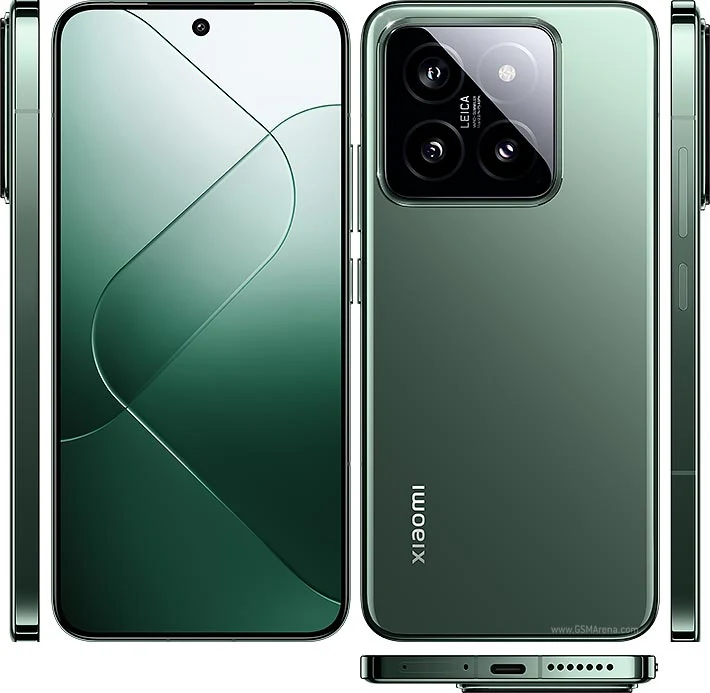
Xiaomi 14
6.36", 1200x2670 pixels • 4610 mAh Batarya • 5G NR Band 20 / n78 Sertifikalı
Financial Loss Equation on an MDM Flagship Device
Let $P_{fair}$ represent the fair secondary market value of an unlocked flagship smartphone ($1,050 USD), and let $S_{salvage}$ represent the raw parts salvage value (often limited to housing, non-serialized screens, and mechanical parts, capped around $180 USD due to paired silicon restrictions).
Net Capital Loss = P_{fair} - S_{salvage} = $1,050 - $180 = $870 USD (82.8% Total Loss)
Furthermore, third-party mobile device insurance claims for MDM-locked devices are universally rejected under "unauthorized acquisition" or "corporate property" exclusions, eliminating any underwriting safety net.
Fraudulent sellers frequently combine corporate theft with secondary smartphone financing schemes. Handsets acquired through enterprise leasing contracts or multi-line corporate discounts are liquidated on peer-to-peer marketplaces before the company flags the IMEI as delinquent or stolen. To shield yourself financially, cross-reference hardware health using our Stolen & Blacklist Checker and verify global registration identifiers via our clean IMEI verification tool before transferring funds.
Enterprise Enrollment Architecture Comparison
Enterprise ecosystems utilize different hardware architectures to enforce MDM supervision. Understanding these protocols helps buyers accurately identify enrollment vectors:
| Platform / Protocol | Hardware Anchor | OOBE Enforcement | Can Wipe Clear It? | Primary Risk Indicator |
|---|---|---|---|---|
| Apple ABM / Automated Device Enrollment | Apple Secure Enclave + Serial Hash | albert.apple.com cloud trigger | No | "Remote Management" screen at setup |
| Samsung Knox Mobile Enrollment (KME) | Knox TrustZone Silicon E-Fuse | Knox Deployment Server ping | No | Knox Cloud Services banner on boot |
| Android Zero-Touch Enrollment | Hardware Keymaster / Titan M | Google Play Services cloud handshake | No | "This device belongs to your organization" |
| User-Enrolled Corporate Profile | Local OS Partition Certificate | Manual Profile Download | Yes (via Factory Reset) | "Profiles & Device Management" settings entry |
Step-by-Step Technical Protocol to Detect MDM Locks In-Person
Never purchase a second-hand phone that is already sitting on the standard home screen. Unscrupulous actors employ temporary tethered bypass scripts that suppress the setup assistant. Always conduct this physical verification sequence:
- Execute a Hardware Factory Reset: On iOS, navigate to Settings > General > Transfer or Reset iPhone > Erase All Content and Settings. On Android, go to Settings > General Management > Reset > Factory Data Reset. If the seller objects, abort the transaction immediately.
- Connect to an Independent Hotspot: Advance through setup steps until you reach the network phase. Connect to your cellular hotspot rather than the seller's Wi-Fi network (preventing local DNS proxy spoofing).
- Pass the Activation Server Barrier: Watch the screen closely after connecting. If an enterprise profile exists, the device will display a "Remote Management" screen on iOS or a "Device Provisioning" screen on Android, requesting corporate credentials. If the setup proceeds to standard personal account creation, supervision is absent.
- Verify Root Configuration Menus: Once at the home screen, on iOS open Settings > General > VPN & Device Management. If supervised, you will see a non-removable company profile or the text "This iPhone is supervised and managed by [Company Name]" at the top of the main Settings page. On Android, verify under Settings > Security > Device Admin Apps.
The Illusion of "Bypass Tools": Cellular and Network Degradation
Sellers on grey marketplaces often advertise "MDM bypassed" devices at heavy discounts, assuring buyers that the phone operates like new. In reality, software bypasses rely on running jailbreak payloads or modified RAMdisks that skip the Setup.app daemon. These workarounds inherently compromise critical device capabilities:
- Broken Baseband and APNs Communication: Apple Push Notification service (APNs) and Google Cloud Messaging rely on validated device identities. Bypassed devices frequently suffer broken banking apps, non-functional biometric authentications, and severed push notifications.
- Carrier Unlock and Cellular Provisioning Blocks: MDM restrictions often lock down SIM and baseband provisioning. You will be unable to execute a legitimate carrier unlock, and installing modern eSIM data plans will fail because remote provisioning profiles block unsigned eSIM carrier profiles. Calculate your connectivity requirements with our Travel eSIM & Roaming Calculator to ensure unrestricted travel readiness.
- Zero Over-The-Air (OTA) Updates: Applying an OS update overwrites the patched filesystem scripts, re-triggering the enrollment screen and rendering your daily driver completely unusable.
Legal Protection: Mitigating Second-Hand Fraud
Corporate-locked devices legally remain the property of the enterprise entity or their leasing underwriters. Even an innocent consumer who buys stolen property is subject to forfeiture under local law. To protect your investment, always execute a binding second-hand bill of sale containing the seller's verified government ID, the phone's clean IMEI, serial number, and a signed warranty that the device is free from enterprise enrollment, liens, or mobile financing liabilities.