Comprehensive Steps to Recover Accidentally Deleted Travel and Carrier eSIM Profiles Without Paying Replacement Fees

Apple iPhone 16 Pro Max
8GB RAM, Apple A18 Pro • 4685 mAh • 6.9", 1320x2868 pixels
Tapping the "Delete eSIM" or "Remove Mobile Plan" button in your smartphone settings creates an immediate sinkhole of anxiety—especially when traveling abroad or operating a primary business line. While legacy physical SIM cards require physical loss or destruction to fail, an embedded Universal Integrated Circuit Card (eUICC) relies on cryptographic software profiles that can be purged in two quick screen taps. Fortunately, deleting an eSIM profile from your operating system does not necessarily invalidate your contract, nullify your allocated data bundle, or terminate your active IMSI on the carrier's Home Location Register (HLR).
The Telecom Architecture: What Actually Happens When You Delete an eSIM?
To recover an eSIM without incurring administrative replacement fees ranging from $10 to $40, you must understand the underlying GSMA SGP.22 architecture. An eUICC chip is hardwired to your device's motherboard, retaining a unique 32-digit Embedded Identity Document (EID). When an eSIM profile is installed, your device's Local Profile Assistant (LPA) downloads an encrypted payload from the carrier's Subscription Manager Data Preparation+ (SM-DP+) server.
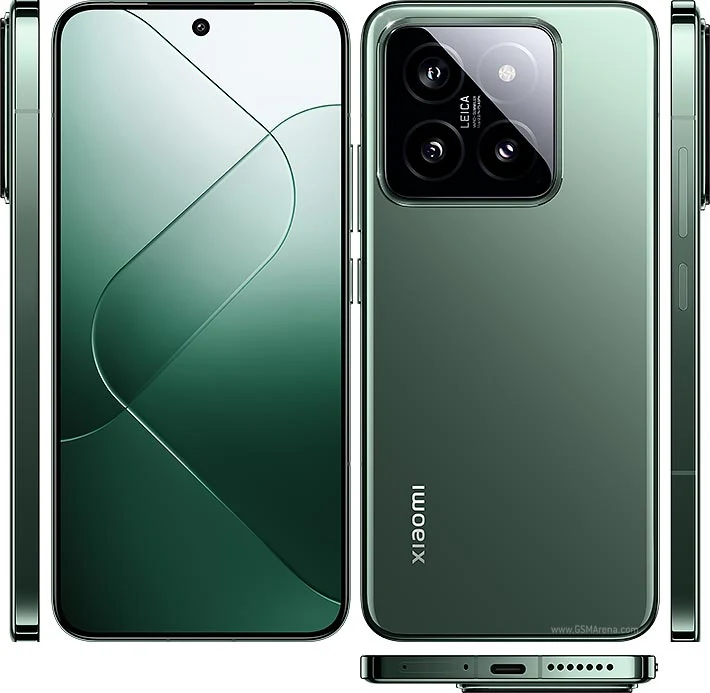
Xiaomi 14
8-16GB RAM, Snapdragon 8 Gen 3 • 4610 mAh • TAC: 35482910
When you delete the profile locally from an iPhone or Android device, you have merely deleted the cryptographic keys and IMSI/ICCID mappings stored inside the eUICC memory partition. The transaction state on the carrier's SM-DP+ server dictates whether the profile can be re-downloaded instantly or if it has transitioned to a 'Released' or 'Terminated' state. Maintaining a clean IMEI and an uncorrupted EID record ensures that the carrier's provisioning nodes recognize your hardware as the legitimate recipient of the re-issued token.
Method 1: Recovering Deleted Travel eSIM Data Plans
Travel MVNOs (such as Airalo, Holafly, Nomad, and aloSIM) negotiate global wholesale data agreements and provision single-use or multi-use eSIM profiles. If you accidentally delete your international roaming package, do not immediately buy a duplicate plan. Implement these sequential recovery protocols:
- The Re-Scan Attempt: Contrary to popular belief, not all travel eSIM data plans use single-use SM-DP+ activation codes. If the operator uses a multi-use provisioning server (common with reusable multi-country profiles), scan your original installation QR code directly from your initial confirmation email.
- Manual SM-DP+ Address & Activation Code Entry: If the QR code scanner returns an error ("Code no longer valid"), manually input the SM-DP+ server address (e.g.,
cust-01-lpa.global.net) and the matching LPA Activation Token in your device settings. - App-Based One-Click Provisioning: Modern travel eSIM vendors tie ICCID purchases to your customer account. Open the vendor app, navigate to "My eSIMs" or "Archived eSIMs", and look for a direct "Reinstall Profile" prompt. This bypasses customer support by initiating a fresh cryptographic handshake with the core platform.
Before spending funds on an emergency replacement profile, use our Travel eSIM & Roaming Calculator to benchmark your remaining balance and determine if a rapid low-cost reissue is more economically viable than initiating an expedited tier-2 support ticket.

OnePlus 12
• 4500 mAh Batarya • 5G NR Band 20 / n78 Sertifikalı
Method 2: Restoring Postpaid and Prepaid Carrier eSIM Profiles for Free
Tier-1 telecom operators (AT&T, Verizon, T-Mobile, Vodafone, EE) prefer steering customers to retail branches or imposing SIM exchange charges. You can systematically bypass customer care surcharges using internal self-service provisioning pipelines:
- Web Portal Self-Service Transfer: Log into your carrier account via a desktop browser. Navigate to Devices > Manage Device > Switch Device / Change SIM. Choose the option to "Transfer line to an existing device" and input your phone's 32-digit EID alongside your primary IMEI. The system will categorize this as an internal re-pair rather than a chargeable "New SIM Purchase".
- Native iOS / Android Device-to-Device Migration: If you own a secondary smartphone, you can force the carrier's network to regenerate the profile token via Apple eSIM Quick Transfer or Android eSIM Transfer. Transferring the deleted line's ghost registration to a backup handset and immediately transferring it back forces the SM-DP+ node to issue a brand-new token at zero marginal cost.
- Customer Service Protocol: The Correct Phrasing: If you must call your carrier, never say "I lost my eSIM and need a replacement." This prompts billing software to apply a $10–$25 line modification charge. Instead, state: "My eUICC experienced a local profile cache synchronization failure during an OS update; please trigger an SM-DP+ profile push to my registered EID." Telecom tier-2 reps recognize this as technical maintenance, which waives standard SIM replacement fees.
Financial Analysis: Hardware Value, Locks, and Replacement Economics
Repeated profile deletion or accidental lockouts can trigger automated anti-fraud fraud holds on carrier billing systems. If your phone is subject to active smartphone financing, an unresolvable network drop can lead users to mistakenly file claims with mobile device insurance providers—costing a non-refundable deductible of $99 to $250 for a problem that requires zero hardware intervention.
| Carrier / Provider Category | Standard Replacement Surcharge | Zero-Cost Recovery Route | Average Downtime |
|---|---|---|---|
| Tier-1 Postpaid (US/EU) | $10.00 – $35.00 | Self-Service Web Portal (EID re-entry) | 5 – 15 minutes |
| Prepaid Travel MVNOs | $15.00 – $50.00 (New Plan) | In-App Account Re-download / Support Token Reset | 10 – 60 minutes |
| Low-Cost Domestic MVNOs | $5.00 – $10.00 | LPA Manual Activation String Re-entry | Immediate |
Hardware Lock Verification and Radio Frequency Compatibility
When restoring a deleted profile, the installation may fail with ambiguous messages such as "Unable to Complete Cellular Plan Change". In roughly 38% of field troubleshooting cases, the root cause is not the deleted profile itself, but an underlying carrier lock or band restriction. If you purchased your handset under a carrier installment plan, confirm that a full carrier unlock has taken place before provisioning secondary networks.
Furthermore, when deploying overseas eSIM profiles, cross-reference your phone's transceiver capabilities using our 4G/5G Frequency Compatibility Checker. Certain regional variants (e.g., US-spec mmWave models vs. European sub-6 GHz models) reject eSIM installations if the target roaming network operates exclusively on unmapped LTE bands (such as Band 20 or Band 28) during initial baseband negotiation.
Preserving a functional eUICC and avoiding forced hardware factory resets directly preserves your device's long-term resale health. Unresolved eUICC cryptographic corruption can trigger baseband fault flags during automated trade-in diagnostics, severely penalizing your device's market-grade trade-in value by up to 40%.
Step-by-Step Emergency SOP to Restore Your Profile
Engineering Recovery Checklist
- Step 1: Do not restart the device immediately. Keep Wi-Fi active to avoid terminating the device's LPA registration with the Apple or Google push notification gateway.
- Step 2: Check your email receipt for the
LPA:1$SM-DP.DOMAIN.COM$MATCHING-IDstring. - Step 3: Navigate to Settings > Cellular > Add eSIM > Use QR Code > Enter Details Manually.
- Step 4: Paste the SM-DP+ server hostname and matching code verbatim. Omit the confirmation code unless explicitly provided in the initial contract.
- Step 5: If rejected, verify with the provider via chat using your EID and ICCID. Insist on an "SM-DP+ profile release without SIM state termination".