Fix Samsung Smart Switch eSIM Transfer Failures on Galaxy Phones

Apple iPhone 16 Plus
8GB RAM, Apple A18 • 4674 mAh • 6.7", 1290x2796 pixels, Super Retina XDR OLED
Migrating data between Samsung Galaxy smartphones using Samsung Smart Switch is typically seamless for photos, applications, and settings. However, transferring cellular embedded SIM (eSIM) profiles introduces telecom infrastructure complexities. When Smart Switch displays errors such as “Can’t transfer eSIM”, “Contact your carrier to complete activation”, or simply skips your mobile profile, the failure rarely stems from Smart Switch software alone. Instead, it involves cryptographic eUICC architecture, GSMA Remote SIM Provisioning (RSP) security protocols, and carrier entitlement configurations.
The Technical Root Cause: GSMA RSP Architecture & Smart Switch Limitations
To understand why Smart Switch fails, you must understand the underlying hardware. Physical SIM cards house an Integrated Circuit Card ID (ICCID), while an eSIM relies on an embedded Universal Integrated Circuit Card (eUICC) hardwired to the device’s mainboard. Each eUICC is identified by a unique 32-digit Embedded Identity Document (EID).
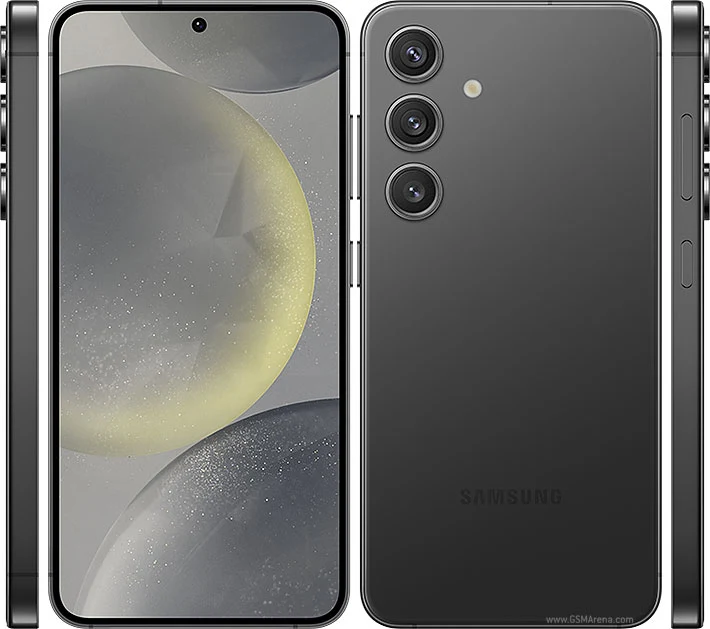
Samsung Galaxy S24
8/12GB RAM, Snapdragon 8 Gen 3 • 4000 mAh • TAC: 35167824
When Smart Switch attempts an on-device eSIM transfer, it interfaces with the GSMA TS.43 Service Entitlement Configuration and the carrier’s Subscription Manager Data Preparation (SM-DP+) server. If the target device’s EID has not been whitelisted or dynamically registered by the operator, the cryptographically signed profile bundle cannot be downloaded or installed over the local Wi-Fi Direct or USB-C pipeline used by Smart Switch. In practical terms, Smart Switch cannot physically “copy” an encryption key from one secure enclave to another; it can only request that the carrier re-issue the profile to the destination EID.
Prerequisite Check: Hardware Identity & Network Verification
Before executing technical overrides, verify that your new device has a fully functional, non-blacklisted cellular radio. Use our IMEI Validator / Sorgulama tool to confirm identity integrity and check secondary slot designations (IMEI2 for dual-eSIM devices).
Top Reasons for Smart Switch eSIM Migration Errors
1. Active Carrier Lock and Smartphone Financing Policies
If the source Galaxy phone (e.g., Galaxy S22 Ultra) or target device (e.g., Galaxy S24 Ultra) is bound by an active smartphone financing agreement, carriers intentionally disable TS.43 on-device transfer protocols. The target handset must satisfy strict carrier unlock parameters before its secondary eUICC registers foreign or even original operator profiles. Attempting an eSIM migration while an account holds an unpaid balance or financing lock triggers an authentication rejection error (HTTP 403 Forbidden at the SM-DP+ gateway level).
Xiaomi 14
6.36", 1200x2670 pixels • 4610 mAh Batarya • 5G NR Band 20 / n78 Sertifikalı
2. EID Mismatch and Blacklist Status
When acquiring a refurbished or pre-owned Galaxy device, prior carrier claims can obstruct mobile connectivity. If the target handset is flagged under unpaid insurance claims or reported lost, carrier provisioning servers will block profile provisioning immediately. Before troubleshooting configuration files, verify that the device carries a clean IMEI and clear status to avoid wasted engineering hours.
3. Regional Frequency Band and Firmware Restrictions (CSC Mismatch)
Migrating profiles between international Galaxy variants (e.g., an SM-S911B European model to an SM-S928U US model) frequently fails due to Country Specific Code (CSC) configurations. Certain regional firmware builds do not support seamless cross-carrier SM-DS (Discovery Server) lookups. In such situations, cellular profiles mapped to specific mid-band or mmWave channels will refuse to bind unless the target hardware radio supports those bands. Check RF compatibility via our 4G/5G Frequency Compatibility Checker before forcing firmware profile flashes.
Engineering Protocol: Step-by-Step Fixes for eSIM Transfer Failures
Step 1: Isolate the Primary Carrier Profile from Temporary eSIM Data Plans
Smart Switch frequently crashes or halts when encountering multiple provisioned profiles on the host Galaxy device. If you operate secondary travel profiles alongside your domestic carrier, Smart Switch attempts to batch-migrate tokens that the origin SM-DP+ server explicitly flags as non-transferable. Disable or delete third-party travel profiles via Settings > Connections > SIM Manager prior to initiating Smart Switch. For international travel needs, calculate separate data allowances and provision fresh tokens using our Travel eSIM & Roaming Calculator instead of migrating stale bundles.
Step 2: Force Manual GSMA RSP Provisioning (The QR/Activation Code Bypass)
When automatic Smart Switch handshakes fail, completely cancel the cellular segment in Smart Switch and handle data transfer exclusively for storage files. Then, provision the profile manually on the new device:
- Connect your new Galaxy device to an unmetered, secure Wi-Fi network (avoid cellular hotspots with captive portals).
- Navigate to Settings > Connections > SIM Manager > Add eSIM.
- Select Transfer SIM from another device. If the target device fails to detect the old phone, choose Scan QR code from service provider.
- If your carrier does not supply a physical card, enter the manual activation string using standard LPA format:
LPA:1$smdp.carrier.com$ACTIVATION_CODE
Step 3: Clear the eUICC Secure Cache via One UI Service Menu
Corrupted cryptographic handshakes can cause the new Galaxy phone to remain stuck in an “Activating...” loop. To reset the eUICC local profile registry:
- Go to Settings > Apps > Filter: Show system apps.
- Locate SIM Toolkit and eSIM Core Engine (or com.samsung.android.app.telephonyui).
- Tap Storage > Clear Cache. Do not click Clear Data unless authorized by carrier diagnostics.
- Restart the device in Safe Mode, confirm network registration, and initiate registration again.
Financial Calculations: Trade-In Valuation & Device Insurance Pitfalls
Failing to manage eSIM profiles correctly during device upgrades can lead to direct financial losses during the upgrade window. Telecom consumers routinely face hidden administrative charges or trade-in rejections caused by lingering eSIM configurations.
| Scenario | Root Failure Mechanism | Potential Financial Penalty | Remediation Path |
|---|---|---|---|
| Carrier Trade-In Handback | Old device wiped without deleting eUICC profile, locking carrier recycling testing. | $150 – $400 reduction in trade-in value | Perform hardware factory reset with “Delete eSIMs” explicitly ticked. |
| Insurance Claim Registration | Target IMEI2/EID unmapped in carrier database following failed transfer. | Claim denial ($800 – $1,200 loss) | Update carrier policy with active EID under your mobile device insurance coverage. |
| Emergency Roaming Overlap | Dual profiles concurrently pinging domestic towers during migration lag. | $10 – $15/day unmetered daily pass fee | Disable cellular radio on host phone prior to final authorization on target phone. |
Hardware Band Comparison: S22 Ultra vs. S24 Ultra (eUICC Architecture)
Understanding generational modem differences helps diagnose migration stalls. Consider the hardware leap between a Galaxy S22 Ultra (Snapdragon X65 / Exynos 2200) and an S24 Ultra (Snapdragon 8 Gen 3 for Galaxy with Snapdragon X75):
- Galaxy S22 Series: Utilizes GSMA SGP.22 v2.2 specification. Dual SIM Dual Standby (DSDS) supports one physical nano-SIM and one active eSIM profile. Migrating between two eSIMs requires deactivating physical SIM slot logic.
- Galaxy S24 Series: Upgraded to GSMA SGP.22 v3.0 / Dual eSIM Active (DSDA) architecture. Can run two eSIM profiles simultaneously without requiring a physical SIM card.
Because of this hardware disparity, transferring from an S22 to an S24 using Smart Switch often trips up if the carrier’s provisioning database expects an ICCID-bound hardware slot instead of an unbound eUICC DSDA channel. When this happens, carrier customer support must manually re-bind your line to the target phone’s primary EID.
For more troubleshooting workflows, configuration runbooks, and deep-dive cellular diagnostics, consult our technical library of Hardware & Telecom Guides.
Frequently Asked Questions
Why does Samsung Smart Switch skip my eSIM when transferring data? ▼
Smart Switch skips eSIM transfers if your cellular operator does not support GSMA TS.43 On-Device Service Activation (ODSA), or if either Galaxy phone is subject to active carrier unlock restrictions or smartphone financing locks. In these cases, you must complete the transfer manually through your carrier's self-service portal or a dedicated QR code.
Will deleting an eSIM profile from my old Samsung device disconnect my carrier plan? ▼
No. Deleting an eSIM profile from your eUICC hardware only removes the local cryptographic authentication keys from the phone. It does not cancel your cellular contract, plan billing, or mobile device insurance coverage. However, do not delete the profile until your new Galaxy device successfully registers on the network.
How do I fix the 'Can't transfer eSIM - contact carrier' error during Smart Switch? ▼
Cancel the eSIM portion inside Smart Switch and finish transferring your apps, photos, and files first. Then, ensure the new Galaxy device is connected to Wi-Fi, open Settings > Connections > SIM Manager > Add eSIM, and scan the dynamic activation QR code provided by your carrier or enter their SM-DP+ LPA activation string manually.
Does transferring an eSIM between Galaxy phones affect my device trade-in value? ▼
If an old phone is factory reset without checking the 'Delete eSIMs' option, or if an unresolved profile leaves the device hardware-flagged with an active carrier account lock, trade-in inspection centers may downgrade or reject the device, leading to a financial loss of $150 to $400 on your upgrade credit.