Troubleshooting Carrier Entitlement and NumberShare Sync Errors in Companion eSIM Smartwatches

Samsung Galaxy Z Fold6
12GB RAM, Snapdragon 8 Gen 3 • 4400 mAh • 7.6", 1856x2160 pixels
Activating a cellular smartwatch—such as an Apple Watch Ultra or a Samsung Galaxy Watch LTE—appears seamless on the surface, but under the hood lies one of telecommunications' most intricate handshakes: the companion eSIM entitlement workflow. When an activation stalls on generic prompts like "Carrier Entitlement Error," "Code 007," "EDS00xx," or fails to fork voice calls via NumberShare (known variably as NumberSync or OneNumber), the failure rarely stems from a hardware defect. Instead, it reflects an architectural breakdown across the GSMA TS.43 Service Entitlement Configuration server, IP Multimedia Subsystem (IMS) routing, or underlying billing provisions.
1. The Core Architecture: GSMA TS.43 and IMS Dual-Registration
To troubleshoot activation failures effectively, telecom engineers must first isolate how a wearable acquires network identity. Unlike standalone devices equipped with dedicated eSIM data plans, a companion wearable operates under a Multi-SIM / Multi-Ring paradigm:
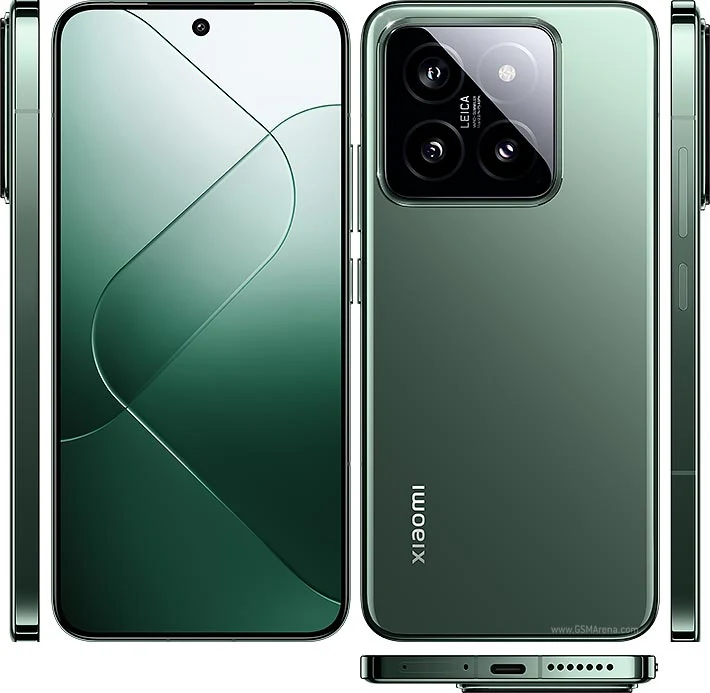
Xiaomi 14
8-16GB RAM, Snapdragon 8 Gen 3 • 4610 mAh • TAC: 35482910
- Single MSISDN, Dual IMSI: The customer maintains one public mobile directory number (MSISDN). The network maps this MSISDN to two unique International Mobile Subscriber Identities (IMSIs)—one for the host smartphone's physical SIM/eSIM, and another embedded inside the wearable's eUICC (Embedded Universal Integrated Circuit Card).
- GSMA TS.43 Entitlement Server: When you initiate activation via the parent phone’s companion app (Watch app or Galaxy Wearable), an HTTP/XML/JSON payload is dispatched over TLS to the carrier’s Entitlement Configuration Server (ECS). The ECS queries the carrier’s BSS/OSS to verify eligibility, billing codes (SOCs), and mutual cryptographic tokens.
- IMS Core Forking: Once provisioned, the primary IMS core handles SIP (Session Initiation Protocol) registration. An incoming INVITE triggers parallel Session Border Controller (SBC) forking, terminating voice calls on both the smartphone and the watch over VoLTE simultaneously.
2. Common Root Causes of Entitlement and NumberShare Failure
When the TS.43 negotiation fails, the companion app halts with cryptic error dialogues. Diagnostic analysis indicates that 90% of provisioning failures fall into four distinct categories:
A. Incompatible Carrier Lock and Provisioning State
If the host smartphone is subject to an unresolved carrier lock or active IMEI validation status, the entitlement server will abort authentication. Many subscribers attempt to use an unlocked wearable on an enterprise line or an MVNO operating on wholesale networks that lack secondary TS.43 servers. If the primary phone has not completed a legitimate carrier unlock, it cannot authorize the second-line profile handshake to third-party MVNO platforms.
B. Billing SOC Conflicts and Smartphone Financing Blocks
Telecom carriers tie companion profiles to dedicated secondary billing codes (Service Order Codes or SOCs). If the subscriber's account has non-payment holds, past-due balances related to ongoing smartphone financing, or restrictive legacy rate plans (e.g., grandfathered unlimited data tiers that prohibit line-sharing), the entitlement server returns an authorization reject (HTTP 403 Forbidden or custom carrier payload errors such as Verizon's Error 007 or AT&T's EDS4007).
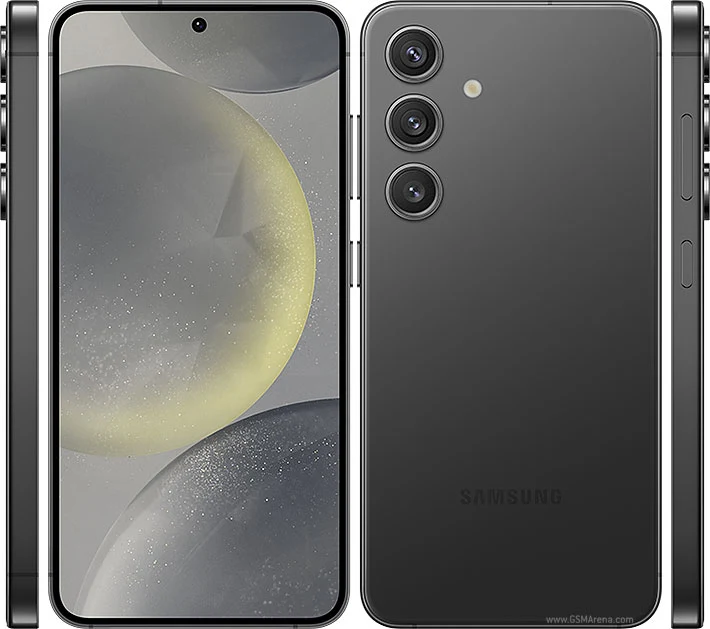
Samsung Galaxy S24
6.2", 1080x2340 pixels • 4000 mAh Batarya • 5G NR Band 20 / n78 Sertifikalı
C. Blacklisted Hardware and IMEI/EID Desynchronization
Secondary market wearables purchased without an official invoice frequently feature invalid or flagged hardware identifiers. A wearable must have a clean IMEI registered across the Central Equipment Identity Register (CEIR). You can cross-reference device status using an authoritative Stolen & Blacklist Checker before diagnosing network protocol faults.
3. Step-by-Step Diagnostic Protocol for Cellular Smartwatches
Execute this engineering-grade triage sequence to isolate the layer of failure:
- Verify VoLTE and IMS Status on Host Device: Navigate to the host phone's diagnostic field menu (e.g., *#*#4636#*#* on Android or Field Test Mode on iOS). Confirm that Voice over LTE (VoLTE), IMS Registration Status, and SMS over IMS display as "Registered". If the host phone fails IMS voice fallback, the wearable cannot bind to an IMS endpoint.
- Force a Carrier Bundle / Profile Refresh: On iOS, navigate to Settings > General > About to prompt any pending Carrier Bundle update (e.g., Carrier 58.0 or newer). On Wear OS, update the Carrier Services APK via the Google Play Store.
- Clear Stale TS.43 Web Session Data: Entitlement interfaces rely on an embedded WebView session. If previous attempts cached a session cookie with bad credentials, clear Safari or Chrome site data specifically for the carrier's login gateway.
- Unpair and Scrub Ghost eSIM Profiles: If the watch contains a residual profile, perform a full network reset on the watch. Contact carrier Tier-2 support to manually delete orphaned eSIM profiles associated with the smartwatch's EID (Embedded Identity Document) in the carrier's SM-DP+ (Subscription Manager Data Preparation) server.
- Check RF Band Parity: Check whether your wearable hardware variant supports local cellular frequencies by consulting the 4G/5G Frequency Compatibility Checker. Imported wearables frequently lack Band 13, 14, or 71, leading to immediate registration drops.
4. Hardware Band Comparison: Wearables vs. Host Smartphones
Wearable RF front-ends (RFFE) are severely constrained by physical dimensions and battery thermals. Unlike modern 5G smartphones with 4x4 MIMO and extensive sub-6 GHz carrier aggregation, smartwatches run on Category M1 or LTE Cat-1/Cat-4 single-antenna architectures. Below is a real-world hardware band comparison:
| Hardware Parameter | Host Flagship Smartphone | Apple Watch Ultra 2 (A2986) | Galaxy Watch 6 LTE (SM-R935F) |
|---|---|---|---|
| LTE Modem Tier | Cat-20 / Cat-24 (Gigabit LTE) | LTE Cat-4 (up to 150 Mbps) | LTE Cat-1 (up to 10 Mbps) |
| MIMO Configuration | 4x4 MIMO DL across 5CA | SISO / 1x1 DL (No Carrier Agg.) | SISO / 1x1 DL (No Carrier Agg.) |
| Core US LTE Bands | B2, 4, 5, 12, 13, 14, 25, 26, 41, 66, 71 | B2, 4, 5, 12, 13, 14, 25, 26, 66 (Regional) | B2, 4, 5, 12, 13, 25, 26, 66 |
| Peak Transmit Power (Tx) | 23 dBm (Class 3) | 20 dBm (SAR thermal limits) | 20 dBm (SAR thermal limits) |
Due to the watch's lower peak transmit power (20 dBm vs. 23 dBm on phones) and lack of receiver diversity, a smartwatch will show entitlement and connection timeouts at fringe signal thresholds (-115 dBm RSRP or worse) where your host smartphone still maintains a VoLTE session.
5. Consumer Financial Analysis: Total Cost of Ownership (TCO) vs. Value Retention
Adding a companion smartwatch to a postpaid carrier involves recurring financial overhead beyond standard hardware retail pricing. Carrier entitlement services are monetized via specialized wearable line access charges that compound over the device life cycle.
Wearable Line TCO Formula
Consider a real-world financial calculation over a standard 24-month horizon:
- Wearable Purchase Price: $499.00
- Wearable Line Fee: $10.00 / month
- Carrier Admin & Universal Service Fund (USF) Surcharges: ~$4.85 / month
- Total Monthly Carrier Cost: $14.85 / month × 24 months = $356.40
- Optional Mobile Device Insurance: $5.00 / month × 24 months = $120.00
- Gross Investment: $499.00 + $356.40 + $120.00 = $975.40
- Residual Trade-in Value: ~$180.00 at month 24 (assuming immaculate condition with no activation lock).
- Net 24-Month TCO: $975.40 - $180.00 = $795.40
When entitlement provisioning fails persistently, consumers continue to be billed the $10–$15 monthly access fee without active service delivery. If customer care fails to correct the TS.43 route, having the carrier cancel the wearable line SOC immediately halts recurring charges. For broader analyses on telecom hardware valuation and network troubleshooting, visit our Hardware & Telecom Guides.
Frequently Asked Questions
What causes the 'Carrier Entitlement Error' when pairing a smartwatch? ▼
The error typically occurs when the carrier's GSMA TS.43 Entitlement Configuration Server fails to authenticate your account. This can stem from a missing wearable billing SOC on your plan, unresolved smartphone financing restrictions, an unsupported MVNO line, or cached web authentication errors during profile download.
Can I activate NumberShare if my primary phone is locked to another carrier? ▼
No. NumberShare requires seamless IMS integration on the host carrier's network. If the parent device requires a carrier unlock or does not run on native firmware validated for that carrier's VoLTE core, the entitlement server will reject the companion EID pairing handshake.
How do I clear a persistent Error 007 or EDS0040 on Verizon and AT&T? ▼
First, toggle Airplane Mode on your phone to refresh IMS status. Then, open the Watch or Galaxy Wearable app, remove the failed cellular plan, clear your phone's default browser cache, and reattempt activation. If the problem persists, contact Tier-2 support to scrub any stuck EID assignments on the carrier's SM-DP+ server.
Does having active mobile device insurance affect smartwatch eSIM provisioning? ▼
Insurance itself does not affect provisioning, but replacement devices sent through insurance claims often have new IMEIs and EIDs. If the carrier's billing database is not properly updated with the replacement device's clean IMEI, the TS.43 entitlement server will flag a mismatch and refuse activation.