Remotely Removing Activation Lock: How to Prevent Carrier Trade-In Chargebacks & Protect Device Value

Apple iPhone 16 Pro Max
8GB RAM, Apple A18 Pro • 4685 mAh • 6.9", 1320x2868 pixels
Trading in an older smartphone for a flagship upgrade is one of the most effective ways to lower out-of-pocket mobile expenses. Major carriers like Verizon, AT&T, and T-Mobile frequently offer up to $800 to $1,000 in promotional credits tied to 24- or 36-month smartphone financing agreements. However, thousands of consumers every month face unexpected clawbacks and massive billing adjustments because their trade-in device arrives at the processing facility with an active Apple Activation Lock or Android Factory Reset Protection (FRP).
When automated intake scanners at logistics hubs (operated by companies like Assurant or Likewize) detect a cryptographic security lock, the device is immediately graded as unusable. The consumer’s quoted trade-in value drops to zero dollars, triggering immediate monthly surcharge penalties. In this comprehensive engineering and consumer finance guide, we explore how Activation Lock operates at the hardware and cloud level, how to execute remote removals post-shipment, and how to verify that your device maintains a clean IMEI before processing deadlines expire.

Apple iPhone 16 Plus
8GB RAM, Apple A18 • 4674 mAh • TAC: 35987416
The Anatomy of a Trade-In Chargeback: Financial Mechanics
Carrier promotions rarely arrive as lump-sum cash payments. Instead, carriers amortize the promotional subsidy across a multi-year finance agreement via recurring bill credits. If your traded-in device fails warehouse compliance inspection within the 30-day window, the billing system revokes these credits retrospectively.
| Scenario Metric | Compliant Trade-In (Unlocked) | Rejected (Activation Locked) |
|---|---|---|
| New Device Retail Price | $1,199.99 (36 mos @ $33.33/mo) | $1,199.99 (36 mos @ $33.33/mo) |
| Promotional Trade-In Credit | -$1,000.00 (-$27.77/mo credit) | $0.00 (Revoked) |
| Net Customer Monthly Bill | $5.56 / month | $33.33 / month |
| Discrepancy / Hidden Penalty | $0.00 | +$999.72 Total Added Cost |
| Device Return Status | Processed & Recycled | Generally forfeited / non-returnable |
Unlike hardware damage that might simply downscale your credit from Tier 1 ($1,000) to Tier 2 ($400), an active Activation Lock zeroes out the entire allowance. Many consumers mistakenly assume their standard mobile device insurance policy covers this loss; however, insurance underwriters strictly exclude carrier contractual non-compliance and locked asset chargebacks.
Why Factory Resets Do Not Remove Activation Lock or FRP
A common engineering misconception is that executing a hardware button-combination wipe (Recovery Mode wipe on iOS or Recovery Menu wipe on Android) cleans the device for trade-in. In reality, both Apple and Google implement non-volatile anti-theft hardware flags:
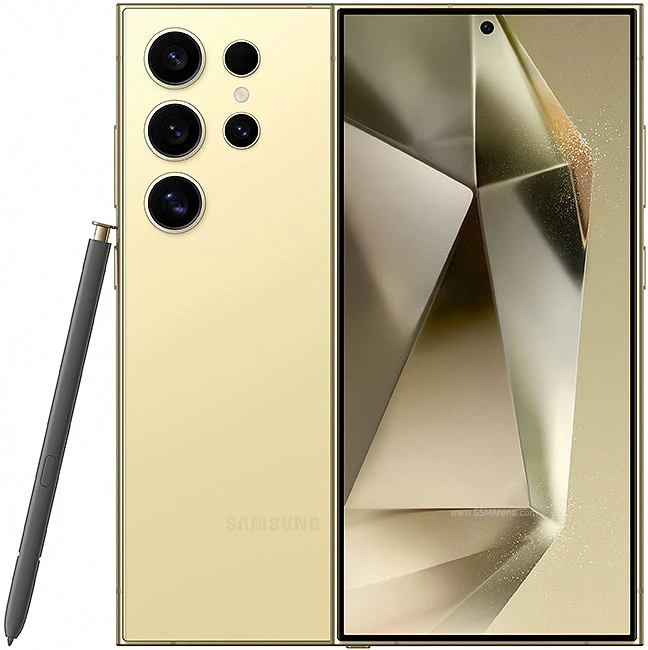
Samsung Galaxy S24 Ultra
6.8", 1440x3120 pixels, Dynamic LTPO AMOLED 2X, 120Hz • 5000 mAh Batarya • 5G NR Band 20 / n78 Sertifikalı
- Apple Secure Enclave (SEP): When Find My is active, the Secure Enclave stores an authentication token tied to Apple’s cloud activation servers. During setup, the device establishes a TLS handshake with Apple. If the remote flag marks the device as account-bound, the OS refuses to complete setup without the original Apple ID credentials.
- Android Factory Reset Protection (FRP): If an Android device is wiped without prior removal of the registered Google account from system settings, the persistent partition preserves account metadata. Setup requires the prior lock-screen pattern or Google account authentication.
- Carrier Unlock vs. Activation Lock: A carrier unlock merely instructs the baseband firmware to accept foreign SIM/eSIM profiles; it does not alter the hardware-cloud security tokens governed by Apple or Google.
Step-by-Step: Remotely Disabling Activation Lock Post-Shipment
If you have already mailed your phone to the intake warehouse, you can still avert a chargeback by releasing the cloud cryptographic leash remotely using any web browser.
Method 1: Apple iCloud (Find My Removal)
- Navigate to
icloud.com/findand log in with the Apple ID tied to the mailed device. - Click on All Devices at the top of the interface.
- Select the device being traded in. Because the phone is powered off in transit or waiting in a warehouse bin, it will appear as Offline.
- Click Erase iPhone (or Erase Device) if prompted, and confirm through two-factor authentication.
- Once the erase request is registered, click Remove from Account. (Crucial: Do not merely erase the device; you must click “Remove from Account” to delete the activation token from Apple’s provisioning servers).
Method 2: Google Account / Android FRP Cloud Disconnect
- Open your Google Account dashboard at
myaccount.google.com/device-activity. - Locate the trade-in device under “Your devices”.
- Click the device card, select Sign Out, and confirm the detachment.
- Open
google.com/android/find, select the hardware profile, and click Erase Device to purge server-side token associations.
Method 3: Samsung SmartThings Find
For Galaxy devices, visit smartthingsfind.samsung.com, sign in to your Samsung Account, select the device, and choose Erase Data followed by removing the unit from your registered equipment inventory.
eSIM De-provisioning and IMEI Audits Before Trade-In
Beyond cloud anti-theft locks, consumers frequently leave active eSIM data plans assigned to embedded UICC (eUICC) chips. When the intake technician runs diagnostic scripts, unresolved telecom profiles or non-reassigned numbers can cause automated test halts. To prevent secondary validation flags, ensure that all foreign eSIM lines and consumer profiles are wiped from the device settings prior to dispatch.
Before shipping any used device or executing third-party marketplace transfers, always verify that your handset does not register insurance flags or outstanding ledger debts. Utilize our real-time Stolen & Blacklist Checker to ensure your hardware maintains clean regulatory standing. If you are selling or trading through non-carrier channels, drafting an ironclad bill of sale via our 2nd Hand Bill of Sale Generator shields you against retrospective chargeback claims from private purchasers.
Summary Checklist to Protect Your Trade-In Credits
- ✓ Verify Status Remotely: Ensure device shows removed from iCloud or Google Find My Device before the 30-day carrier return window expires.
- ✓ Document Hardware Identifiers: Retain high-resolution photos of the IMEI from Settings and the physical SIM tray.
- ✓ Track Warehouse Ingestion: Monitor your carrier portal weekly until the “Trade-in Accepted & Verified” notification replaces the “In Review” status.
Frequently Asked Questions
Can a carrier reject my trade-in if Activation Lock is on, even if the screen and battery are in perfect condition? ▼
Yes. Activation Lock prevents automated testing, diagnostic wiping, and commercial refurbishment. If the lock is not cleared within the specified deadline, the device value is adjusted to $0, and all promotional financing bill credits will be retroactively cancelled.
Does performing a remote 'Remove from Account' in iCloud work if the device is turned off? ▼
Yes. When you click 'Remove from Account' while the phone is offline, Apple's activation servers immediately sever the link between your Apple ID and that specific device serial/IMEI. When the warehouse technician powers up the device and connects it to an automated provisioning Wi-Fi or testing jig, Apple's servers report the device as unlocked.
Will mobile device insurance cover a carrier chargeback if my trade-in is rejected? ▼
No. Mobile device insurance policies protect against accidental damage, liquid spills, mechanical failure, theft, and loss. They do not cover consumer contractual non-compliance, software locks, or carrier promotion billing adjustments.
Is a carrier unlock the same as an Activation Lock removal? ▼
No. A carrier unlock removes SIM restrictions imposed by a cellular provider so you can use other networks and eSIM data plans. Activation Lock (Apple) and Factory Reset Protection (Google) are anti-theft security mechanisms tied to user accounts, independent of cellular carrier status.