Actionable Guide: How to Recover and Reactivate an eSIM When Your Old Phone Is Broken

Samsung Galaxy Z Fold6
12GB RAM, Snapdragon 8 Gen 3 • 4400 mAh • 7.6", 1856x2160 pixels
When your smartphone suffers catastrophic hardware failure—such as a shattered display panel, power-management IC burnout, or motherboard water damage—retrieving a traditional physical SIM card requires little more than a paperclip. However, an eSIM (embedded Universal Integrated Circuit Card, or eUICC) is soldered directly onto the device logic board. Because the profile's cryptographic keys are encapsulated within a tamper-resistant hardware secure element (eSE), you cannot physically extract an eSIM from a non-responsive phone.
Transitioning your cellular identity from a dead device requires an architectural understanding of GSMA remote SIM provisioning (RSP), carrier-level authentication systems, and device replacement economics. This technical guide outlines the precise steps to recover your mobile line, overcome multi-factor authentication (MFA) traps, and assess replacement costs.
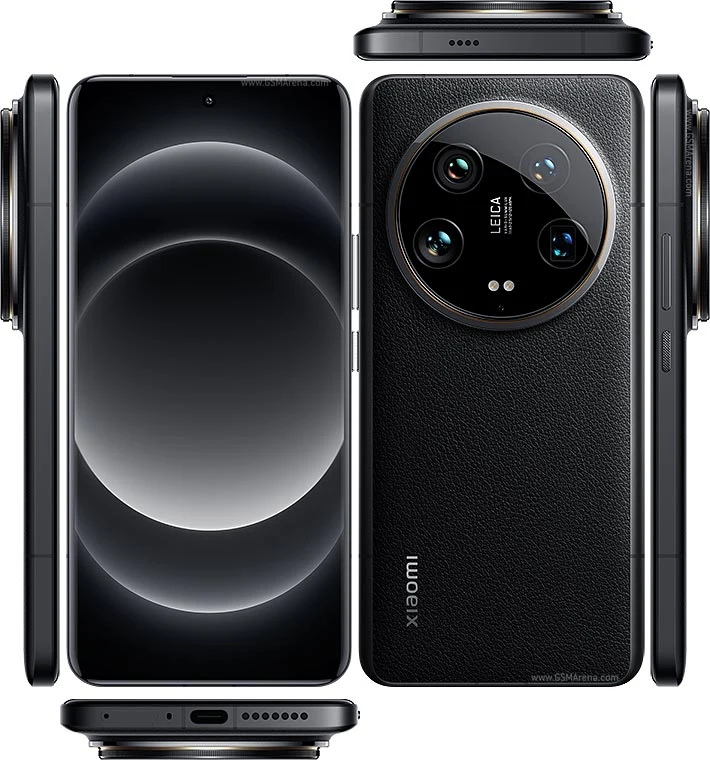
Xiaomi 14 Ultra
• 4500 mAh • TAC: 86942106
The Architectural Hurdle: Why You Cannot 'Extract' an eSIM
In standard GSMA RSP architecture (SGP.22 specifications), your carrier profile is deployed securely via a Subscription Manager Data Preparation (SM-DP+) server to the Local Profile Assistant (LPA) inside your device's operating system. The LPA communicates directly with the eUICC chip. Once downloaded, the profile's operational state is flagged as active, and the unique private keys never leave the silicon boundary.
When a handset refuses to boot, you cannot trigger standard de-registration protocols (such as iOS's 'Remove Cellular Plan' or Android's 'Erase SIM' routine). Consequently, the SM-DP+ server continues to mark the profile instance as bound. You cannot clone or extract this profile. Instead, the upstream carrier must revoke the old eUICC association and generate a brand-new cryptographic profile for your target device.
Overcoming the MFA Catch-22: Solving the SMS Verification Trap
The single most significant bottleneck consumers encounter when attempting self-service eSIM recovery is the SMS-based Two-Factor Authentication (2FA) loop. Carrier web portals typically dispatch a one-time passcode (OTP) to the mobile number being managed—the exact number tied to the broken phone.
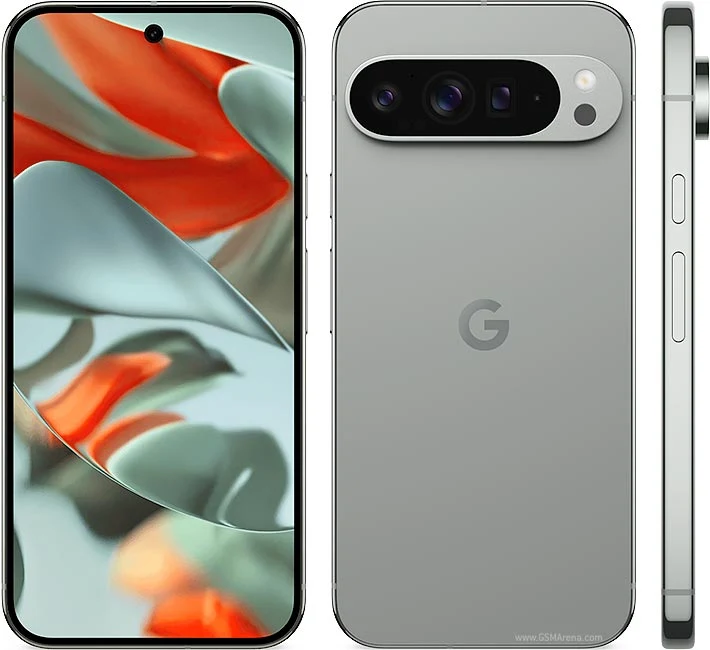
Google Pixel 9 Pro XL
• 4500 mAh Batarya • 5G NR Band 20 / n78 Sertifikalı
Practical Workarounds to Bypass Carrier SMS Prompts
- Secondary Verification Channels: Request authentication via your carrier account's registered secondary email address or account PIN/passcode rather than SMS.
- Associated Tablet or Desktop Ecosystem: If you use Apple or Samsung ecosystems with cross-device call and message continuity enabled, incoming SMS verifications may sync to an active iPad, Mac, or Galaxy Tab connected to Wi-Fi.
- Physical Retail Support: Visiting a company-owned retail store with a government-issued photo ID allows tier-1 staff to override online OTP requirements and provision a fresh QR voucher or push an activation profile directly.
- Temporary Physical SIM Reissue: If your new or backup hardware lacks eSIM compatibility, instruct the carrier to migrate the line to an inexpensive physical nano-SIM card on the spot.
Validating the Replacement Device: Clean IMEI and Network Compatibility
Before requesting a new eSIM profile, ensure your target handset is technically capable and legally clear to accept the profile. Sourcing a used or refurbished phone under pressure often leads to secondary complications.
Always verify the device's International Mobile Station Equipment Identity using an authoritative IMEI Validator. If the device was acquired on the secondary market, cross-reference its status through a Stolen & Blacklist Checker to guarantee it possesses a clean IMEI. A blacklisted or non-cleared device will immediately reject incoming provisioning profiles at the Baseband Management layer.
Furthermore, hardware revisions dictate frequency support. Use a 4G/5G Frequency Compatibility Checker to confirm the replacement hardware supports your carrier's specific NR/LTE deployment bands (such as Bands n77/n78 for C-band or Band 71 for extended rural coverage). If you plan to use dynamic cross-border plans, our Travel eSIM & Roaming Calculator helps map roaming costs before switching profiles.
The Financial Calculations: Repair, Insurance, and Replacement Scenarios
A broken phone requires a rapid financial audit. Should you file a claim under your mobile device insurance, leverage remaining trade-in value toward new smartphone financing, or execute a third-party repair? Let's analyze the unit economics of a typical modern flagship failure (e.g., Apple iPhone 14 Pro or Samsung Galaxy S23 Ultra) suffering complete screen and rear housing destruction.
| Recovery Route | Immediate Out-of-Pocket | Salvage Value / Deductions | Net Cost | Downtime |
|---|---|---|---|---|
| Tier-1 Insurance Claim | $99 - $149 (Deductible) | Broken unit relinquished | $99 - $149 | 24 - 48 Hours |
| Independent Logic Board / Display Repair | $320 - $450 (OEM Parts) | Retains ~$480 secondary value | $320 - $450 | 2 - 4 Hours |
| Used Replacement + 'Broken' Trade-In | $420 (Grade-A Refurbished) | -$110 Damaged Trade-in Value | $310 | Immediate |
| New Device via Carrier Financing | $0 - $75 (Taxes / Setup) | $25 - $35/mo over 36 months | $900 - $1,260 Total | Immediate |
If opting to liquidate the damaged device privately to offset replacement costs, always document the transfer via a verified 2nd Hand Bill of Sale. This protects the original owner from liability if the salvaged motherboard containing the un-erased physical eUICC is subsequently refurbished and assigned non-standard eSIM data plans by a third-party rebuilder.
Step-by-Step Activation Protocol for the Replacement Phone
Once hardware availability and network eligibility are established, execute this standardized recovery protocol to re-bind your service:
- Obtain the New EID: Locate the 32-digit Embedded Identity Document (EID) number on your replacement smartphone by navigating to
Settings > General > About(iOS) orSettings > About Phone > Status Information(Android), or by dialing*#06#. - Demand an EID Swap from Carrier Care: Contact your network provider's provisioning tier via phone, web chat, or retail desk. Request a direct 'EID SIM Swap.' Provide your account verification PIN and the 32-digit EID of the new device. Ensure the new device has completed its mandatory carrier unlock if it originated from a different provider.
- Trigger Remote SM-DP+ Download: Connect your replacement phone to an active Wi-Fi connection. In most cases, the carrier triggers an automated push notification (e.g., 'Carrier Cellular Plan Ready to be Installed'). If relying on manual setup, enter the carrier's SM-DP+ server address and matching activation code manually under cellular network configurations.
- Verify Network Registration: Once downloaded, enable data roaming and cellular data. Make a test call to an external network to verify both Circuit-Switched Fallback/VoLTE signalling and IP Multimedia Subsystem (IMS) status are properly registered on the HSS/UDM carrier backend.
For deeper technical breakdowns on cellular standards and network switching, consult our extensive library of Hardware & Telecom Guides.