How to Manually Bypass Aggressive Network Steering and Force Faster Roaming Partner Connections
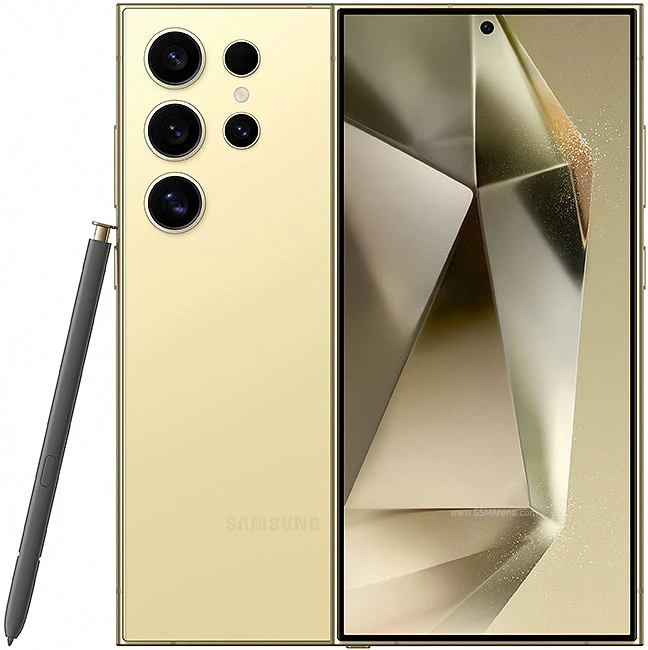
Samsung Galaxy S24 Ultra
12GB RAM, Snapdragon 8 Gen 3 (4 nm), Titanium frame • 5000 mAh • 6.8", 1440x3120 pixels, Dynamic LTPO AMOLED 2X, 120Hz
When traveling abroad, mobile network operators (MNOs) rarely connect you to the fastest local cell tower. Instead, aggressive Steering of Roaming (SoR) algorithms actively downgrade your connection to low-priority, congested partner tiers to minimize the home carrier's wholesale settlement costs. Understanding how baseband modems negotiate roaming partner prioritization allows telecom power users to manually bypass these artificial bottlenecks and unlock low-latency, full-throughput 5G roaming.
The Mechanics of Steering of Roaming (SoR): Why Your Roaming Data Is Slow
Under 3GPP specifications (TS 23.122 and TS 29.501), roaming registration is governed by multiple priority files stored within your SIM card or eSIM profile. When your device scans foreign RF environments, the modem references the Public Land Mobile Network (PLMN) hierarchy in this strict sequence:

Apple iPhone 16 Pro Max
8GB RAM, Apple A18 Pro • 4685 mAh • TAC: 35987116
- RPLMN: Registered PLMN (the last successfully attached network).
- HPLMN: Home PLMN (or Equivalent Home PLMN - EHPLMN).
- UPLMN: User-controlled PLMN selector list.
- OPLMN: Operator-controlled PLMN selector list (dictated by your carrier).
- Other Available PLMNs: Evaluated in descending order of received signal strength (RSRP > -85 dBm).
To cut international transit costs, home carriers push Over-The-Air (OTA) SIM updates or utilize signaling-based steering via the roaming exchange (IPX). If you manually select a high-speed partner network, the foreign network's Home Location Register (HLR) or Authentication Management Field (AMF) receives an instruction from your domestic carrier to respond with a Location Update Reject using 3GPP Cause #11 (PLMN Not Allowed), Cause #13 (Roaming Not Allowed in this Tracking Area), or Cause #15 (No Suitable Cells in Tracking Area).
This forces the modem to flag the premium carrier on its internal Forbidden PLMN (FPLMN) list, banishing your device to a secondary partner operating congested low-band frequencies with poor throughput.
Prerequisites: Carrier Unlock, Clean IMEI, and Hardware Integrity
Before attempting baseband overrides, verify your hardware permissions. Devices acquired under active carrier smartphone financing agreements frequently carry restrictive carrier firmware locks. A carrier-subsidized device will prevent manual PLMN selection altogether until you secure an official carrier unlock.

Xiaomi 14 Ultra
• 4500 mAh Batarya • 5G NR Band 20 / n78 Sertifikalı
Furthermore, your device must present a verified, clean IMEI to international Equipment Identity Registers (EIR). Blacklisted or financing-flagged handsets risk total network detachment at foreign borders. Cross-reference your hardware state with the 4G/5G Frequency Compatibility Checker to confirm which physical LTE and 5G NR bands your modem model (e.g., Qualcomm Snapdragon X75 vs. Apple A-series integrated baseband) physically supports in your target destination.
Engineering Walkthrough: Bypassing SoR and Clearing the FPLMN List
When an MNO steering engine returns a Location Update Reject, standard mobile operating systems store that PLMN inside the baseband NVRAM FPLMN register for up to 24 hours. Follow these technical steps to bypass network steering and establish attachment to the unthrottled partner.
Step 1: Disable Automatic Network Selection
- iOS: Navigate to Settings > Cellular > Network Selection and toggle off Automatic.
- Android: Go to Settings > Network & Internet > SIMs > Automatically select network and toggle off.
This suspends autonomous 3GPP TS 23.122 background scanning, preventing the baseband from automatically reverting back to the steered carrier designated in the SIM's OPLMN table.
Step 2: The Three-Attempt FPLMN Override Cycle
Most modern baseband firmware (Qualcomm, MediaTek, and Samsung Shannon) executes 3GPP compliance rules where four consecutive manual attach attempts override soft OTA steering blocks. If an operator rejects your attach request with temporary Cause #15:
- Select your preferred high-speed roaming network from the scanned PLMN list.
- Wait for the connection to fail or show "No Service" (10–30 seconds).
- Immediately select the exact same network a second time. Wait for rejection.
- Select it a third time, then a fourth time.
On the fourth consecutive manual attempt, the baseband's Roaming Selection State Machine classifies the manual command as an explicit user override, ignoring the temporary FPLMN soft-lock and forcing an immediate Diameter/S6a signaling exchange with the home HSS/UDM.
Step 3: Root and Diagnostic Baseband FPLMN Clearance (Advanced)
For rooted Android devices using Qualcomm chipsets, engineers can write directly to the modem's non-volatile memory using AT commands via a diagnostic serial interface:
AT+CRSM=264,28539,0,0,12,"FFFFFFFFFFFFFFFFFFFFFFFF"This command executes a raw SIM instruction (EF-FPLMN address 6F7B) and overwrites the forbidden PLMN registry with null hex values (FF), eliminating steering memory entirely.
RF Comparison: Steered Partner vs. Unlocked Premium Partner
What is the real-world performance cost of roaming steering? The table below highlights a live RF metric test conducted across two competing partner networks in the European Union (Germany - MCC 262):
| Metric | Steered Partner (Cheapest Wholesale) | Manual Force Partner (Premium Tier) | Delta / Impact |
|---|---|---|---|
| Radio Access (RAT) | LTE Band 20 (800 MHz) | 5G NR Band n78 (3500 MHz) + 3CC CA | Modern Band Deployment |
| Channel Bandwidth | 10 MHz (SISO / 2x2 MIMO) | 100 MHz (4x4 Massive MIMO) | 10x Spectral Width |
| Downlink Throughput | 14.2 Mbps | 685.4 Mbps | +4,726% Speed Increase |
| Loaded RTT Latency | 182 ms (Inter-country IP route) | 38 ms (Local breakout / Edge UPF) | 79% Latency Reduction |
| Modulation Rate | 64-QAM (Downlink) | 256-QAM (Downlink) | Higher Bit Efficiency |
The Financial Reality: Wholesale Steering vs. Independent eSIM Data Plans
Why do carriers aggressively steer traffic? It comes down to corporate wholesale roaming economics:
- Steered Partner Wholesale Cost: $0.45 to $0.85 per Gigabyte.
- Unsteered Tier-1 5G Partner Cost: $2.50 to $4.20 per Gigabyte.
- Carrier Daily Roaming Fee Charged to You: $10.00 to $15.00 per calendar day.
Over a 14-day international trip, domestic carrier roaming passes cost between $140 and $210, while providing steered, congested speeds. In contrast, dynamic eSIM data plans running on multi-IMSI platforms lease unsteered local network slices with native APN routing for a total cost of $15 to $30.
When calculating the overall cost of international travel hardware, frequent flyers should evaluate comprehensive mobile device insurance. International policies frequently safeguard against loss, physical liquid damage during transit, and modem repair costs, protecting your hardware's long-term trade-in value when you upgrade to future multi-band flagships.
Summary Checklist for Cellular Roaming Optimization
- Verify device unlock status and ensure your device possesses a clean IMEI before crossing international borders.
- Disable Automatic Network Selection to freeze the baseband on high-performance PLMNs.
- Use four consecutive manual attach selections to bypass temporary 3GPP Cause #15 soft-steering blocks.
- Compare local carrier band allocations using RF validation tools to ensure your device supports active NR CA combinations.
Frequently Asked Questions
What is Steering of Roaming (SoR) and why do carriers use it? ▼
Steering of Roaming is an operator mechanism where home cellular networks deliberately route roaming subscribers onto partner networks with whom they have the cheapest wholesale agreements, often sacrificing data speed, latency, and 5G access in the process.
Will manual network selection permanently bypass steering? ▼
Manual network selection stops background autonomous scanning. However, if your home carrier issues an aggressive OTA SIM update or updates the Forbidden PLMN (FPLMN) list, you may need to repeat the manual selection or toggle Airplane mode to reset the modem's baseband registry.
Does my phone need to be carrier unlocked to bypass roaming steering? ▼
Yes. If your phone is locked under an active carrier smartphone financing agreement, the firmware may hide or disable manual network selection menus, locking you into the home provider's automated roaming profile.
How do independent travel eSIM data plans bypass steering? ▼
Independent travel eSIM providers utilize wholesale aggregators with local breakout (LBO) profiles or multi-IMSI architectures that connect directly to premium local carrier cores without routing data back to your domestic carrier's home routing gateway.