Travel eSIM Hotspot Support, Tethering Rules, and Carrier Throttle Limits: The Technical Guide
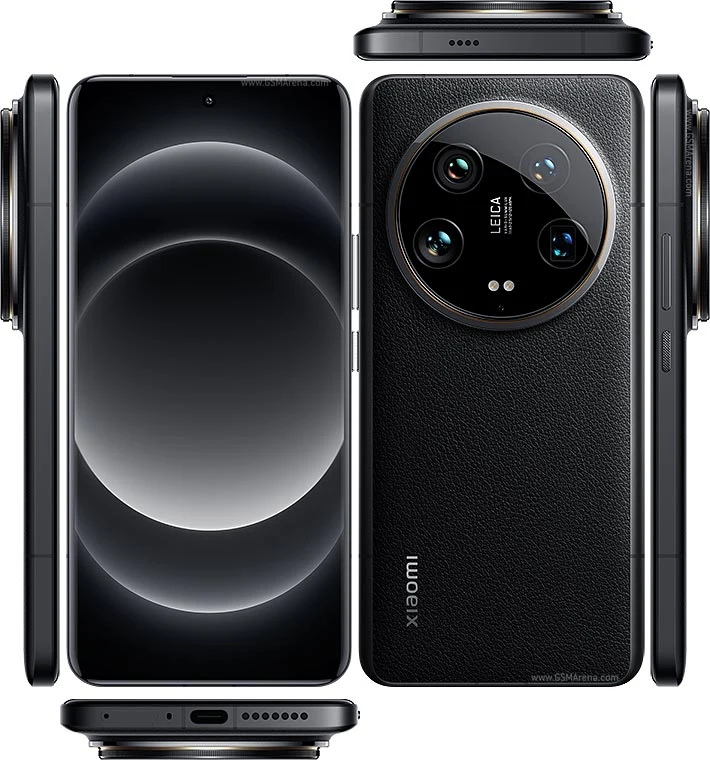
Xiaomi 14 Ultra
• 4500 mAh •
Connecting across international borders has transformed with embedded SIMs, yet remote professionals and travelers frequently encounter an invisible bottleneck: carrier-imposed hotspot throttling and tethering blockades. While commercial eSIM data plans advertise blazing-fast 5G speeds, the underlying Packet Data Network (PDN) gateways and roaming agreements dictate whether your secondary devices can actually share that bandwidth.
1. The Network Architecture of Hotspot Tethering on Travel eSIMs
When your smartphone functions as a Wi-Fi hotspot, it operates as a network router performing Network Address Translation (NAT). Upstream cellular carriers distinguish between on-device traffic and tethered client traffic using two primary mechanisms: Time-to-Live (TTL) / Hop Limit inspection and Access Point Name (APN) routing.

OnePlus 12
• 4500 mAh • TAC: 35167824
- TTL/HL Decrementing: When a connected laptop sends an IPv4 packet (default TTL typically 64 or 128), passing through your phone's routing stack decrements that counter by 1 before it traverses the eNodeB/gNodeB base station. If the packet gateway detects an unexpected incoming TTL (such as 63 or 127 instead of the device's native 64), Deep Packet Inspection (DPI) classifies the data stream as tethered.
- Dual APN Allocation: Premium Tier-1 operators configure distinct APNs—one for mobile station usage (`ims`, `internet`) and a secondary APN specifically flagged for dial-up network tethering (`dun`). Many international roaming aggregators lack dual APN routing support, which either forces all tethered traffic through a single pipeline or causes the hotspot connection to fail silently on the client device.
Before landing in a new destination, it is vital to audit your baseband compatibility using our 4G/5G Frequency Compatibility Checker, ensuring your modem supports the local carrier's sub-6 GHz and mid-band frequencies (such as bands n77, n78, or B3/B7/B20) to maintain adequate link budgets during tethering.
2. Fair Usage Policies (FUP) and Carrier Throttle Mathematics
The telecom industry frequently deploys the moniker “Unlimited Data” as a marketing construct. In global roaming agreements, data is an expensive wholesale commodity measured in petabytes through wholesale roaming exchanges (IPX). As a result, travel eSIM providers enforce strict Fair Usage Policies (FUP).
The Math Behind Throttling Speeds
Consider an “Unlimited Daily Plan” with a 2 GB daily high-speed threshold followed by a throttle to 128 kbps (a standard provision in roaming Service Level Agreements). Here is how that impact translates mathematically to real-world productivity:

Xiaomi 14
6.36", 1200x2670 pixels • 4610 mAh Batarya • 5G NR Band 20 / n78 Sertifikalı
- Bandwidth post-throttle: 128 kilobits per second = 16 kilobytes per second (KB/s).
- Size of a standard corporate presentation: 120 Megabytes (MB) = 122,880 KB.
- Download Time = 122,880 KB / 16 KB/s = 7,680 seconds = 2 hours and 8 minutes.
- Zoom Video Conference Bitrate Requirement: ~1.5 Mbps down / 1.5 Mbps up. Operating at 128 kbps leads to a 91.5% packet loss/drop rate, rendering VoIP and video unusable.
For remote workers, budget calculations must balance high upfront costs against lost productivity. You can calculate your project data consumption accurately using the Travel eSIM & Roaming Calculator to sidestep restrictive FUP walls.
3. Hardware Integrity, Device Financing, and Carrier Restrictions
Even if a travel profile permits personal hotspot sharing, device firmware configurations can intercept and disable the feature. Many carrier-branded smartphones obtained through installment plans or smartphone financing have embedded carrier bundles that disable the “Personal Hotspot” menu when an unregistered or secondary APN profile is detected.
To use international travel profiles seamlessly, your device must have an official carrier unlock registered in the manufacturer’s activation servers (Apple GSX, Samsung Knox, etc.). Devices with unsettled balances or unverified histories may face unexpected network registration drops while overseas.
If you acquired your device through a secondary or refurbished marketplace, verifying device credentials is a critical prerequisite. Perform a validation on your hardware identifier with the official IMEI Validator and double-check against regional lockouts using the Stolen & Blacklist Checker to guarantee a verified, clean IMEI before configuring multi-profile roaming setups.
| Provider Category | Hotspot Allowed | Throttle Trigger | Throttled Bandwidth |
|---|---|---|---|
| Fixed-Bucket Travel MVNO | Yes (Full Pool) | 100% of Purchased GB | 0 kbps (Hard cut-off) |
| Unlimited Global Aggregator | Varies / Limited | 1 GB to 3 GB / Day | 128 kbps – 384 kbps |
| Domestic Tier-1 Roaming | Yes (Subject to domestic plan) | Plan-specific cap (e.g., 5GB-50GB) | 256 kbps – 512 kbps |
4. Thermal Strain, Battery Cycles, and Device Asset Valuation
A neglected consequence of continuous data tethering while traveling is the thermal and physical degradation inflicted on mobile hardware. Running simultaneous multi-band 5G reception while operating an internal 2.4 GHz/5 GHz Wi-Fi routing radio turns the smartphone into an energy-dense transceiver.
Operating internal lithium-ion batteries at temperatures above 40°C (104°F) during high-throughput tethering dramatically accelerates chemical aging. A device subjected to weeks of prolonged tethering can lose 4% to 8% of maximum battery capacity in a single quarter. This reduction directly degrades the downstream trade-in value of your flagship handset when upgrading cycles arrive.
Because thermal distress and travel-induced wear increase the risk of hardware malfunctions, frequent international road warriors often invest in enterprise-tier mobile device insurance. Having comprehensive coverage safeguards against expensive mainboard and battery failures induced by persistent field tethering.
Engineering Checkpoints Before Departure
- Verify the APN Type: Inspect the eSIM provider profile. Look for an APN configuration that allows the `dun` (dial-up network) profile parameter alongside `default` and `supl`.
- Inspect OS Tethering Settings: On iOS, verify that the APN credentials under “Personal Hotspot” match the mobile data APN. On Android, toggle “Extend Compatibility” to lock the tethering Wi-Fi broadcast to 2.4 GHz if older client laptops cannot negotiate 5 GHz DFS channels overseas.
- Establish a Metered Connection: Set your laptop Wi-Fi profile to “Metered” immediately. This prevents background OS updates and cloud backups from burning your prepaid high-speed allocation in minutes.