How International Travelers Can Diagnose and Bypass Carrier TTL Hotspot Tethering Restrictions on Travel eSIMs

Apple iPhone 16 Pro Max
8GB RAM, Apple A18 Pro • 4685 mAh • 6.9", 1320x2868 pixels
For international digital nomads, field engineers, and frequent flyers, purchasing digital roaming profiles has revolutionized global mobility. However, an increasingly frustrating issue undermines modern eSIM data plans: artificial tethering restrictions. A traveler may buy a "50 GB Unlimited" travel bundle, only to find their laptop yields zero throughput when connected to their phone's personal hotspot, or their tethered bandwidth drops to an unusable 128 kbps. This throttling is typically not a hardware defect; it is the result of packet inspection mechanisms deployed at the carrier core network—primarily governed by Time-To-Live (TTL) and Hop Limit (HL) packet headers.
The Telecommunications Architecture: How Carriers Detect Hotspot Traffic
Every IP packet transmitted across a cellular data bearer contains a metadata field designed to prevent infinite routing loops: Time-To-Live (TTL) in IPv4, and Hop Limit in IPv6. Under ordinary conditions, an operating system sets this value to a predefined standard upon packet generation:
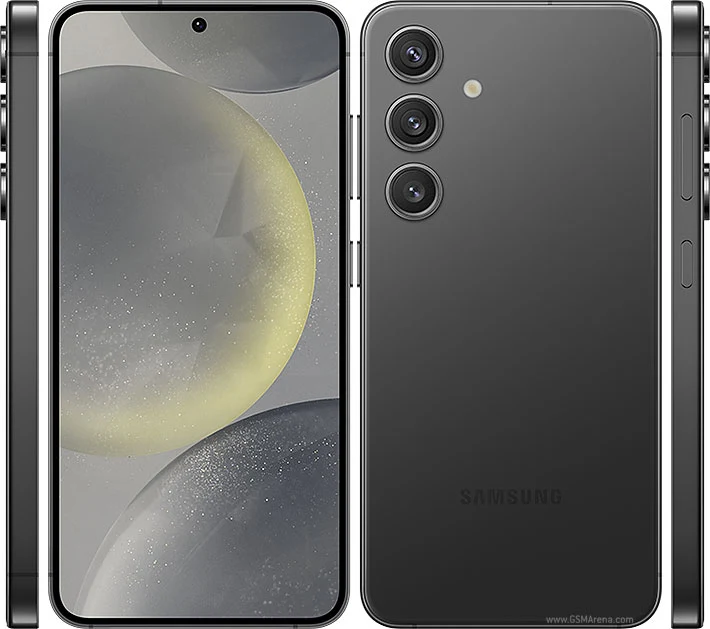
Samsung Galaxy S24
8/12GB RAM, Snapdragon 8 Gen 3 • 4000 mAh • TAC: 35167824
- iOS & Android (Mobile OS): Default TTL = 64
- macOS & Linux: Default TTL = 64
- Microsoft Windows: Default TTL = 128
When you tether an external device (such as a laptop) to your smartphone, your phone ceases to behave solely as a cellular terminal; it functions as a Network Address Translation (NAT) router. By fundamental RFC 791 specifications, any Layer 3 routing intermediary must decrement the incoming packet's TTL counter by exactly 1 before forwarding it across the cellular interface (the Packet Data Network gateway, or PGW/UPF).
[Windows Laptop: TTL 128] --> [Phone NAT Layer (TTL - 1)] --> Reaches Tower as: TTL 127
[macOS Laptop: TTL 64] --> [Phone NAT Layer (TTL - 1)] --> Reaches Tower as: TTL 63
[Native Phone Traffic] --> [Direct Transmission] --> Reaches Tower as: TTL 64
Telecom upstream providers and roaming aggregators configure their Deep Packet Inspection (DPI) nodes and Evolved Packet Core (EPC) counters to flag any packets arriving with a TTL of 63 or 127. When these packets are detected, the carrier either discards them, routes them to an empty interface, or triggers secondary Quality of Service (QoS) rule enforcement that limits your speed to dial-up tiers.
Financial Analysis: Travel eSIMs vs. Hardware Lock-Ins
Understanding network routing can yield major cost savings. Many domestic carriers charge between $10 and $15 per day for basic international day passes, which often cap high-speed hotspot allocations at 2 GB per billing cycle. Conversely, regional travel eSIMs deliver data for approximately $1.20 to $2.50 per gigabyte. You can evaluate your exact destination overhead using our Travel eSIM & Roaming Calculator.

Google Pixel 9 Pro XL
• 4500 mAh Batarya • 5G NR Band 20 / n78 Sertifikalı
| Provisioning Strategy | 14-Day Roaming Cost (30GB Data) | Hotspot Allowance | Effective Cost per GB |
|---|---|---|---|
| Carrier International Day Pass | $140.00 – $168.00 | Restricted (typically 5GB total) | $4.66 – $5.60 / GB |
| Travel eSIM (Unmodified Hotspot) | $35.00 – $48.00 | Throttled via TTL/DUN APN rules | Inoperable on PC |
| Travel eSIM (TTL Normalized) | $35.00 – $48.00 | Full Bandwidth (30GB usable) | $1.16 – $1.60 / GB |
Before attempting modifications, ensure your device is technically and legally eligible for international roaming. Devices bound by ongoing smartphone financing contracts often feature restrictive firmware locks. You will need a verified carrier unlock from your original provider. You should also confirm that your handset possesses a clean IMEI via our diagnostic databases to avoid carrier blacklists while traveling abroad.
Step-by-Step TTL Normalization (The "TTL 65" Fix)
Because modifying the core networking stack of non-rooted Android or unmodified iOS devices can be difficult, the cleanest bypass is to alter the initial packet generation on the client machine (your laptop). By elevating your laptop's outbound TTL to 65, the smartphone decrements the packet to exactly 64—identical to native mobile device traffic.
Method A: Windows Configuration (Persistent Native Configuration)
Open PowerShell or Command Prompt with administrative privileges and execute:
# Set IPv4 Hop Limit / TTL to 65
netsh int ipv4 set glob defaultcurhoplimit=65

# Set IPv6 Hop Limit to 65
netsh int ipv6 set glob defaultcurhoplimit=65
To verify the change, run netsh int ipv4 show glob and check that Default Hop Limit displays 65.
Method B: macOS Configuration
Open Terminal and execute the following command to update your runtime kernel parameters:
sudo sysctl -w net.inet.ip.ttl=65Note: macOS resets this variable after a reboot. To make it persistent, append net.inet.ip.ttl=65 to /etc/sysctl.conf.
Advanced APN & Proxy Workarounds: Bypassing Carrier DUN Profiles
If altering the TTL does not fully restore your throughput, the carrier may also be using Access Point Name (APN) type segregation or Deep Packet Inspection (DPI).
1. APN Type DUN Stripping
In traditional mobile provisions, cellular modems possess two distinct APN channels: default internet traffic and dun (Dial-Up Networking). When you start a hotspot, Android routes tethered traffic through the dun APN profile. If your travel eSIM profile does not have an entitlement on that secondary APN, your traffic will fail silently.
Navigate to your cellular configuration settings, locate your travel profile APN, and inspect the APN Type field. If it reads default,supl,dun, delete dun and set it strictly to default,supl. This forces all traffic over the primary mobile bearer.
2. Local Encrypted Proxy Forwarding
If the cellular provider enforces Deep Packet Inspection to analyze User-Agent strings or TLS Server Name Indication (SNI) records, adjusting the TTL alone will not hide tethered traffic. In this scenario, run a local SOCKS5 or HTTP proxy server directly on your handset (using applications like Every Proxy). By routing your laptop’s traffic through an encrypted proxy on your phone's loopback interface, all packets originate inside the phone's native user-space stack, completely masking external PC traffic.
Hardware Compatibility, Warranty, and Value Considerations
Advanced users with rooted Android hardware often modify packet headers directly on the phone via iptables rules:
iptables -t mangle -A POSTROUTING -j TTL --ttl-set 64While effective, this level of modification carries trade-offs. Tripping hardware security fuses (such as Samsung Knox) can permanently void standard mobile device insurance policies and may cause a significant drop in your phone's secondary market trade-in value.
Finally, ensure your underlying device architecture supports the appropriate cellular frequencies in your destination country. Even with working hotspot configurations, missing critical low-band LTE spectrum (e.g., Band 20 or Band 28) can result in frequent dropped connections. Use our 4G/5G Frequency Compatibility Checker before departure, and browse our Hardware & Telecom Guides to optimize your international data configuration.