How to Receive SMS 2FA OTPs and Local Calls on Data-Only Travel eSIMs: Complete Dual-SIM Guide

Apple iPhone 16 Plus
8GB RAM, Apple A18 • 4674 mAh • 6.7", 1290x2796 pixels, Super Retina XDR OLED
International travelers face an expensive digital security catch-22: modern banking, corporate VPNs, and crypto exchanges demand SMS-based two-factor authentication (2FA) one-time passwords (OTPs), yet domestic carriers charge predatory daily international roaming fees just to keep cellular voice channels alive. While cost-effective eSIM data plans provide rapid local 4G/5G connectivity across borders, they almost exclusively operate on data-only routing protocols with no assigned MSISDN (traditional mobile phone number) for incoming circuit-switched calls or legacy SMS over NAS (Non-Access Stratum).
Fortunately, by leveraging modern smartphone Dual SIM Dual Standby (DSDS) radio architectures and IMS (IP Multimedia Subsystem) network virtualization—commonly branded as 'Backup Calling' or 'Wi-Fi Calling over Cellular Data'—you can receive all your home-network SMS OTPs and domestic calls for free, anywhere in the world, directly over your travel data connection.
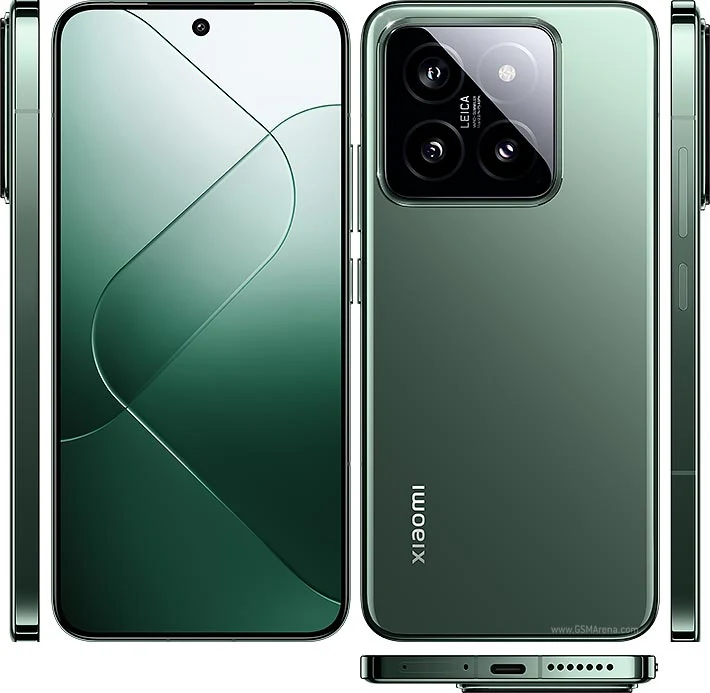
Xiaomi 14
8-16GB RAM, Snapdragon 8 Gen 3 • 4610 mAh • TAC: 35482910
Hardware & Network Prerequisites: DSDS, Band Support, and Carrier Unlocks
Before configuring software routing, your baseband modem and device architecture must support concurrent profile registration. Most modern flagships (iPhone XS and newer, Google Pixel 4+, Samsung Galaxy S20+) feature DSDS (Dual SIM Dual Standby), which pairs two distinct subscriber identities (IMSI) to a single transceiver via time-division multiplexing.
Before departing, you must address three critical hardware constraints:
- Carrier Unlock Status: If your handset is tied to active smartphone financing, your carrier will impose a cryptographic SIM lock in baseband firmware. A full carrier unlock verification is essential; locked modems reject foreign ICCIDs instantly.
- Clean Baseband Status: Secondary devices acquired on the pre-owned market must possess a clean IMEI check to guarantee the cellular baseband is not blacklisted by GSMA networks, ensuring high eventual trade-in value and voidance-free mobile device insurance claims.
- RF Band Matrix: Your device must support the foreign carrier's LTE/5G bands (typically B1, B3, B7, B20 in Europe/Asia or n77/n78 for 5G). You can verify your modem against local operator deployments via our 4G/5G Frequency Compatibility Checker.
How It Works: VoWiFi over Cellular Cross-Multiplexing
Historically, receiving an SMS abroad required your home SIM to attach to a roaming Visited Public Land Mobile Network (VPLMN) via an SS7/Diameter roaming interconnect, immediately triggering daily roaming rates ($10 to $15 per day on major carriers). However, modern operating systems (iOS 13+ and Android 12+) support IMS registration over a secondary cellular data path.
Apple iPhone 16 Pro
6.3", 1206x2622 pixels, LTPO Super Retina XDR OLED, 120Hz • 3582 mAh Batarya • 5G NR Band 20 / n78 Sertifikalı
When configured correctly, your primary SIM registers its IP Multimedia Subsystem (VoLTE/VoWiFi) session through the local IP tunnel provided by the secondary travel eSIM APN. The primary carrier's ePDG (evolved Packet Data Gateway) perceives the connection as a standard domestic Wi-Fi connection, allowing encrypted SIP signaling and SMS-over-IP encapsulation to terminate on your handset without ever invoking VPLMN roaming timers.
| Feature / Channel | Standard Carrier Roaming | Travel eSIM + IMS Cross-Data |
|---|---|---|
| Cost Architecture | $10.00 – $15.00 / day pass | $0.00 Roaming Fee + Fixed Data Rate |
| SMS 2FA Delivery Channel | Circuit Switched / Diameter Roaming | IPsec Encrypted VoWiFi / IMS Tunnel |
| Domestic Voice Calls | Billed per minute or daily pass | Treated as Domestic Minutes on Home Plan |
| Dual SIM Battery Impact | High (dual continuous RF search) | Moderate (single RF data transmission) |
Financial Analysis: Roaming Pass vs. Dual-SIM Data Architectures
To illustrate the consumer finance impact, evaluate a typical 14-day international holiday in Europe or Japan. Using a tier-1 North American carrier's $10/day international pass totals:
Carrier Roaming Expense: 14 days × $10.00 = $140.00 + applicable telecom taxes (~$158.20 total)
Conversely, using a regional 10 GB travel eSIM costs approximately $15.00 flat. By applying the cross-over IMS technique, all 2FA OTPs, bank verifications, and incoming domestic calls cost zero additional dollars. You can run customized rate projections using our Travel eSIM & Roaming Calculator to determine break-even metrics across 190+ jurisdictions.
The net financial preservation is $143.20 per device, funds that can be strategically redirected into amortizing long-term smartphone financing liabilities or securing comprehensive mobile device insurance against accidental physical damage abroad.
Configuration Steps: Apple iOS (Cellular Data Switching)
To configure an iPhone to route primary line SMS and calls over a secondary data-only travel eSIM, follow these sequential steps before landing:
- Enable Wi-Fi Calling at Home: Navigate to Settings > Cellular > Primary SIM and switch Wi-Fi Calling on This iPhone to ON. You must register your E911 domestic emergency address while still connected to your home network.
- Install the Travel eSIM: Scan the QR code or activate the travel eSIM via the provider's app. Label this line Travel Data.
- Set Line Allocations: In Settings > Cellular, set Default Voice Line to your Primary SIM, and set Cellular Data to your Travel Data eSIM.
- Lock Down Cellular Data Switching: In Settings > Cellular > Cellular Data, toggle Allow Cellular Data Switching to OFF. This prevents your primary line from secretly establishing a roaming data bridge.
- Disable Roaming on Primary Line: Open your Primary SIM settings and ensure Data Roaming is set to OFF. For additional protection against accidental roaming triggers, contact your carrier to place an international roaming lock on your profile.
Once abroad, your iPhone status bar will display: "[Carrier Name] using Cellular Data". This confirms your primary line is operating as an encrypted VoWiFi client using the data pipe generated by your travel eSIM.
Configuration Steps: Android (Backup Calling)
On Google Pixel and modern Samsung One UI devices, the architecture is referred to as Backup Calling or Auto Data Switching:
- Activate Wi-Fi Calling on your primary physical SIM or eSIM before departure.
- Install and enable your travel eSIM profile. Set it as the default provider for Mobile Data.
- Navigate to Settings > Network & Internet > SIMs > Primary SIM. Ensure Mobile Data and Roaming are switched OFF on this specific profile.
- Enable Backup Calling (on Pixels) or Auto Data Switching (on Samsung Galaxy under SIM Manager). The baseband radio will now re-route IMS traffic through the travel eSIM's PDP context.
Handling Outbound Local Calling Without an Assigned MSISDN
While the IMS cross-data trick allows free incoming 2FA OTPs and domestic calls, data-only travel eSIMs do not permit traditional dialing of local phone numbers in your destination country (e.g., calling a restaurant in Paris or a hotel in Tokyo). If you dial a local foreign number from your primary line, your home carrier will classify it as an expensive international long-distance call.
To solve local calling needs without carrier surcharges, integrate a modern OTT (Over-The-Top) SIP client. Services like Skype Out, Google Voice, or Viber Out allow you to dial standard local telephone lines over your travel eSIM data connection for pennies per minute (typically $0.02 – $0.04/min), maintaining complete financial predictability during your trip.
Frequently Asked Questions
Will my home carrier charge me roaming fees when receiving SMS OTPs via Wi-Fi Calling over Cellular Data? ▼
No. When your primary SIM connects via IMS over the secondary travel eSIM's cellular data pipe, the home carrier routes the connection as an encrypted Wi-Fi Calling (VoWiFi) session. Incoming SMS and calls are treated as standard domestic activity according to your baseline mobile plan.
Why does my iPhone say 'No Service' instead of '[Carrier] using Cellular Data'? ▼
This happens if Wi-Fi Calling was not fully activated and configured with a verified E911 address on your home carrier prior to leaving your domestic coverage area, or if your home carrier does not support cross-SIM IMS data roaming. Ensure Cellular Data Switching is set to OFF and Data Roaming on your primary line is disabled.
Can I receive two-factor authentication codes from services that block virtual VoIP numbers? ▼
Yes. Because your primary SIM retains its original true mobile MSISDN issued by a national cellular carrier, banks, credit card agencies, and security portals cannot detect a VoIP spoof. The underlying SMS is delivered through carrier-grade IMS protocols rather than virtual PBX webhooks.
Does my device need to be carrier-unlocked to use this Dual-SIM setup? ▼
Yes. If your smartphone is locked under an active carrier financing agreement, the device firmware will reject any foreign travel eSIM profile. You must request a full carrier unlock from your network operator before this architecture can function.