Fixing VoLTE Provisioning & IMS Registration Errors on Imported Smartphones
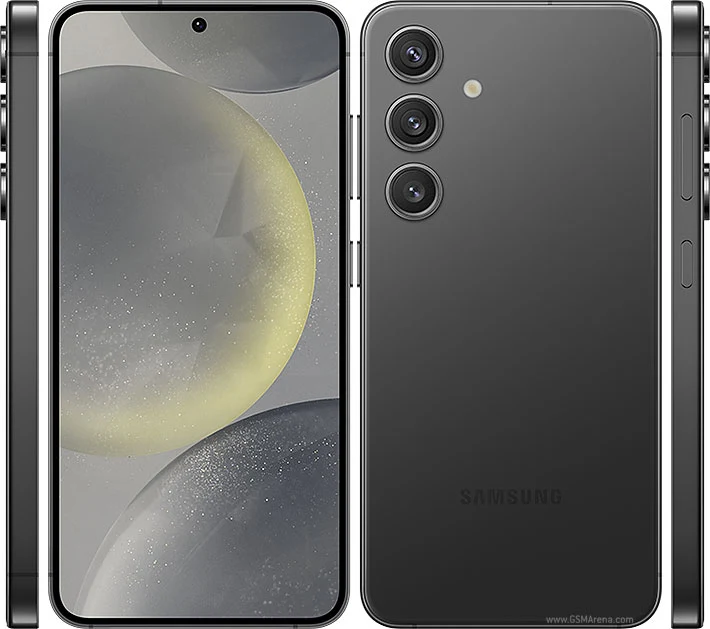
Samsung Galaxy S24
8/12GB RAM, Snapdragon 8 Gen 3 • 4000 mAh • 6.2", 1080x2340 pixels
Importing high-end unlocked smartphones across international borders has become a preferred route for tech-savvy consumers looking to beat local retail markups or acquire regional exclusive chipsets. However, with the global shutdown of legacy 2G and 3G circuit-switched networks, cellular voice calls rely exclusively on Voice over LTE (VoLTE) and Voice over New Radio (VoNR). When an imported device fails to register with the carrier's IP Multimedia Subsystem (IMS) core, users are left with data-only connectivity and dropped calls. This deep-dive engineering guide provides a technical roadmap to troubleshoot IMS registration failures, carrier profile mismatches, and modem-level provisioning issues on grey-market and factory-unlocked hardware.
The Telephony Stack: Why IMS Fails on Imported Hardware
Unlike packet-switched LTE data, which relies on standard public APNs, VoLTE operates as a carrier-grade Voice over IP (VoIP) application running inside an isolated, prioritized QoS Class Identifier (QCI 1) bearer. When you insert a physical SIM or activate high-speed eSIM data plans on an imported device, three critical handshakes must succeed:
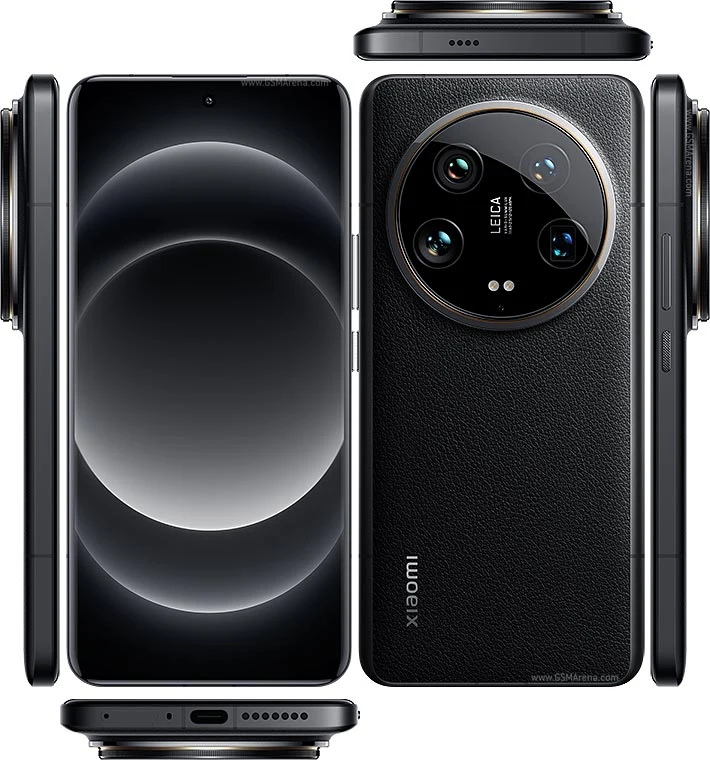
Xiaomi 14 Ultra
• 4500 mAh • TAC: 86942106
- P-CSCF Discovery: The device queries the local base station (eNodeB/gNodeB) and core network to locate the carrier’s Proxy-Call Session Control Function (P-CSCF) server via DNS or EPC bearer activation.
- Modem Configuration (MBN) Handshake: The Qualcomm baseband processor (or MediaTek/Exynos equivalent) loads a matching carrier profile (e.g.,
mcfg_sw.mbn) indexed by the SIM card's Mobile Country Code (MCC) and Mobile Network Code (MNC). - SIP Registration & TAC Whitelisting: The device issues a
SIP REGISTERrequest. The carrier inspects the device's Type Allocation Code (TAC)—the first 8 digits of its IMEI—and validates whether the handset is certified for network VoLTE.
If the carrier operates an aggressive IMEI whitelist or does not push an Over-The-Air (OTA) carrier configuration bundle compatible with your device’s firmware SKU, the modem defaults to a generic profile. The result: data functions properly over 4G/5G, but the IMS registration status reads "Not Registered", disabling all voice services.
Diagnostic Phase: Inspecting Baseband & Hardware Compatibility
Before altering low-level firmware settings, verify your device's baseline radio frequency compatibility. An imported phone may miss crucial sub-GHz coverage bands required for carrier voice paging (such as Band 12/17/71 in North America or Band 20/28 in EMEA). You can audit your handset's exact radio band allocations against domestic operators using our 4G/5G Frequency Compatibility Checker.
| Regional SKU | Primary VoLTE Bands | Typical IMS Profile Status | Fallback Behavior (Post-3G Sunset) |
|---|---|---|---|
| US Carrier (ATT/VZW/TMO) | B2, B4, B12, B13, B66, B71 | Carrier-locked MBN; strict TAC whitelist | Immediate Call Drop / No Inbound Calls |
| Global Unlocked (EU/Asia) | B1, B3, B7, B8, B20, B28 | GSMA Open Market Profile | Data works, SIP 403 Forbidden on VoLTE |
| Domestic Whitelisted Flagship | All Native Carrier Bands | Native Dynamic MBN Switching | Full VoLTE & VoWiFi Registration |
Validating IMEI Integrity and Carrier Status
An imported device may also fail network authentication if it is subject to remote carrier locks or fraud flags. Always inspect hardware authenticity via the IMEI Validator / Sorgulama tool to confirm that the hardware serials match factory specifications. If the handset was acquired through overseas secondary markets, use the Stolen & Blacklist Checker to guarantee that a fully clean IMEI is registered on international EIR (Equipment Identity Register) databases.

Apple iPhone 16 Pro
6.3", 1206x2622 pixels, LTPO Super Retina XDR OLED, 120Hz • 3582 mAh Batarya • 5G NR Band 20 / n78 Sertifikalı
Step-by-Step Protocol to Fix VoLTE & IMS Registration
Step 1: Check Internal IMS Status via Engineering Menus
On Qualcomm- and MediaTek-powered Android devices, launch your default phone dialer and input *#*#4636#*#* (or *#*#3646633#*#* for MediaTek engineer mode). Under Phone Information, tap the three-dot overflow menu and select IMS Service Status. Note whether the following parameters read Available or Unavailable:
- IMS Registration: Registered vs. Unregistered
- Voice over LTE: Available vs. Unavailable
- Voice over Wi-Fi (VoWiFi): Available vs. Unavailable
- UT Interface: Available vs. Unavailable (controls supplementary call forwarding/waiting services)
Step 2: Force IMS APN Creation and Protocol Alignment
Standard user-facing APN menus often conceal the dedicated IMS bearer profile. If the device lacks an automated carrier bundle, you must define the IMS profile manually:
- Navigate to Settings > Network & Internet > SIMs > Access Point Names.
- Add a new APN with the following exact parameters:
- Name: IMS | APN: ims | APN Type: ims,vsim | APN Protocol: IPv4/IPv6 | APN Roaming Protocol: IPv4/IPv6 | Bearer: LTE, NR
- Save the APN and cycle Airplane Mode. Verify if the IMS status updates to "Registered".
Step 3: Modem MBN Switching via Shizuku & Pixel IMS / QPST
When a phone possesses a valid carrier unlock but lacks the specific operator configuration partition, advanced tools can dynamically push the proper Modem Binary (MBN) config into the modem's EFS storage without full root access:
- For Google Tensor / Pixel Devices: Download Shizuku via ADB and install the Pixel IMS tool. Enable VoLTE toggles directly, overriding carrier provisioning flags inside Android's
TelephonyManager. - For Qualcomm Snapdragon Hardware: Using Qualcomm Product Support Tools (QPST) and EfsTools over an active USB Diagnostic interface (
setprop sys.usb.config diag,serial_cport,rmnet), copy the carrier-specificmcfg_sw.mbnfrom a domestic variant into the modem's/nv/item_files/modem/data/EFS directory.
Financial Analysis: Imported Hardware vs. Domestic Total Cost of Ownership
Consumers often import flagships to avoid aggressive retail financing APRs or high domestic luxury duties. However, grey-market imports entail real financial liabilities regarding network viability, residual liquidity, and warranty protection. Evaluate these consumer finance metrics before completing an international purchase:
| Financial Metric | Domestic Retail / Financed | Imported Grey-Market | Net Financial Variance |
|---|---|---|---|
| Acquisition Cost (MSRP) | $1,200 (or via 36-mo financing) | $850 (overseas purchase) | +$350 Initial Savings |
| Import Taxes & Compliance Fees | $0 Included | $150 - $250 (customs/clearance) | -$150 to -$250 |
| Mobile Device Insurance Coverage | $9/mo (OEM/Carrier complete coverage) | Often Denied by Insurers (SKU mismatch) | Full Hardware Replacement Risk |
| Trade-In Value (After 2 Years) | $550 (Standard market rate) | $250 - $320 (Non-certified IMEI trade penalty) | -$230 Secondary Market Loss |
When buying or liquidating an imported phone in the secondary market, protect the transaction with an authorized 2nd Hand Bill of Sale / Satış Sözleşmesi to legally certify the terminal's hardware operational state, band integrity, and registration guarantees.
Consumers leveraging domestic smartphone financing programs with zero-interest carrier credits frequently achieve a lower Total Cost of Ownership (TCO) than grey imports once customs clearance fees, cross-border shipping, and eroded residual trade-in value are factored in. Furthermore, premium third-party mobile device insurance underwriters routinely deny total-loss hardware replacements if the device's TAC reveals an unsupported foreign market SKU. Consult our comprehensive Hardware & Telecom Guides to evaluate localized regulatory frameworks before ordering imported devices.
Carrier Escalation Checklist
If baseband modifications fail to force IMS registration, you must interface directly with tier-2 technical network operations. Prepare the following technical data before calling customer support:
- IMEI SV (Software Version): Accessible via
*#06#. - Carrier Billing Provisioning Check: Request that the support agent verify whether the
VoLTE Feature Code(e.g., SOC "VOLTEPROV") is explicitly bound to your subscriber profile in the Home Subscriber Server (HSS) / Unified Data Management (UDM) database. - Billing System IMEI Mapping: Request an IMEI "dummy swap" where tier-2 provisions your line using a certified domestic device's TAC, while leaving your physical SIM inside the imported unit.
Addressing IMS registration hurdles requires understanding both RF hardware compatibility and carrier-level core network provisioning. Following these diagnostic and modem-level steps will restore voice communication to your unlocked device and ensure your network investment remains fully functional.