Resolving VoWiFi 911 Emergency Address Verification Errors: Technical Guide & Troubleshooting

Apple iPhone 16 Pro Max
8GB RAM, Apple A18 Pro • 4685 mAh • 6.9", 1320x2868 pixels
Voice over Wi-Fi (VoWiFi), standardly governed by the 3GPP IP Multimedia Subsystem (IMS) architecture, allows smartphones to establish voice and Short Message Service (SMS) sessions across untrusted IEEE 802.11 wireless networks. However, one of the most persistent bottlenecks during consumer provisioning is the carrier Emergency 911 (E911) address verification error. Under FCC regulations (specifically 47 CFR § 9.10) and equivalent global telecommunication standards, Mobile Network Operators (MNOs) are legally barred from enabling an IMS tunnel across an evolved Packet Data Gateway (ePDG) without an authenticated, geocoded civilian address linked to the subscriber profile.
The Core Technical Bottleneck: Why E911 Verification Fails
When you input a physical address to toggle Wi-Fi Calling, your mobile operating system submits an XML or JSON payload via HTTPS to the carrier’s E911 provisioning API. This API queries the Master Street Address Guide (MSAG) and national postal databases (such as the USPS Coding Accuracy Support System - CASS). If the entered string cannot be cross-referenced to an exact GIS (Geographic Information System) coordinate centroid or standardized delivery point, the carrier drops the registration with generic error strings like "Unable to verify 911 address," "Error Code REG99," or "W010 / Address Not Found."

OnePlus 12
• 4500 mAh • TAC: 35167824
Address syntax is not the only culprit. Hardware provisioning locks, SIM/eSIM profile corruption, and mismatched firmware identifiers routinely block the registration pipeline. In devices undergoing IMEI network validation, carrier-specific firmware customizations (CSC configurations on Android or Carrier Bundles on iOS) can send conflicting hardware parameters during the IPSec security association phase.
Carrier Firmware, Account Status, and Device Identity Constraints
Before modifying local network settings, it is essential to determine whether the device’s account status or hardware origin is inhibiting carrier backend provisioning:
- Account Holds and Device Financing: Handsets operating under restrictive smartphone financing agreements may carry administrative flags on the billing account. If an account has roaming suspensions or incomplete billing registration, the backend API rejects changes to subscriber location databases.
- Carrier Unlock State: A device that has undergone an unofficial or partial carrier unlock may retain original operator CSC or APN settings. This prevents the foreign SIM from pushing its proprietary Entitlement Server address configuration needed for VoWiFi handshakes.
- Secondary Market Devices: When purchasing used hardware, ensuring the device has a clean IMEI status is paramount. Blacklisted or unpaid devices will fail security validation at the Home Subscriber Server (HSS) / Unified Data Management (UDM) level, blocking VoWiFi activation entirely.
- Device Valuation and Protection: Hardware that fails basic IMS registration can see a steep drop in secondary market trade-in value. Furthermore, underwriters for mobile device insurance often require fully operational domestic communication capabilities—including functional emergency routing—before issuing full-coverage hardware replacement policies.
Technical Comparison: VoWiFi IMS vs. Cellular Radio Parameters
When a phone switches from standard 4G/5G NR radio frequency bands to an untrusted Wi-Fi access point, the connection protocol shifts completely from licensed spectrum scheduling to internet-layer encryption. Verifying local compatibility using a 4G/5G frequency compatibility tool ensures your cellular fallback remains stable if Wi-Fi degradation drops the IMS tunnel.
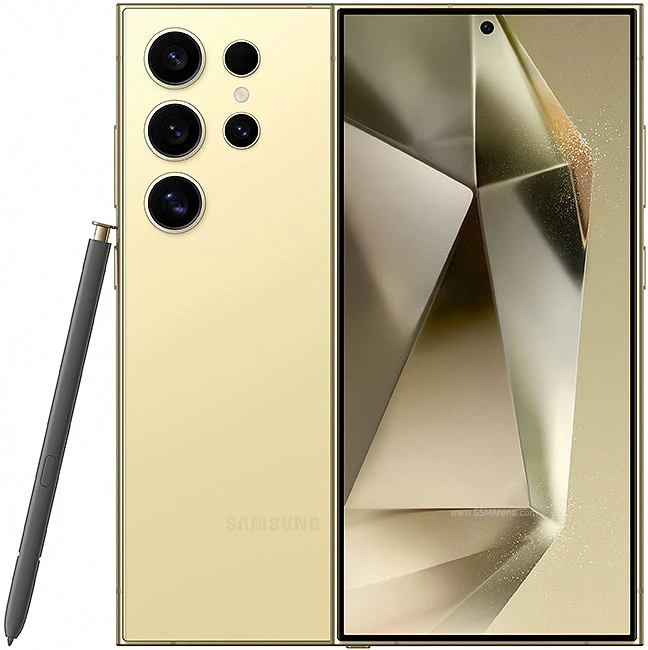
Samsung Galaxy S24 Ultra
6.8", 1440x3120 pixels, Dynamic LTPO AMOLED 2X, 120Hz • 5000 mAh Batarya • 5G NR Band 20 / n78 Sertifikalı
| Parameter | VoWiFi (Untrusted WLAN) | Cellular VoLTE / VoNR |
|---|---|---|
| Location Engine | Carrier-stored E911 MSAG Database + Wi-Fi BSSID | Cell Tower Trilateration + eNodeB/gNodeB ECID + A-GPS |
| Tunneling Protocol | IPSec via IKEv2 over UDP 500 / UDP 4500 (ePDG) | GTP-U (GPRS Tunneling Protocol User Plane) via Core |
| Acceptable Packet Loss | < 1.0% (MOS Score > 4.0 requires < 20ms jitter) | Handled via Dedicated QCI-1 (QoS Class Identifier) Bearer |
| Activation Requirement | Mandatory pre-registered civilian street address | Automatic triangulation via standard emergency basebands |
Step-by-Step Resolution Architecture
1. Address Standardization Protocol (CASS Alignment)
MNO validation scripts rely on exact USPS abbreviation dictionaries. Reformat your entry string strictly following postal engineering guidelines:
- Change spelled-out directional indicators to standard single or dual letters (e.g., change Northwest to NW; South to S).
- Standardize secondary unit designators: Use APT, STE, or BLDG rather than spelling out "Apartment" or placing "#" before the unit number.
- Drop unmapped localized housing names; input only the physical county cadastral tax parcel address.
- Verify the full 9-digit ZIP code (ZIP+4) directly on the official USPS locator and submit it via your carrier’s web portal account profile instead of the on-device popup modal.
2. Clearing Provisioning Caches and Resolving eSIM Conflicts
Modern dual-SIM devices running active eSIM data plans can encounter internal routing race conditions. If your mobile operating system attempts to establish the IKEv2 IPSec tunnel using the mobile data path of Line B while trying to register VoWiFi for Line A, the verification process times out.
- Temporarily toggle secondary eSIM data lines to Off.
- Navigate to your device’s network settings and execute a Reset Network Settings command to flush corrupted DNS resolution records for the carrier's ePDG endpoint (e.g.,
epdg.epc.mnc<MNC>.mcc<MCC>.pub.3gppnetwork.org). - Disable aggressive third-party VPNs, private DNS profiles (like NextDNS or AdGuard), and local hardware firewalls blocking UDP Ports 500 and 4500 on your local Wi-Fi router.
3. Carrier Web Portal Override Strategy
Smartphone interfaces frequently parse address fields incompletely. If the device settings screen fails to accept the address, open an incognito desktop browser, log in to your mobile operator’s primary subscriber portal, and navigate to Profile > E911 Emergency Address. Submit the standardized address here first. This triggers asynchronous validation across the carrier’s back-office billing database, propagating to the Home Location Register (HLR) within 15 to 30 minutes, bypassing device-side validation freezes.
Frequently Asked Questions
Why does my carrier insist on an address just to turn on Wi-Fi Calling? ▼
Telecommunications regulations mandate that mobile network operators must provide Public Safety Answering Points (PSAPs) with an accurate, geocoded civilian location during an emergency call. When making a call over cellular towers, base stations can triangulate your location. Over Wi-Fi, the carrier cannot reliably detect your physical location without a verified, pre-registered street address linked to your subscriber profile.
Can I use a P.O. Box as my E911 Wi-Fi Calling address? ▼
No. The Master Street Address Guide (MSAG) and carrier E911 validation engines strictly prohibit Post Office boxes. The system requires an authenticated physical delivery point where emergency personnel (EMS, fire, police) can physically navigate in the event of a 911 dispatch.
Does having an unlocked smartphone cause 911 verification errors? ▼
Yes. An unofficial or partial carrier unlock can leave conflicting CSC (Consumer Software Customization) firmware or APN profiles active on the device. When switching between networks, the operating system may struggle to communicate with the new carrier's Entitlement Servers, causing continuous registration timeouts.
What network ports must be open on my Wi-Fi router for VoWiFi registration? ▼
Wi-Fi Calling requires unrestricted outgoing and incoming UDP traffic over Port 500 (used for IKEv2 key exchange) and Port 4500 (used for IPSec NAT traversal to the carrier's evolved Packet Data Gateway). If your Wi-Fi router or firewall blocks these ports, E911 validation and IMS tunnel creation will fail.